9
The chessboard shows you the target score of the connected board as well as the
already struck pieces.
14: Rating bar The rating bar shows which side is currently doing better. Depending on the engine
settings, the information is given in point value or as the probability of winning.
The clock for White, depending on the selected time control.
17: Side to move Shows whose turn it is (white or white-black rectangle) as well as the current
direction of play (triangle).
Shows the last 8 moves of the game.
19: Analysis-Box Displays various evaluations of the engine for the current gameplay. You can
configure these via the display settings.
Special features of the rating bar
The ratings bar shows you the current position rating of the active engine. The way it works depends heavily on
the engine used. Classical chess programs usually evaluate on the basis of point value. If the white bar is a box
above the center mark, white is better by a value of one point. Neural engines, so-called NNUE engines, on the
other hand, evaluate according to the probability of victory. Another special feature can be very weak playing
strengths, such as the Play&Win profile in Komodo 14.1. Komodo uses the position evaluation in such a way that it
evaluates itself significantly more strongly than it actually stands, in order to sacrifice material more willingly. The
display of the rating bar will therefore work completely differently depending on the engine and profile or
settings of the engine.
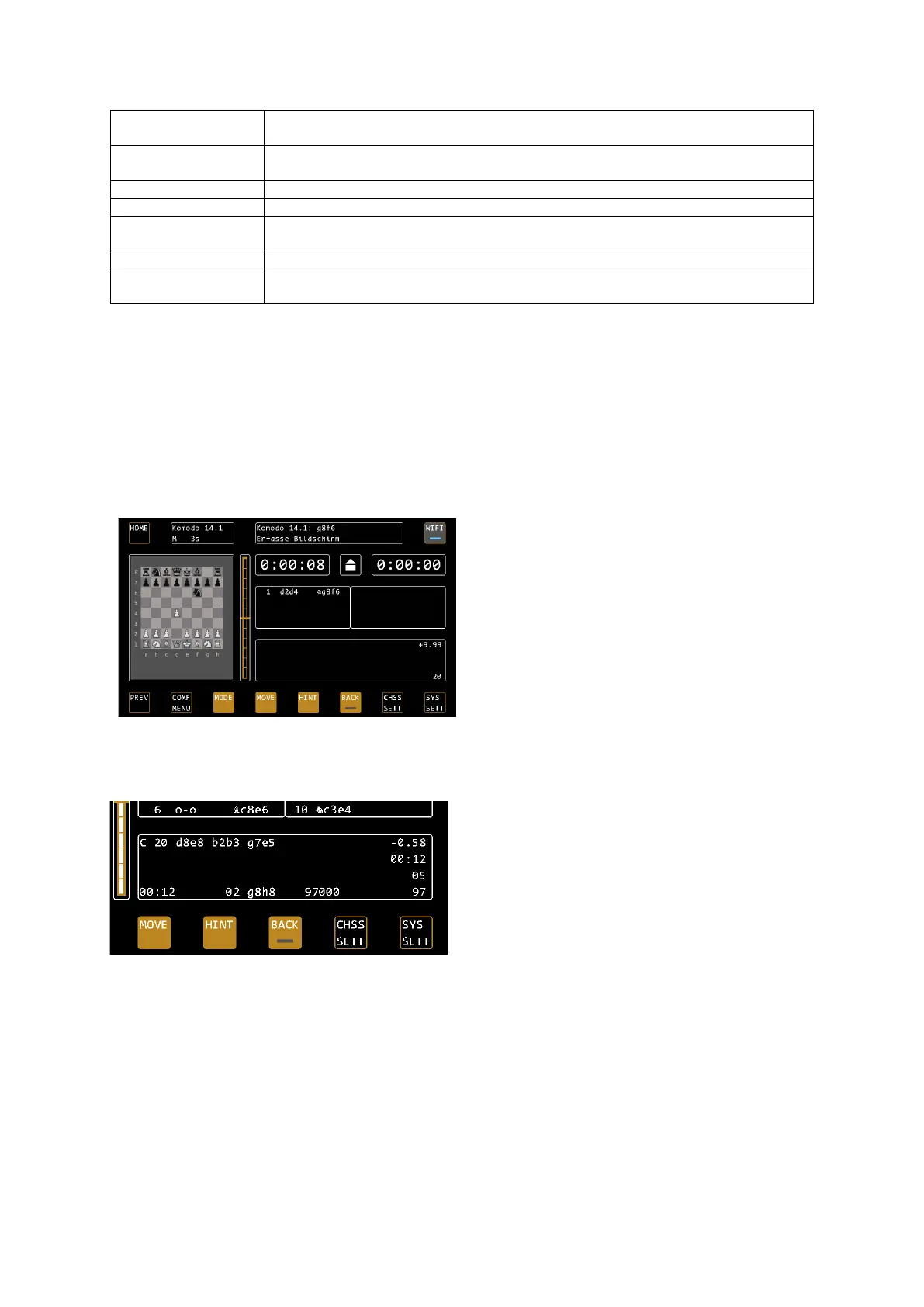
In the example, Komodo gives itself a score of +9.99,
so it thinks to be much stronger than it actually is.
The position has the same material strength for
both sides, so it is actually balanced. Komodo uses
this on very low levels to handle their own material
more "carelessly" and give the player a chance to
beat it.
Views of the Analysis Box
Depending on the configuration, you will find the following information in the analysis box.
Main variant
The main variant indicates how the engine suspects the game will continue. It is preceded by the current move
number. The main variant is ideal for training with engines. You can switch them on and off via CHESS SETTIN /
display SETTIN / MAIN.
Position assessment
In the first line after the main variant you will find the position evaluation, the value corresponds to the ratings
bar. Please also note the special features of the ratings bar on page 9.
Last move time
In the second line after the main variant you will find the time required for the last completed move.


 To Next Page