17
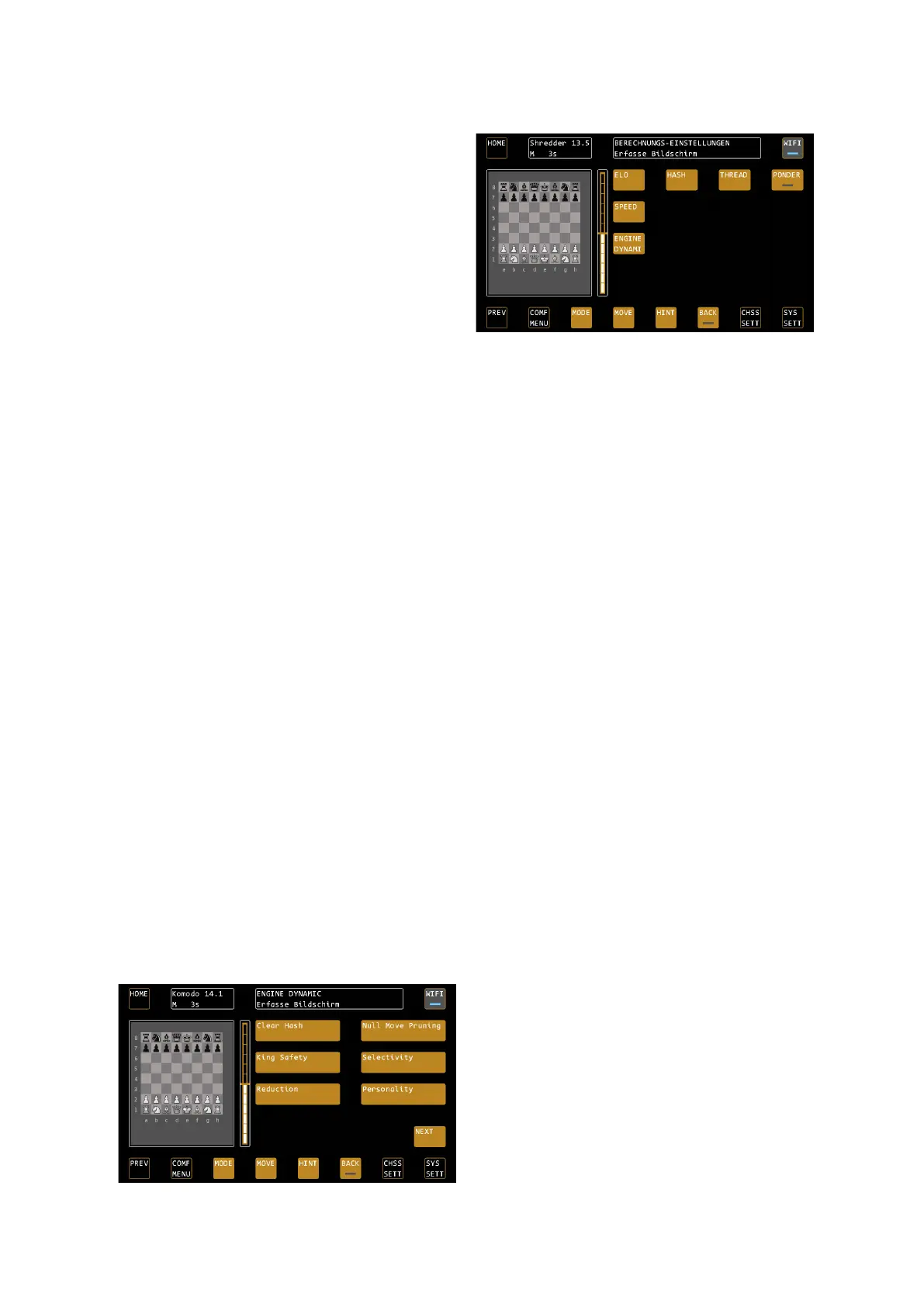
ENGINE SETTIN – The engine settings
The chess computer uses the UCI protocol and can
operate various engines. Each engine has its own
specific settings. The most important settings, however,
are offered by almost all programs, so that you can find
them centrally under the menu item ENGINE SETTINGS.
The submenu ENGINE DYNAMIC also offers the
functions that the selected engine offers. These differ
depending on the selected engine.
ELO – Limitation of the engine's playing strength
With ELO, the ELO playing power of the respective
engine is limited. You can easily adjust the playing strength to your own ability.
Here are some special features:
ELO OFF means that the engine expects maximum strength.
Shredder: In the case of Shredder, OFF means that the neural network is connected too. Adapt switches on the
adaptive game strength including the user elo rating (analogous to the profile Shredder Adaptive).
Komodo: Komodo does not offer ELO levels, so the menu item is not active when Komodo is selected as engine.
Please use the Skill Levels in the ENGINE DYNAMIC menu to set the strength of Komodo.
HASH – Resize the hash memory
Specifies the size of the hash memory used by the engine. Especially in endgames with few pieces, an increase in
hash memory (deviating from the standard specification) can lead to better performance, especially in the case
of long computing times.
THREAD – Number of simultaneous calculation processes
With the THREAD setting, you enable 1 or 2 computing processes for the engine. The more computing processes
are available to the engine, the more powerful it normally becomes. Note that the power consumption and
temperature of the device may also increase. Comment: Hiarcs 14.2 can only work with 1 thread.
PONDER
"PONDER" means that the engine calculates even when it is your turn. It therefore uses more reflection time and
will play a correspondingly stronger role.
SPEED
Sets the speed limit of the processor. The lower the set value, the weaker the corresponding chess program
plays.
ENGINE DYNAMI
Under ENGINE DYNAMIC you will find all the UCI settings that were not mentioned before, but which have an
influence on the gameplay of the engine. The available settings vary from engine to engine. Typical examples are
the king safety, playing style, in the case of Komodo and Stockfish skill levels and also Auto Skill (Adaptive
adaptation at Komodo). In Stockfish, for example, there is the function "USE NNUE", which switches on the neural
network. The most exciting functions of the commercial engines have already been stored in the profiles for trial
and error.
In the example we see the Engine Dynamic menu of
the Komodo Engine. Here, for example, king safety
(how much importance the engine places on the
protection of its own king) or the player personality
(aggressive or passive play) can be changed. The
options offered vary from engine to engine.


 To Next Page