21
Starting an emulation
Select an emulation by touching the corresponding abbreviation of the emulation in the overview, e.g. AM for
the Mephisto Amsterdam.
Controls in the emulations
Structure of the emulation screen
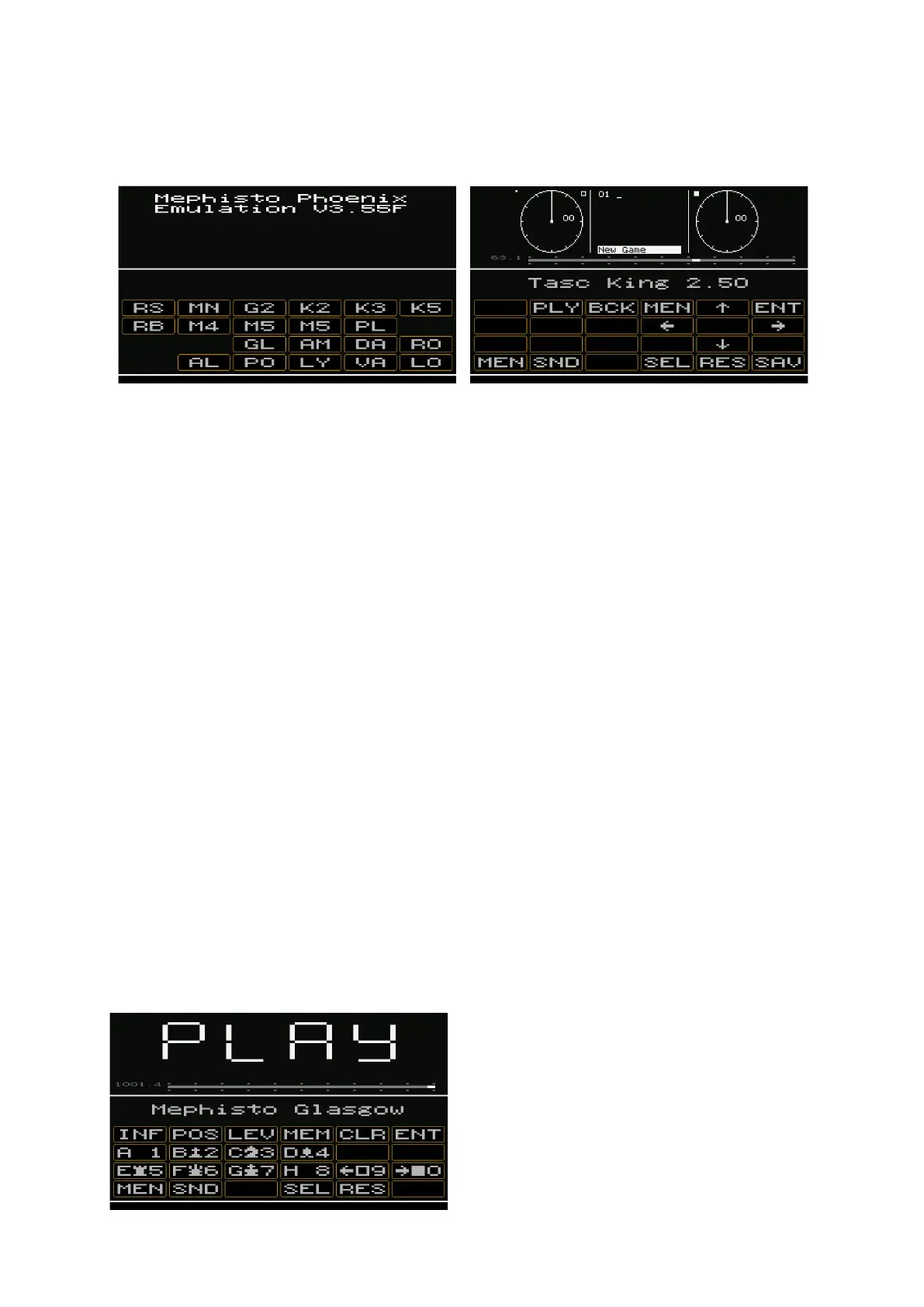
The screen of each emulation is structured as follows:
The upper part (above the white line) shows the original display layout of the chess computer of that time. In this
display area, there is a "hidden" function that allows you to switch between the original speeds of the processors
at that time and fine-tune the speed in 1% steps.
Directly below you will find the "Speed-Bar", i.e. the knob for setting the speed of the emulation.
Below the program name, you will find the original keys of the emulated chess computer in 3 destinations, in the
above example as PLY, BCK, MEN and so on.
The last line is reserved for the system functions of the emulations.
Set emulation speed
By default, the maximum possible speed of the respective emulations is set after program start.
You can now change this to the original speeds as follows:
1 x tapping of the display area in the middle:
The speed of the original chess computer in the basic version is set. Each further tap on the display in the middle
sets the speeds that simulate faster program versions of "back then". For example, 10 MHz of the standard
devices, 18MHz of the then turbo kits for 6502 processors or 33 MHz or 66 MHz for tournament machines of the
Motorola 68xxxx processors.
The set situation can be read in grey to the left of the scale.
Regardless of this, the speed can be set in +1%/-1% steps based on the full scale length by tapping the display in
the right (for +) or left corner (for -).
Original button layout of the chess computer
Example: Mephisto III-S (Glasgow) (see illustration)


 To Next Page