16
PLY – Search Depth
With the PLY steps you limit the search depth of the computer so that it can only "look ahead" to a certain
number of moves. It will then play a weaker game.
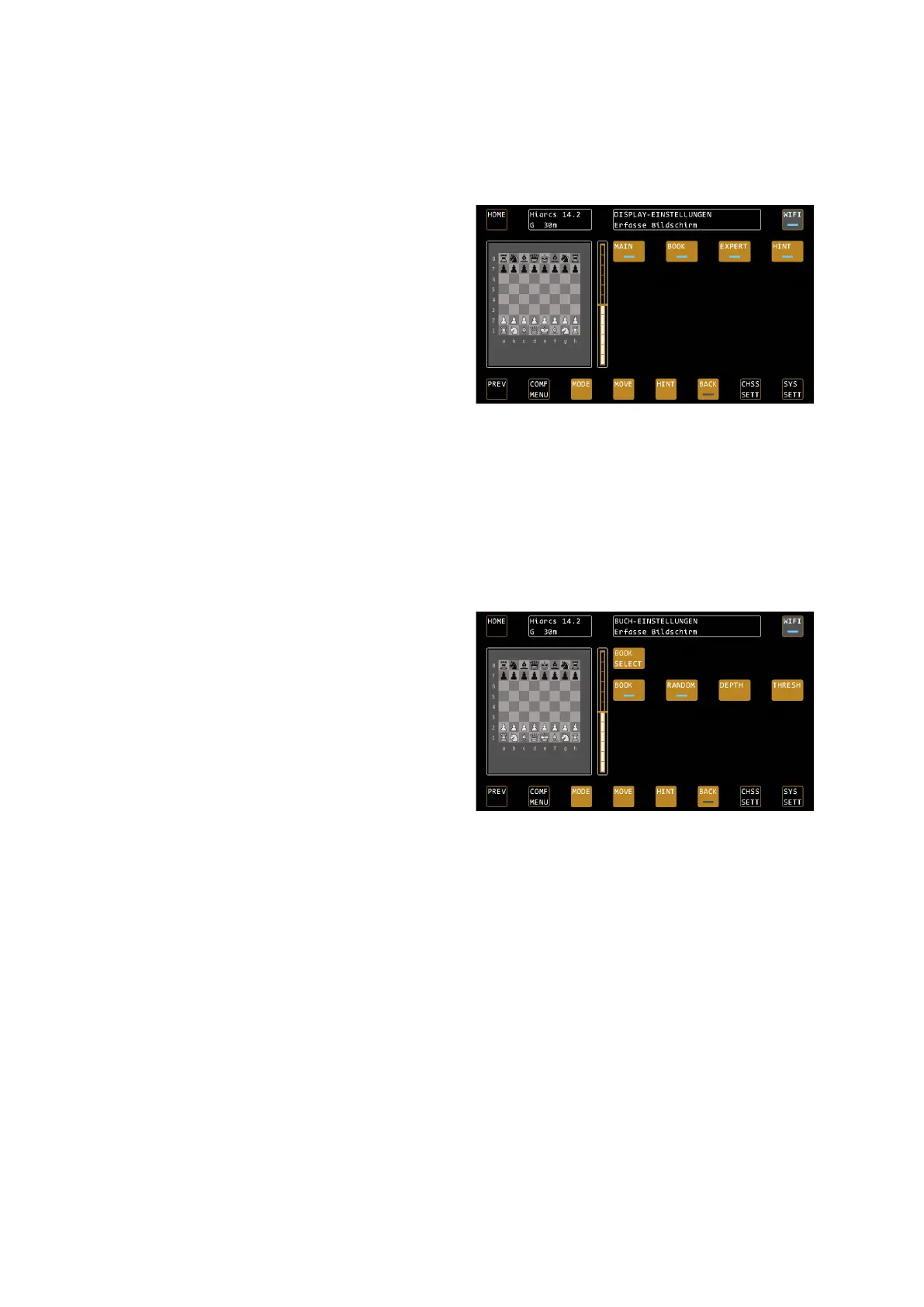
DISPLA SETTIN - Configuration of the analysis box
Use the DISPLAY SETTINGS to set what information the
computer shows you in the analysis box during the
game.
MAIN – the main variant
Turns the display of the main variant on and off, i.e. how
the computer thinks the game should continue
according to its calculations. The main variant is very
helpful if you want to play at a high level and see what
the computer thinks.
BOOK – The Opening Names
Toggles the display of the opening names on and off.
EXPERT – Calculation information for professionals
Switches the expert displays in the analysis box on and off, see also page 9.
HINT – The expected move
If HINT is disabled, a "----" appears in the expected game development instead of the expected countermove.
BOOK SETTIN – the settings of the opening books
Use BOOK SETTINGS to set which opening book you want to use and how widely.
BOOK SELECT
Select the opening book to be used by the chess
computer or turn it off completely. The device offers 5
different books:
The Millennium Book is written by Mark Uniacke of
HIARCS and offers over 1,000,000 positions, all of which
come from grandmaster games. It is the largest
opening book ever used in a chess computer.
The Fun Book offers rather unusual openings for
experimentation.
There are 3 other books, “Carlsen”, “Fischer” and “Kasparov”, which were generated from the games of the
respective world champions.
BOOK – Turn Using the book On or Off
BOOK turns the books on or off. When the book is switched off, the engine calculates from the home position.
RANDOM – The random factor
RANDOM activates the random factor that varies the openings played.
DEPTH – Limit book depth
DEPTH limits the depth of the book, i.e. how many moves are played from the opening books at the most, until
the engine calculates its own moves.
THRESH – Limit to the best book moves
With THRESHOLD BOOK, you can determine that, for example, only the 25% best openings are used. This limits
variety, but produces stronger openings.
TIP: Opening training
You can use the device to train openings and try out the various opening options. For example, if you do not like
an opening played by the device, use the BACK function to reverse the move. Now press MOVE, the computer
will automatically play the second best move from the opening book, and so on. With this function, you can
"scroll through" the opening variants directly on the board.


 To Next Page