15
CHSS SETT – Chess Settings
With the CHESS SETTINGS you can make the chess-
specific settings. In this menu you can configure your
computer manually, i.e. without the help of the profiles.
TIP: You can use a profile that you like as a starting point
for further settings.
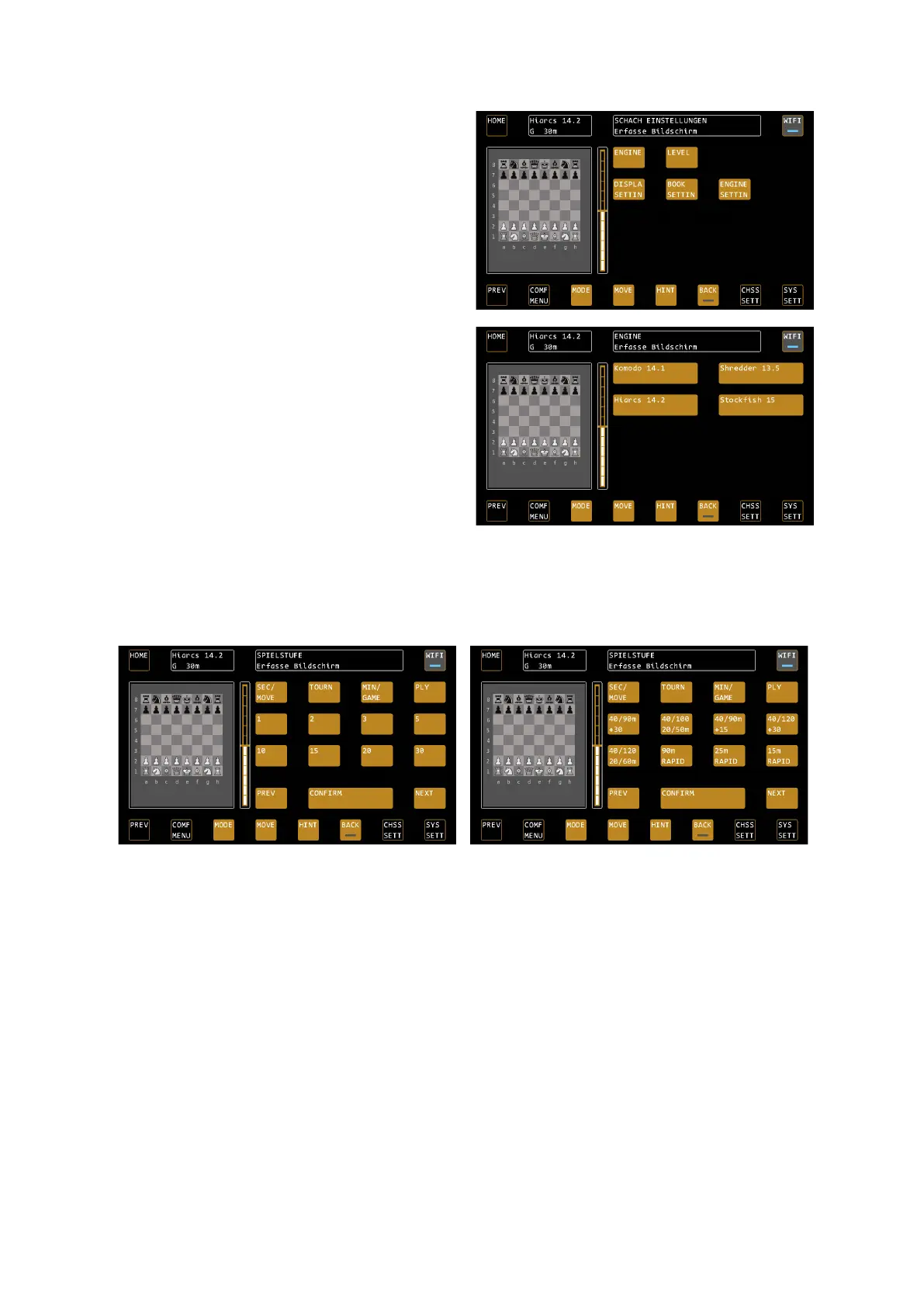
ENGINE – Selection of the current engine
Allows you to choose between the available engines in
the device. Each program has its own strengths and
weaknesses. In addition, the Mephisto Phoenix is the
first chess computer that also provides neural engines,
so-called NNUE engines.
Currently the commercial engines Komodo 14.1,
Shredder 13.5 (with NNUE option) and Hiarcs 14.2 are
available.
Stockfish 15 (with NNUE option) is available as a free
engine.
TIP: Changing an engine always automatically executes
a NEW GAME command. If you want to continue playing from the current deployment, please confirm this via
the position mode.
LEVEL – Selection of time control
Use level to set time control, i.e. how long or how deep the chess computer is allowed to "think".
Example: "Seconds per move" Game Stages
Example: Tournament Stages
SEC / MOVE – Seconds per move
Press SEC/MOVE TO MOVE to the levels that specify a specific number of seconds per move. If you press the
SEC/MOVE button a second time, further selection options appear:
Side 1: 1 second – 30 seconds / Side 2: 45 seconds – 900 seconds
Tap the desired time control to select it.
Tournament Stages
Here you will find the standard tournament stages with increments, for example one game in 15 minutes with 10
seconds increment per turn.
TIP: Pay attention to the information in the status box that provides you with explanations about the individual
levels.
MIN / GAME - Minutes per Game
Here you will find the fast chess stages (minutes per game) without increments.


 To Next Page