PROPULSION MENU
eng 91
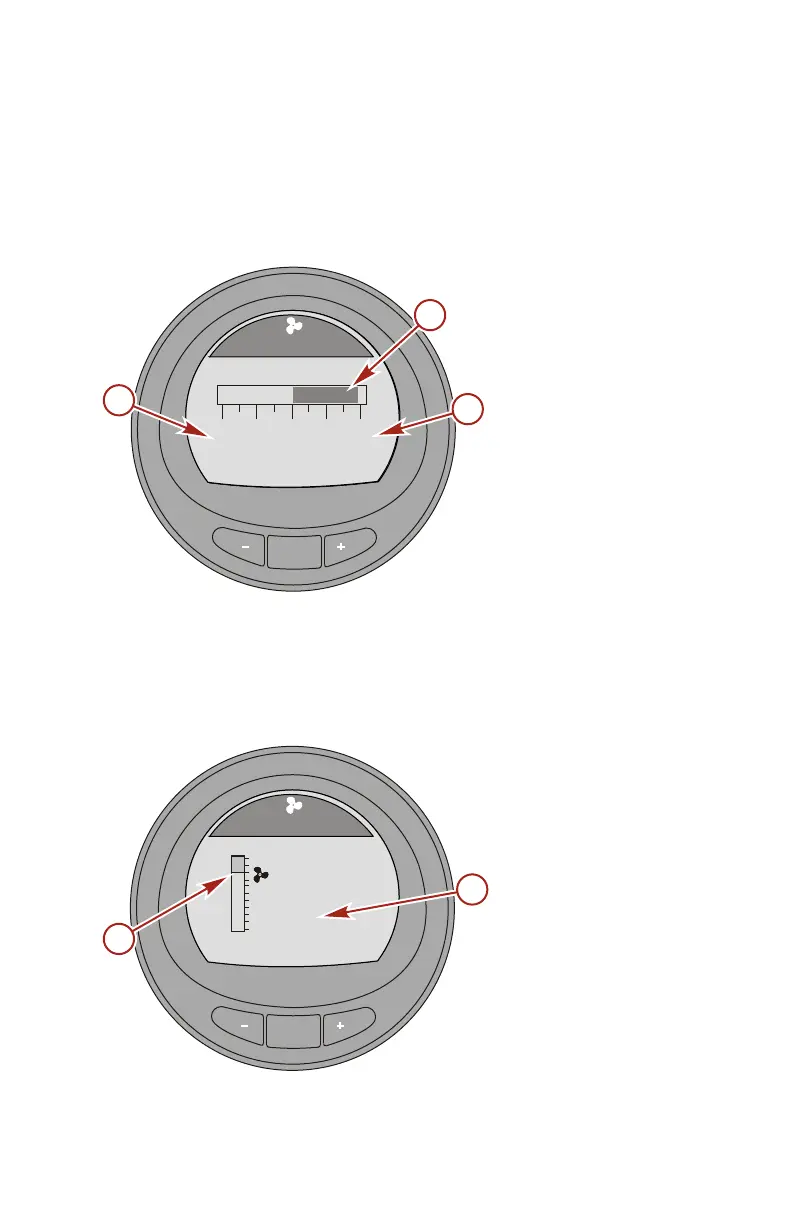
Trim Synchronize Screen
The "Trim Synch" screen displays a color band indicating to
increase or decrease the trim to synchronize the engines trim
location. The numbers are a point of reference, relating to the
position of the trim outside of the synchronization.
a - Port engine trim
point of reference
b - Color band
c - Starboard engine
trim point of
reference
Trim Screen
The "Trim" screen displays the position of the trim with a moving
propeller icon and displays the trim position number relative to
the propeller icon.
a - Trim indicator
b - Number indicating
the relative
position
MODE
42348
[ EXIT ] [ NEXT ]
TRIM SYNCH
PORT
0.0
Trim
3.2
STBD
a
b
c
MODE
33230
Trim
[ EXIT ] [ NEXT ]
10
0
25
9.5
a
b










 To Next Page