- 7 -
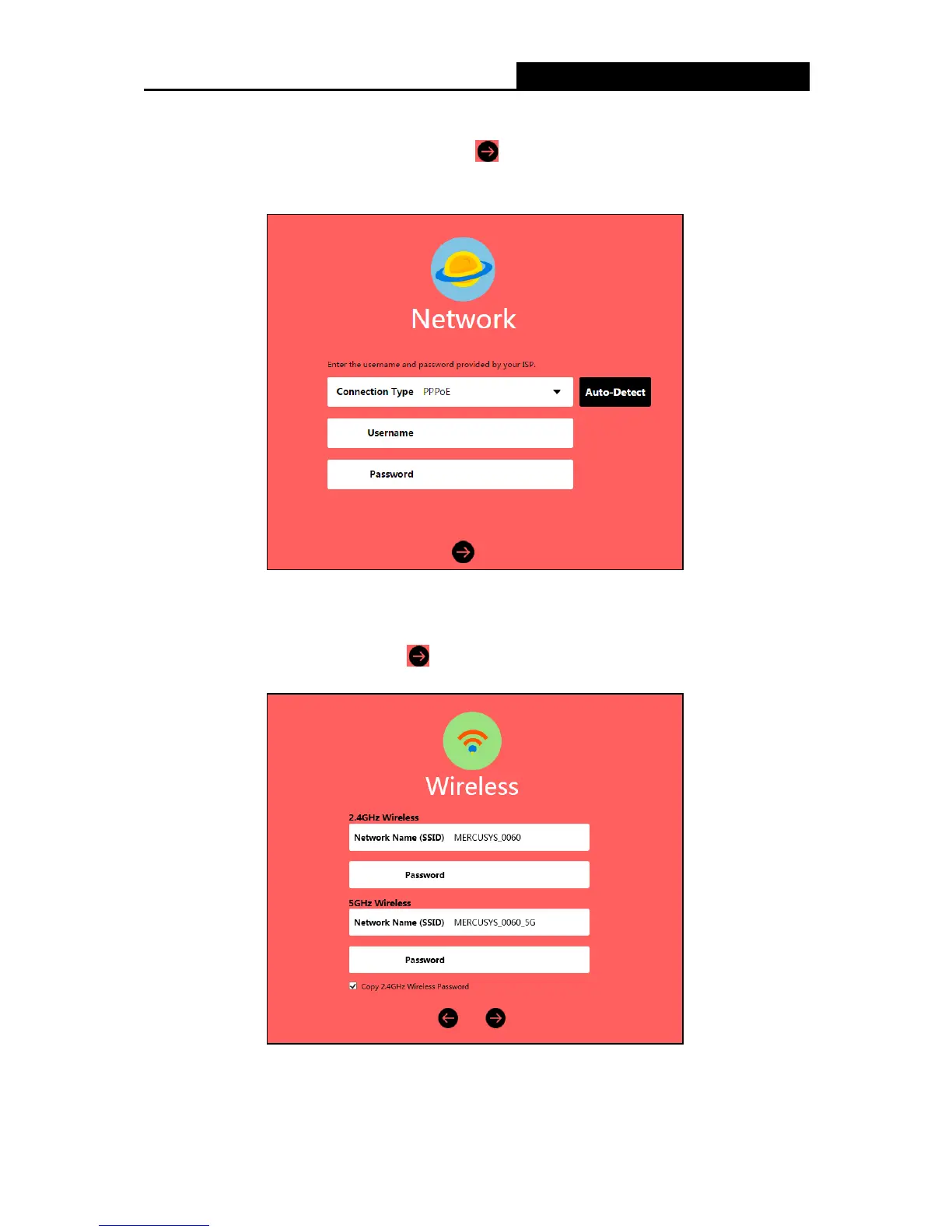
3. Select your Internet connection type and enter the corresponding parameters with the
information provided by your ISP and click . If you are not sure of the connection type,
click Auto -Detect. Here we use PPPoE as an example.
4. Customize the 2.4GHz and 5GHz wireless network name and password, or leave them as
default. It is recommended that you set a strong password using a combination of letters,
numbers and symbols. Then click
.



 To Next Page