16
Chapter 3 Congure via Web Management Interface
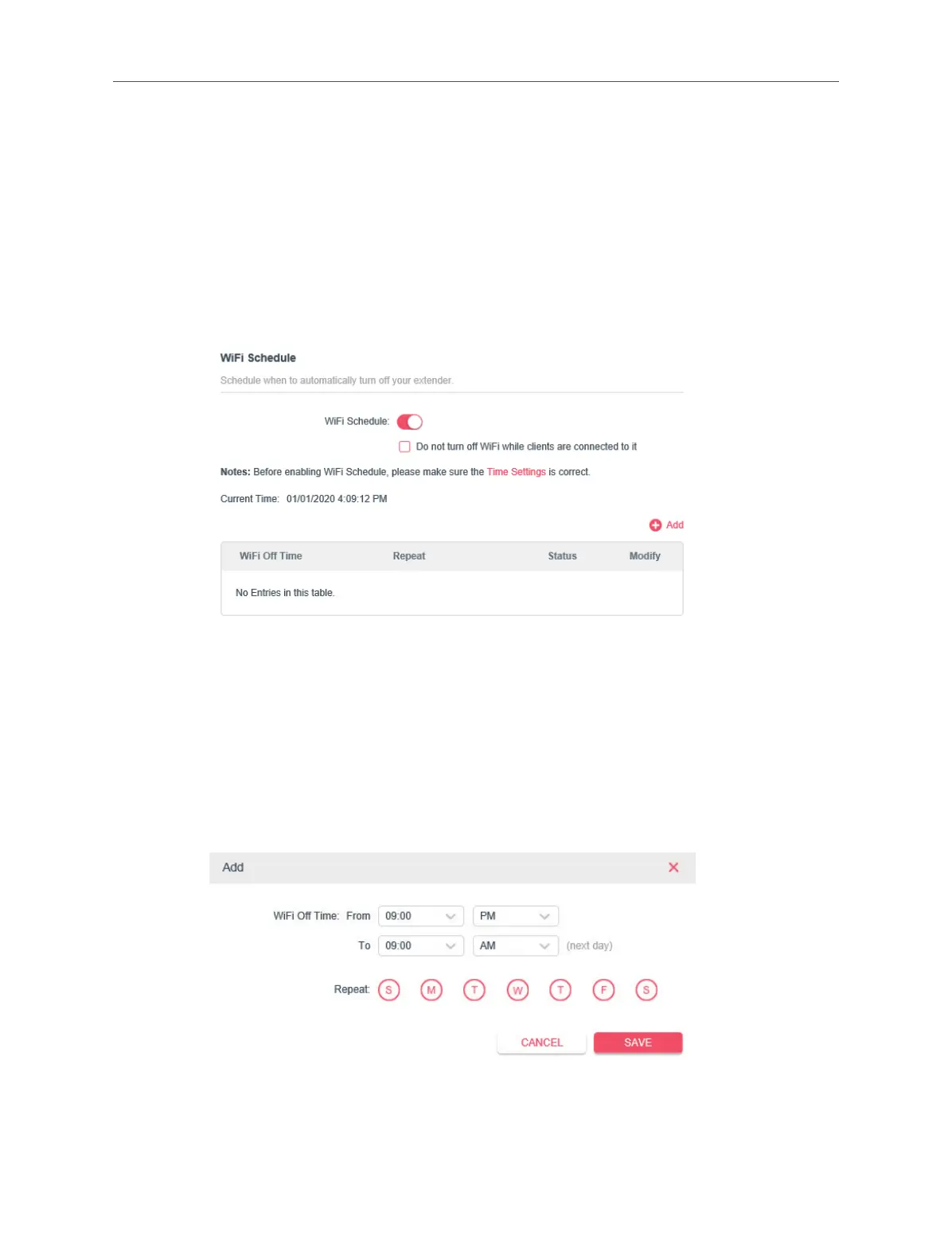
3.7 Schedule Your Wireless Function
If you want to automatically turn o the wireless network at times when you do not
need the wireless connection, please follow steps as below.
1. Connect to the powerline extender wirelessly. Visit http://mwlogin.net, and log in
with the password you set for the extender.
2. Go to Advanced > Wireless > Wi-Fi Schedule.
3. Enable Wi-Fi Schedule.
Note: If you check the box of Do not turn o Wi-Fi while clients are connected to it, the Wi-Fi schedule are not
enabled when any clients are connected to your extender.
4. Click Add to add an entry.
5. Choose WiFi O Time, and check the boxes from Sunday to Saturday you prefer.
Note: Please make sure that the system time is correct before using this function.
6. Click SAVE.
Done!



 To Next Page