22
Chapter 3 Congure via Web Management Interface
To manually set the date and time:
1. Select Manually.
2. Enter the current Date.
3. Set the current Time (In 24-hour clock format, e.g. 16:00:00 is 04:00PM).
4. Click SAVE.
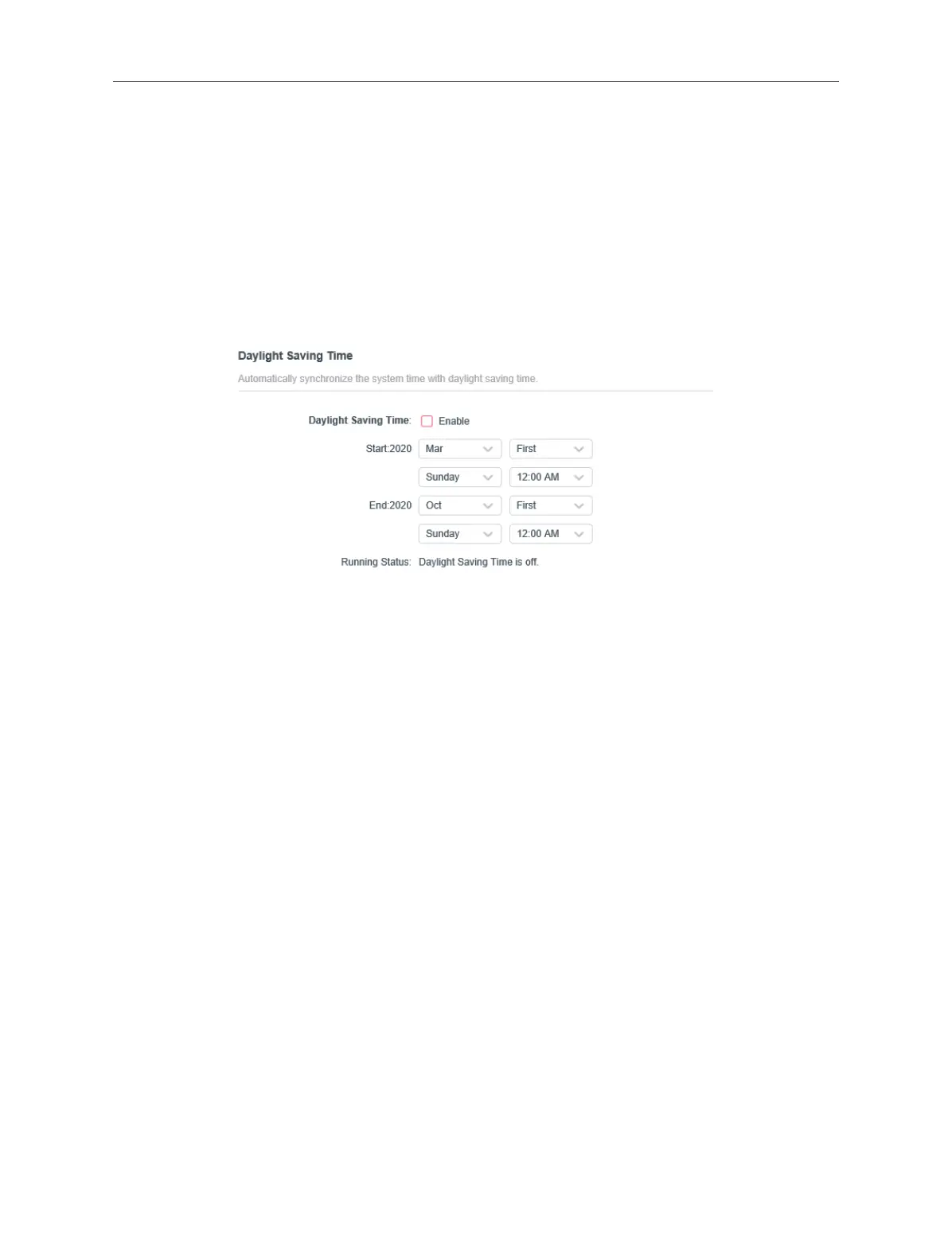
To set up Daylight Saving time:
1. Check the box of Daylight Saving Time.
2. Select the correct Start date and time when daylight saving time starts at your
local time zone.
3. Select the correct End date and time when daylight saving time ends at your local
time zone.
4. Click SAVE.
3. 11. 3. Upgrade the Firmware
Mercusys is dedicated to improving and richening the product features, giving you a
better network experience. We will release the latest rmware at our ocial website,
you can download the latest rmware le from our website: www.mercusys.com
and upgrade the rmware to the latest version.
1. Connect to the powerline extender wirelessly. Visit http://mwlogin.net, and log in
with the password you set for the extender.
2. Go to Settings > Firmware Upgrade page and conrm the Hardware Version.



 To Next Page