28
1 Introduction
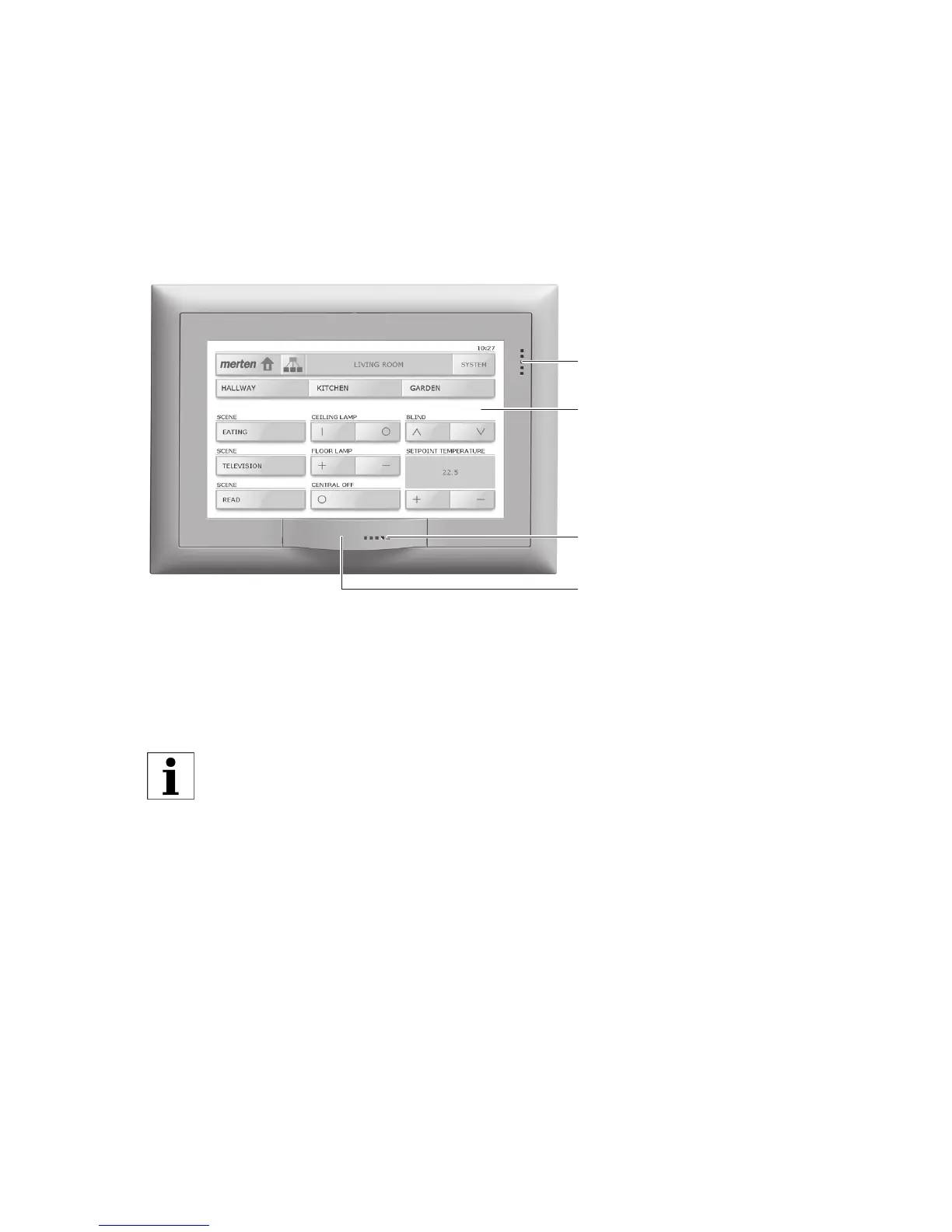
The 7" KNX touchpanel provides you with a modern, efficient display and
control unit, for everyday use in the
- switching on and off and dimming of lights;
- operation of sun protection systems such as roller shutters, awnings,
Venetian blinds and so on (shutter function);
- saving and calling up of scenes, and
- switching on and off of various loads
The 7" touchpanel has a touch-sensitive surface. The device is operated by
touching the surface of the screen with a finger (NOT with a finger nail) or
with a special touch-screen stylus (not included in the supply). The self-
explanatory screen with clear symbols is easy to use, guiding you step by
step.
Your touchpanel also allows you to:
• run switching programmes you have set up normally to any point in
time (weekly switching time ⇒ chapter 7.1);
• record your switching habits and replay these during extended times
away (Presence simulation ⇒ chapter 7.2);
• display the alarms list (⇒ chapter 7.3);
• surf the Internet (⇒ chapter 7.4);
• load a slideshow (⇒ chapter 8.1) and make other system adjust-
ments (⇒ chapter 8).
Do not use sharp objects such as pencils, ball-point pens, etc.
Touch-sensitive user
interface
Microphone
USB socket cover
Loudspeaker



 To Next Page