46
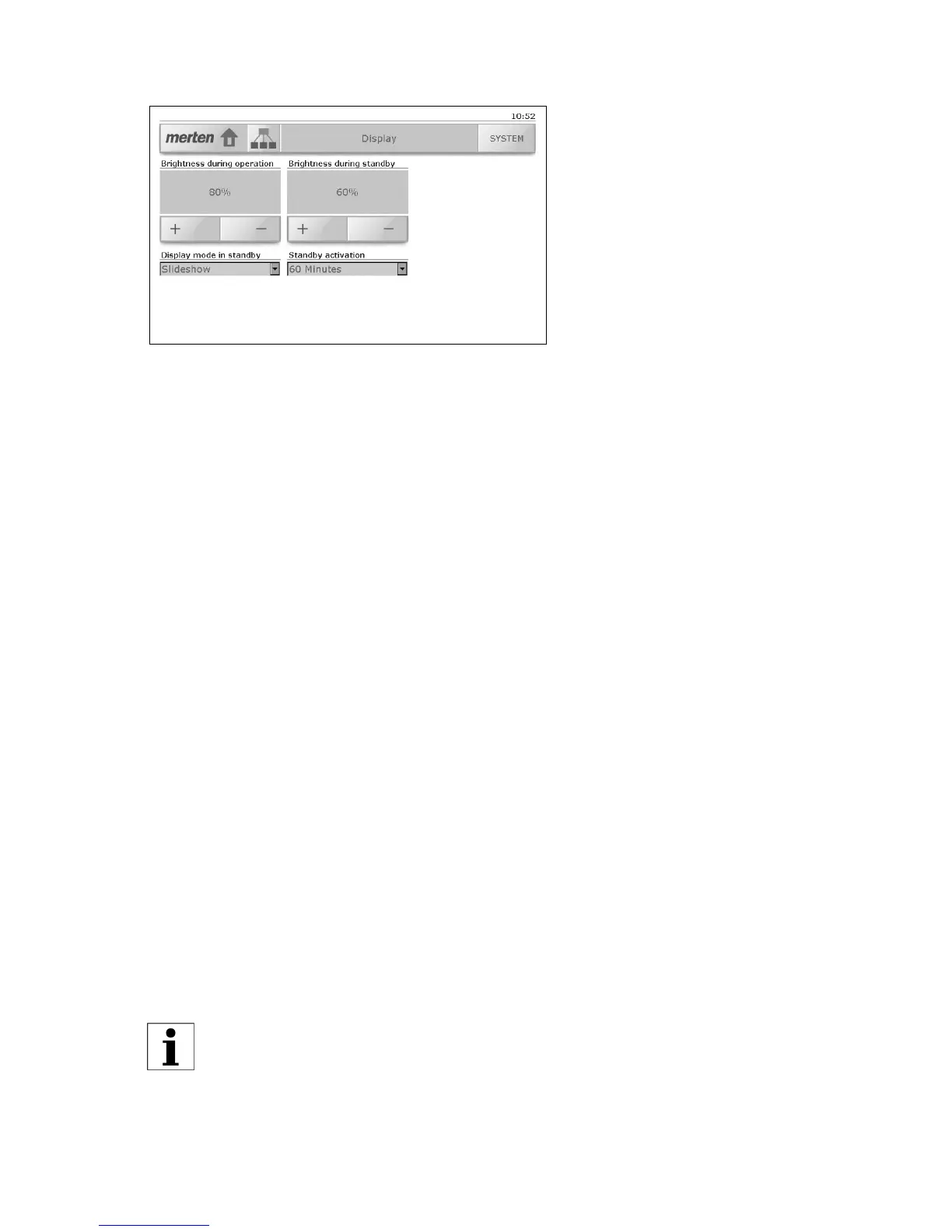
8.2 Display
The 'Display' system page allows you to:
• Set the brightness of the background lighting of the screen during
operation and during standby. Tap [+] or [-], to change the bright-
ness in 10% steps.
• Select the display mode in standby. The following options are avail-
able:
- 'Switch off display'
the background lighting is switched off, the screen is dark (power
saving mode).
-'Fixed image'
the first image in the imported slideshow (see chapter 8.1) is dis-
played
1)
, the background lighting corresponds to the 'Brightness
in standby' value.
- 'Slideshow'
the first image in the imported slideshow (see chapter 8.1) is dis-
played
1)
, the background lighting corresponds to the 'Brightness
in standby' value.
-'No standby'
the standby mode is deactivated, the touchpanel remains opera-
tional, the background lighting corresponds to the 'Brightness in
operation' value.
• Select the amount of time until standby activation must lapse. You
can select from 1, 2, 5, 10, 30 and 60 minutes.
1)
. If no images have been imported, then "nothing" is displayed, the
background lighting remains activated, however (unlike the 'Deacti-
vate display' option).
For a longer period of absence select the 'Deactivate display' option
in order to save energy.



 To Next Page