31
5 Setup
The available functions and the appearance of the user interface depend
on your individual installation and therefore differ from one system to an-
other. The elements that a screen page can contain are used for navigation
between the individual rooms, present values or information or are pro-
grammed for operation of the loads.
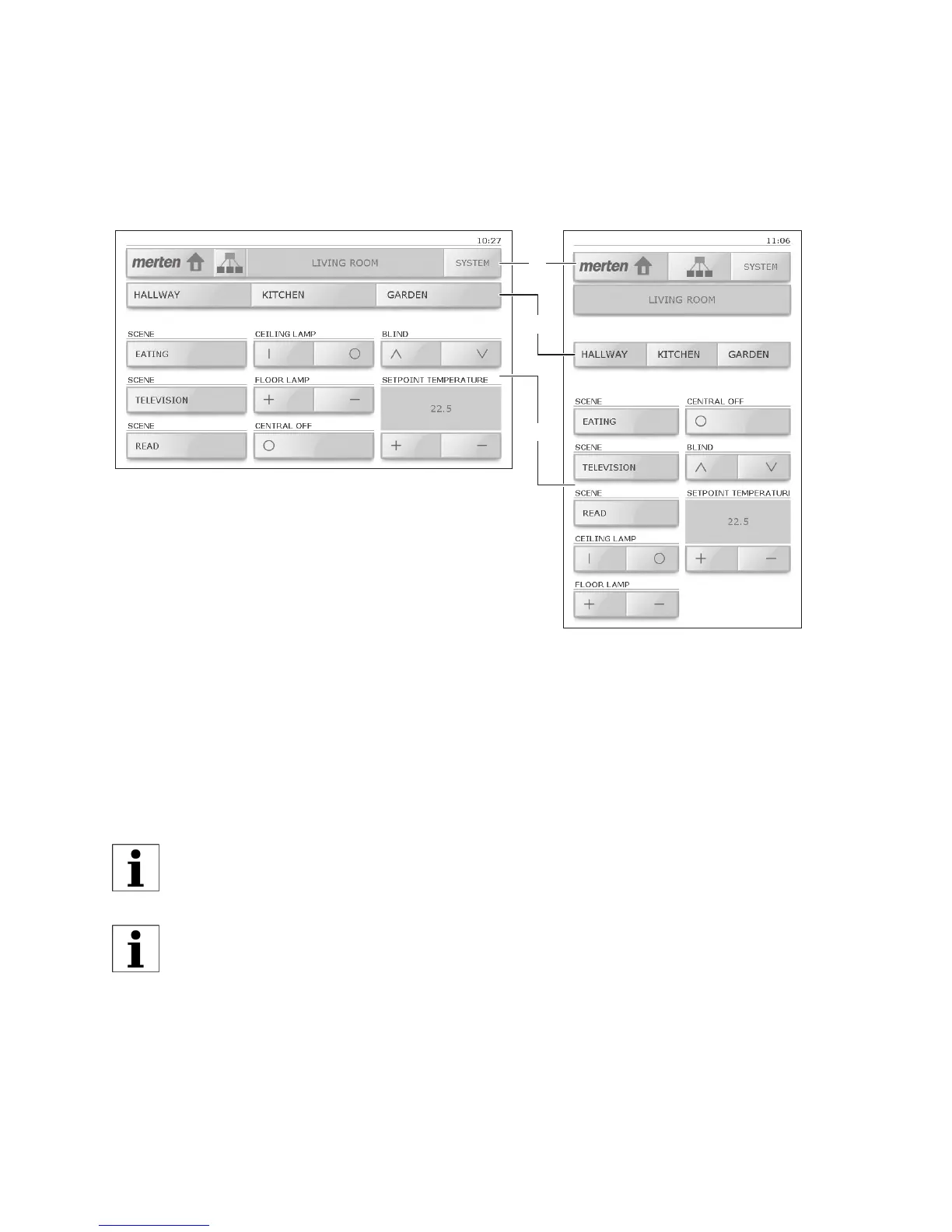
The screen of the 7" touchpanel can be split into 3 areas:
• main bar (1) with buttons for navigating between the individual
screen pages (⇒ chapter 6);
• (optional) link bar (2) with up to 3 buttons for other pages;
• user interface (3) with keys for operation of loads (⇒ chapter 6.1) or
buttons to perform functions.
The touchpanel can be mounted either horizontally (image in top-
left) or vertically (top-right). For the explanations provided in this
manual the horizontal presentation is used in each case.
The key captions are to a large extent self-explanatory and essen-
tially correspond to those of other buttons.
3
2
1



 To Next Page