37
Deleting a scene
In order to delete a scene, press the scene key until after the messages
'Saving scene. Please continue pressing button.' followed by 'Scene has
been saved. Please release key.', the message 'Scene has been deleted.
The button was not released.' is displayed.
6.3 Password protection
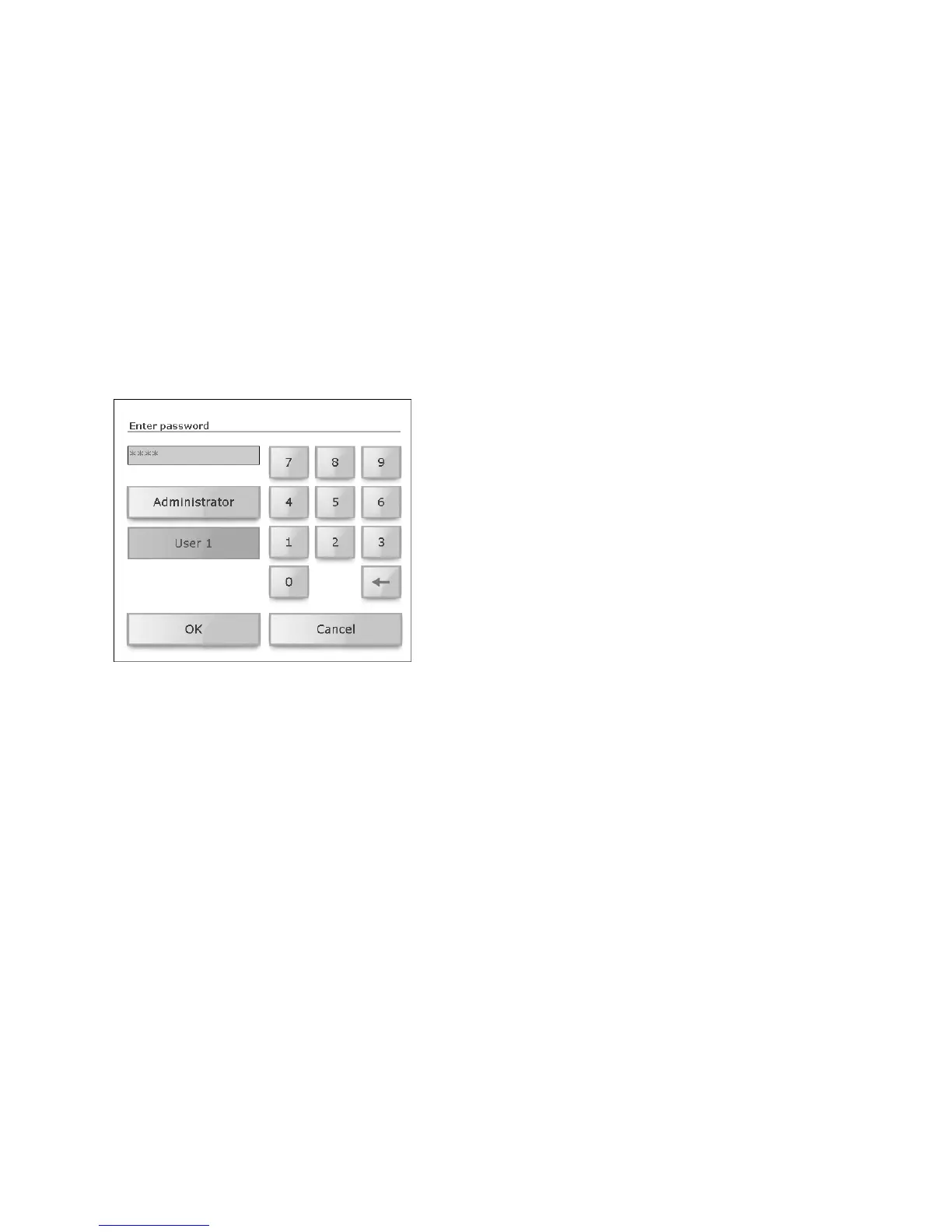
The touchpanel software allows the system integrator to limit access to in-
dividual function areas to certain user groups (e.g. 'Administrator', 'Own-
er', and 'User') and to protect this with a password. The password
comprises up to 6 digits and is indicated to you by the system integrator
for your user group.
• Tap as necessary on your user group (e.g. [User 1]).
• Tap the input field and enter the password for your user group using
the number pad. Use the backspace key [←] to delete numbers.
• Confirm your input with [OK].
Once you have correctly entered the password, you will be given access to
the desired page. Until the next switch into standby mode you can now ac-
cess all pages that have been protected (for your user group). Entering the
Administrator password allows access to all pages.



 To Next Page