44
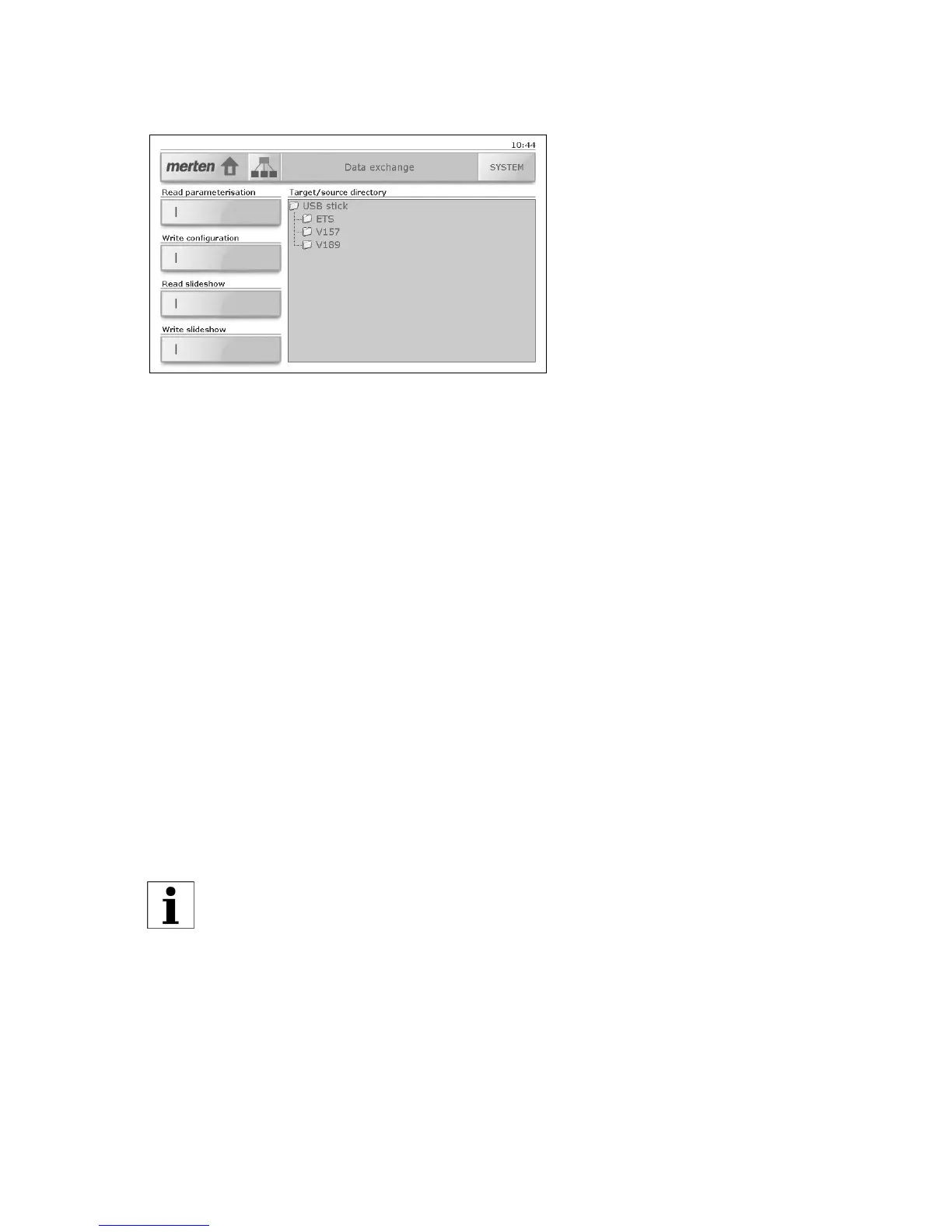
8.1 Data exchange
You can import your own images for the slideshow in standby mode.
Import slideshow
In order to import images for the slideshow in standby mode, proceed as
follows:
• Prepare your images. These should have a maximum size of
800x480 pixels. Larger images cannot be displayed.
• Copy the image files to their own directory on a USB stick. The files
with later be sorted and played back in name order.
• Remove the cover of the USB socket (⇒ chapter 1) and insert the USB
stick.
• Tap [SYSTEM] and then [Data exchange], in order to display the 'Data
exchange' system page.
• In 'Target/source directory' tap 'USB stick' and search for the direc-
tory with the images to be imported.
• Tap the 'Read slideshow' key.
• You will again be advised of the maximum image size (800x480 pix-
els). Start the import with [Yes] or cancel it with [No].
• The images will now be imported. Confirm with [OK].
• Remove the USB stick and replace the cover on the USB socket.
If for the display mode in standby you have selected 'Fixed image'
(⇒ chapter 8.2), the first image of the slideshow will be used as the
fixed image.



 To Next Page