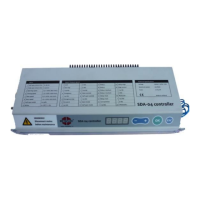
Parameter 0 : (----) Log in to the controller (for authorised personnel only)
(----) Enter your 4-digit login here to access the installation menu
Parameter 1 : (2) “remain-open” time after reaching the half-open (pedestrian) position
This is the time that elapses between the moment the door arrives at the partly or
half open position and begins the movement to return to the closed position.
For pulse open/close, the door will undertake this action immediately. Otherwise,
the door will close automatically after a set period of time has elapsed, which is
settable like shown below.
0 - 99 = number of seconds the door will remain open before closing automatically.
t0 = Pulse open/pulse closed, the door stays open until the next operation action
t1 = Pulse open/pulse closed, the door closes when Timer 1 has counted down to zero
(parameter 3)
t2 = Pulse open/pulse closed, the door closes when Timer 2 has counted down to zero
(parameter 4)
Parameter 2 : (2) “remain-open” time after reaching the full-open (vehicles) position
This is the time that elapses between the moment the door arrives at the fully or
completely open position and begins the movement to return to the closed
position. For pulse open/close, the door will undertake this action immediately.
Otherwise, the door will close automatically after a set period of time has elapsed,
which is settable like shown below.
0 - 99 = number of seconds the door will remain open before closing automatically.
t0 = Pulse open/pulse closed, the door stays open until the next operation action
t1 = Pulse open/pulse closed, the door closes when Timer 1 has counted down to zero
(parameter 3)
t2 = Pulse open/pulse closed, the door closes when Timer 2 has counted down to zero
(parameter 4)
Parameter 3 : (0) Timer 1
Adjustable timer (0 seconds - 10 minutes) to be used for a number of timer
controlled actions such as temporarily disabling the interlock function or cancelling
the open position in toggle mode.
0 = Factory default, timer is off
0.01- 10.00 = Adjustable time in minutes and seconds which serves as the starting point for the
timer to count down from



 To Next Page