EasyManua.ls Logo

MHM Synchroprint X-Type plus - User Manual

MHM Synchroprint X-Type plus
45 pages
Print Icon
To Next Page IconTo Next Page
Loading...
Operating Instruction X-Type plus
Operating instructions X-Type plus V1-3.docx Page 1 of 45
OPERATING INSTRUCTIONS
(Translation of the original instructions)
MHM SCREEN PRINTING MACHINE
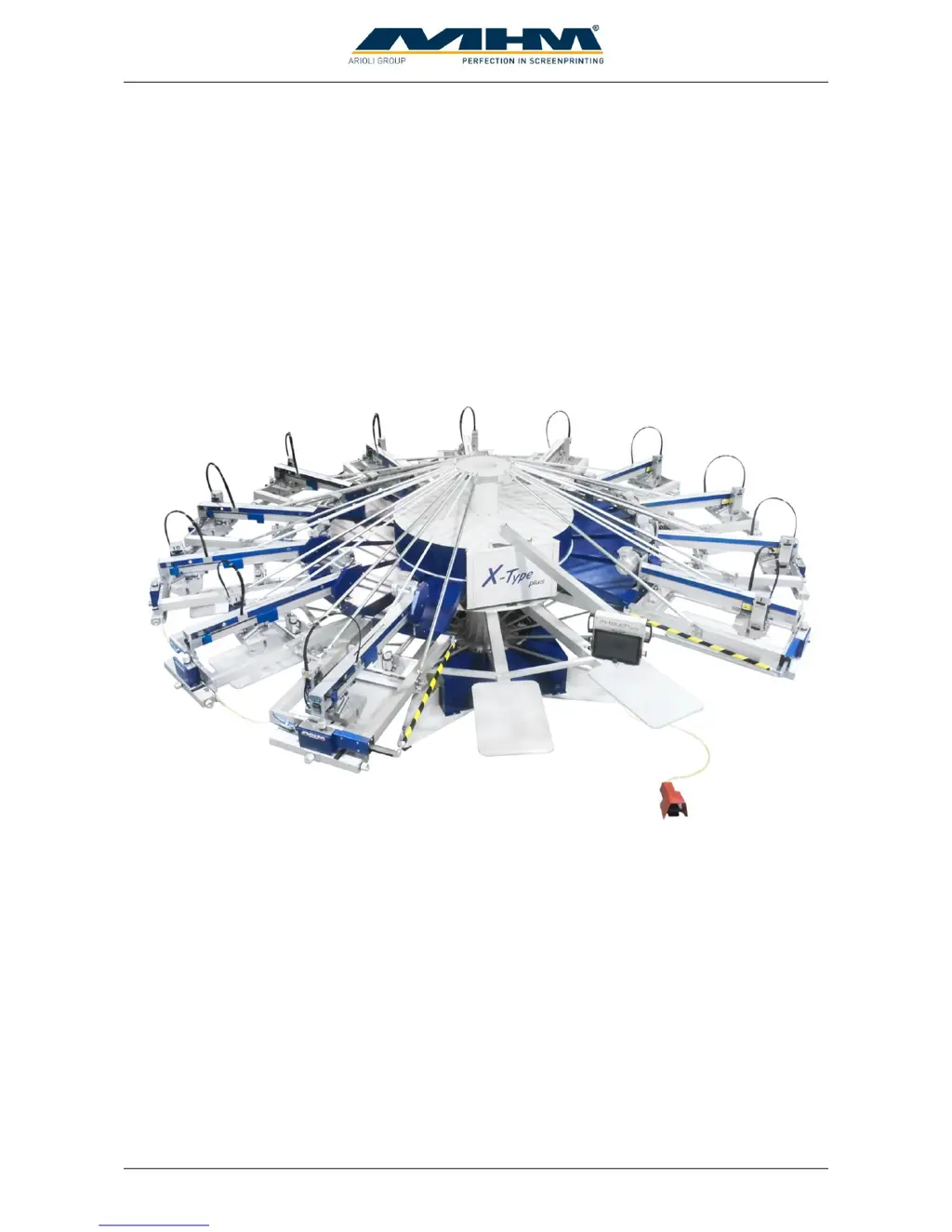
SYNCHROPRINT X-Type plus
©2012-2016 Machines Highest Mechatronic GmbH, Erl, Austria

Table of Contents

Questions and Answers

  • V
    vasqueznicoleAug 2, 2025
    What to do if the squeegee does not toggle on my MHM Synchroprint X-Type plus Printer?
    • J
      jason23Aug 3, 2025
      If the squeegee on your MHM Printer isn't toggling during squeegee carriage movement, consider these potential causes: 1. Squeegee pressure might be too low. Solution: Adjust the pressure control at the print station. 2. There might be no air pressure at the print station. To check: Is the manual screen lift working? If YES: Pressure exists. If NO: The upper pressure stop cock is active, or the tube has snapped off. 3. The valve might not be actuated. Solution: Check the wiring of the squeegee valve!
  • L
    Lawrence WiseAug 10, 2025
    Why is the screen lift not working on my MHM Synchroprint X-Type plus?
    • M
      Michael RosalesAug 10, 2025
      If the screen lift on your MHM Printer isn't working, it might be due to: 1. No air pressure at the screen lift unit because a tube snapped off. 2. The valve is not actuated. Solution: Check the wiring of the screen lift valve!
  • C
    Carol RoseAug 17, 2025
    What to do if safety level can’t be adjusted on MHM Printer?
    • S
      Sean RhodesAug 17, 2025
      If the safety level on your MHM Printer can’t be adjusted, it could be due to: 1. The safety key is not connected to the unit control. Solution: Check the wiring from the unit control to the safety key! 2. There is wrong wiring of the safety key at the control panel housing. Solution: Put the control panel out of the housing and check the wiring of the safety key!
  • J
    joannwashingtonAug 25, 2025
    Why unlock screens does not work on MHM Synchroprint X-Type plus Printer?
    • J
      Joshua ReillyAug 25, 2025
      If the unlock screens function isn't working on your MHM Printer, it could be due to: 1. Wrong low-pressure adjustment. Solution: Check the adjustment of the pressure regulator. 2. The valve not being actuated. Solution: Check the wiring lock/unlock valve!

Summary

Safety Instructions

Personnel Qualification and Safety

Details staff qualifications, PPE, additional risks, and safety signs.

Intended Usage of the Machine

Assembly and Installation

Commissioning the Synchroprint

Design and Operation

Process, Components, and Control Panel

Explains the printing process, overviews parts, and details the control panel and safety features.

Print Station Details and Controls

Details print station components, adjustments, locks, and speed/pressure controls.

Additional Equipment and Danger Zones

Danger Zones Identification

Identifies hazardous areas on the machine during operation.

Control of the Machine

Startup, Shutdown, and Emergency Stops

Provides instructions for starting, stopping, and handling emergency situations on the machine.

Error, Malfunction, and Blocked Operation

Details error messages, malfunction stops, long-term shutdown, and blocked operation.

Trouble Shooting

Maintenance of the Synchroprint

MHM Synchroprint X-Type plus Specifications

General IconGeneral
BrandMHM
ModelSynchroprint X-Type plus
CategoryPrinter
LanguageEnglish

Related product manuals