Technical and Functional Details
CE-500 MDT Hardware Guide
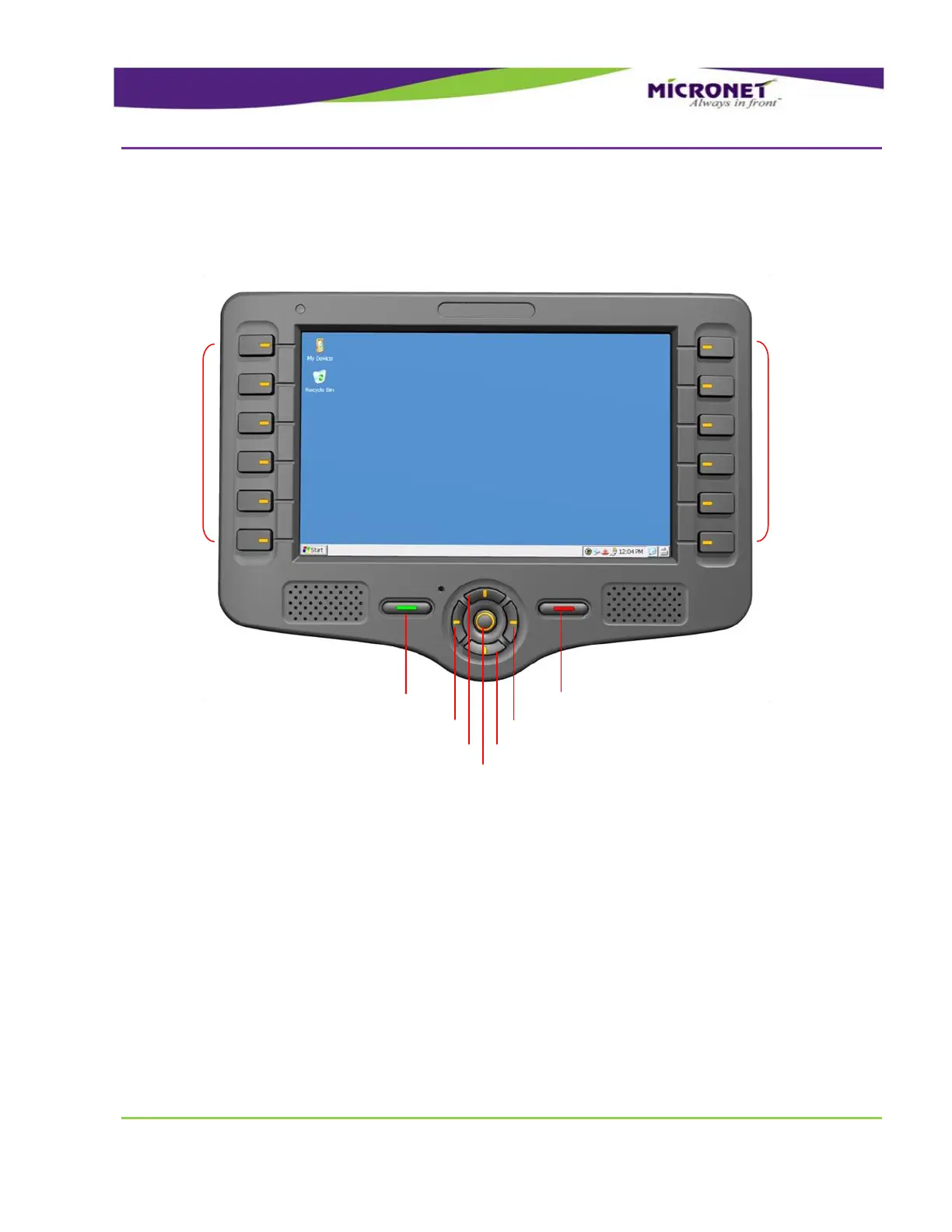
Figure 8 – CE-507 Model, Control, direction and Menu Keys disposition
The menu (function) “F” keys are located near the device display as indicators for the relevant functions
displayed on the screen.
All the keys are backlit and can be configured to provide system audio feedback during use.
The platform provides a function of “rotating” the direction keys to support both landscape and portrait
display modes. The automatic adjustment can be configured to switch the keys based on the Cradle
indication signal. Developers can use this ability to manage how applications are displayed and
controlled in vehicle and out-of-cab device operations.
Control and Direction Keys


 To Next Page