Understanding Power States
CE-500 MDT Hardware Guide
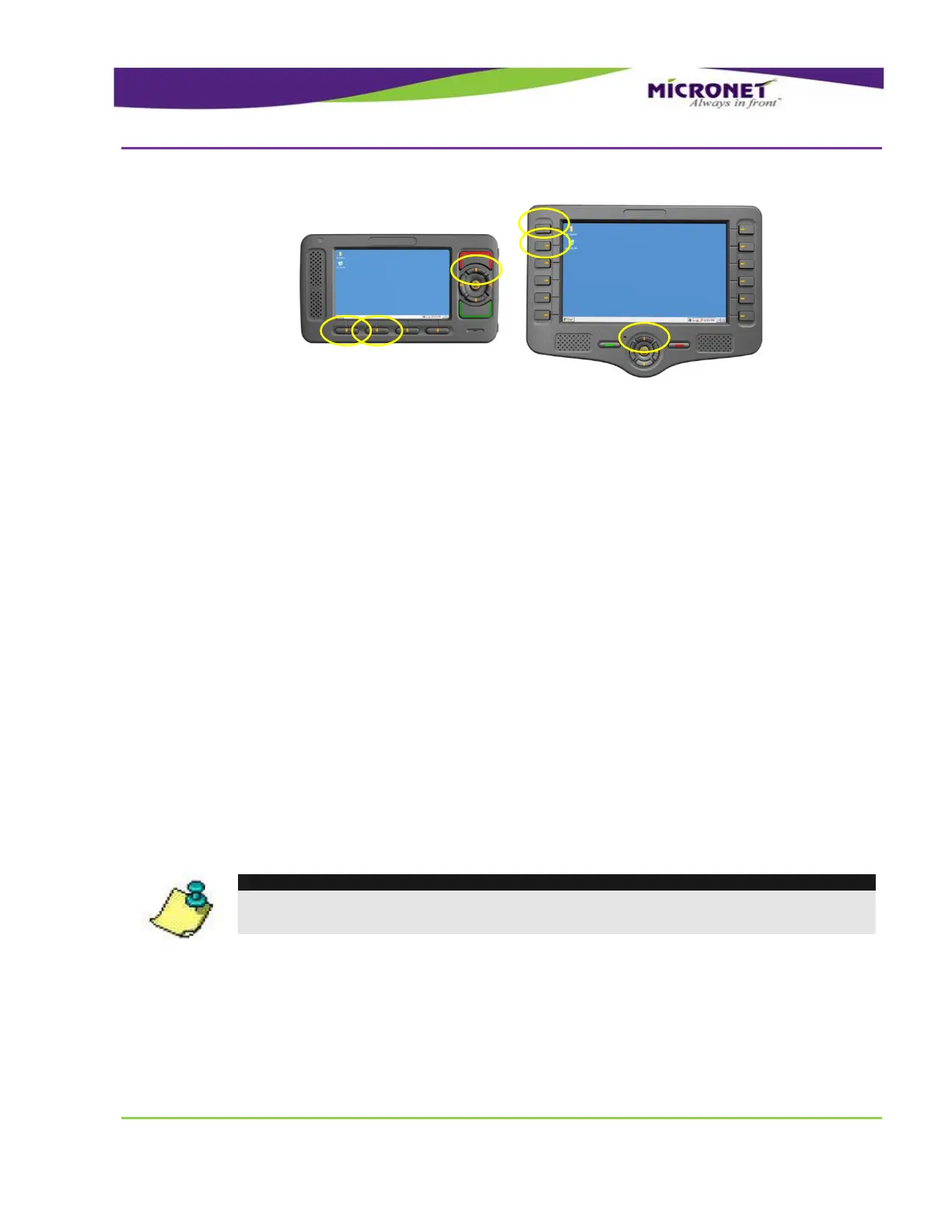
Figure 18 – Device manual Warm BOOT Reset
H
H
a
a
r
r
d
d
w
w
a
a
r
r
e
e
P
P
o
o
w
w
e
e
r
r
D
D
o
o
w
w
n
n
A Shelf storage power down state for a battery operated CE-500 device.
State characteristics:
Registry is flushed, settings are preserved
RTC is not alive (system time is reset)
Memory allocation is not preserved
Triggers to Enter the State:
Pressing F1, F2, and Up keys for 5 seconds
Calling the API function
Triggers to Exit the State:
Pressing Push key
NOTE:
This Hardware Power Down state is for a storage purposes only. The RTC is not kept and
Memory allocation resets to factory settings.


 To Next Page