Setting Registry to Factory Defaults
CE-500 MDT Hardware Guide
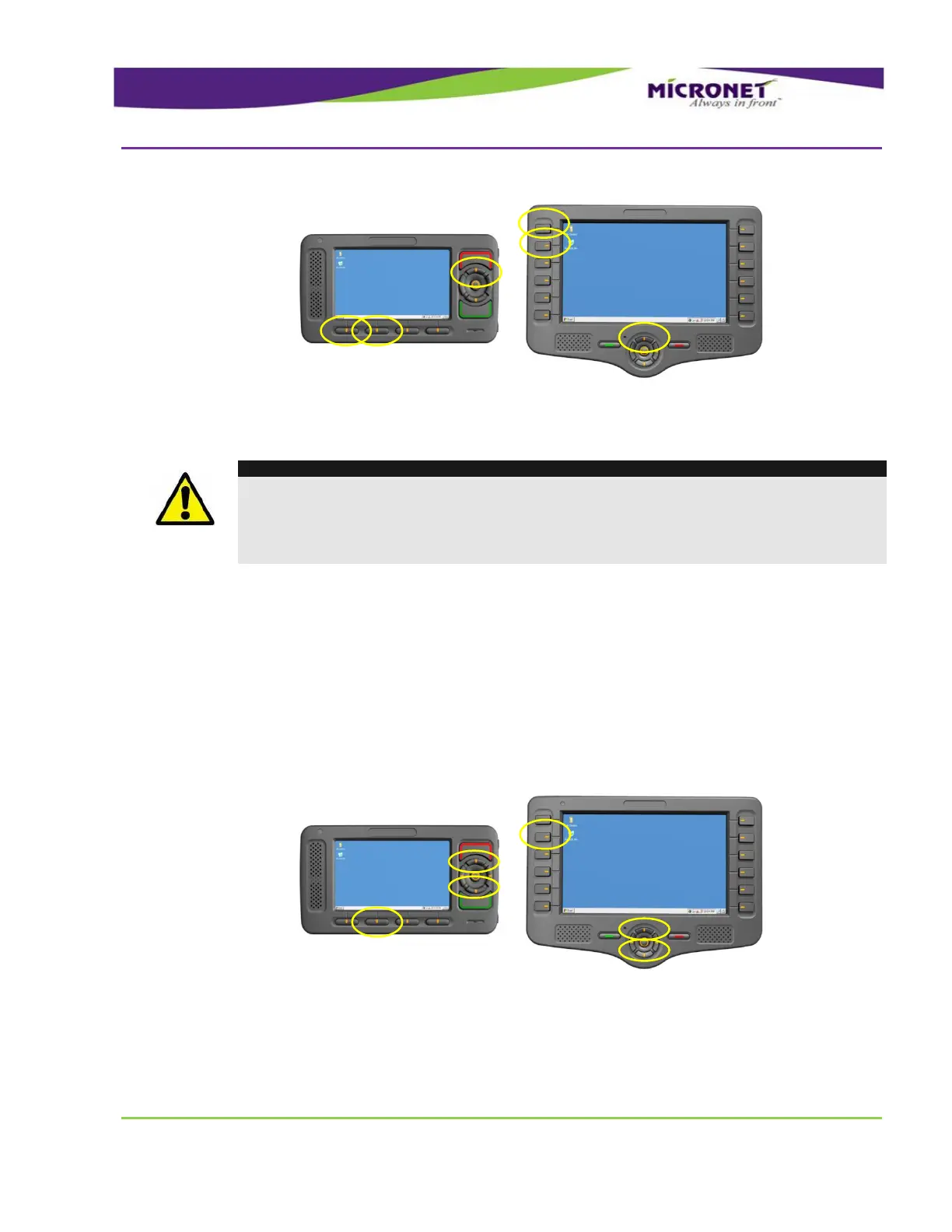
Figure 19 – Device manual power down
WARNING!
It is highly recommended not using the Warm BOOT and Power Down. A technician or
developer can perform these operations for troubleshooting purposes only.
This operation must not be activated while the application is saving data to the Flash
storage because it may damage the Flash File system.
S
S
e
e
t
t
t
t
i
i
n
n
g
g
R
R
e
e
g
g
i
i
s
s
t
t
r
r
y
y
t
t
o
o
F
F
a
a
c
c
t
t
o
o
r
r
y
y
D
D
e
e
f
f
a
a
u
u
l
l
t
t
s
s
To reset the registry to factory default, follow the steps:
Shutdown the CE-500 device first by pressing the Decline key for 3 seconds
Pressing and holding simultaneously F2, Up and Down keys
Pressing the Push key while holding the F2, Up and Down keys for 3 seconds
The OS resets the registry and the Stylus calibration screen appears.
Figure 20 – Reset Registry to Factory default


 To Next Page