Formatting Flash Memory Storage
CE-500 MDT Hardware Guide
F
F
o
o
r
r
m
m
a
a
t
t
t
t
i
i
n
n
g
g
F
F
l
l
a
a
s
s
h
h
M
M
e
e
m
m
o
o
r
r
y
y
S
S
t
t
o
o
r
r
a
a
g
g
e
e
To format the Flash memory storage partition, follow the steps:
Shutdown the CE-500 device first by pressing the Decline key for 3 seconds
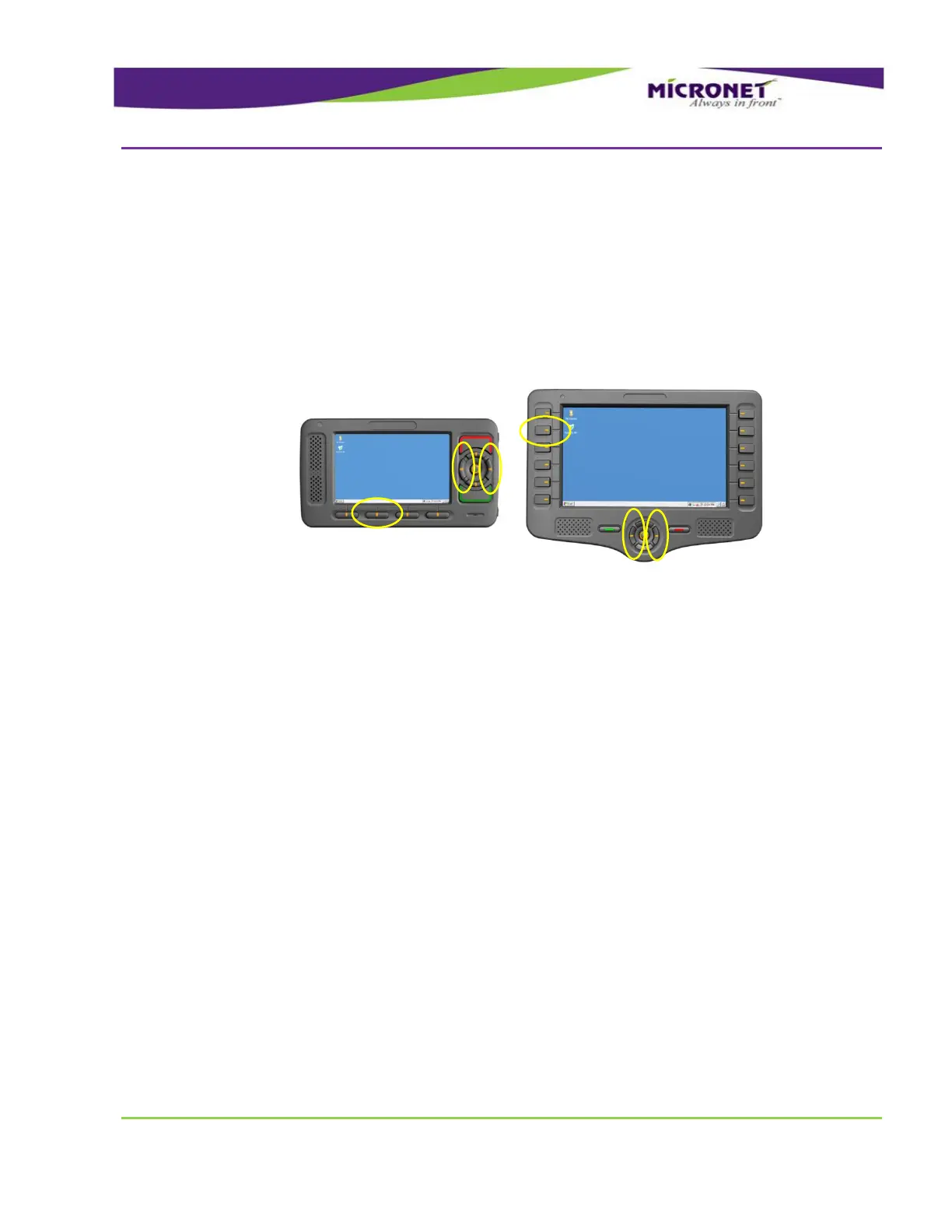
Pressing and holding simultaneously F2, Left and Right keys
Pressing the Push key while holding the F2, Left and Right keys for 3 seconds
The OS resets the registry and the Stylus calibration screen appears.
Figure 21 – Format the Flash Memory partition


 To Next Page