EasyManua.ls Logo

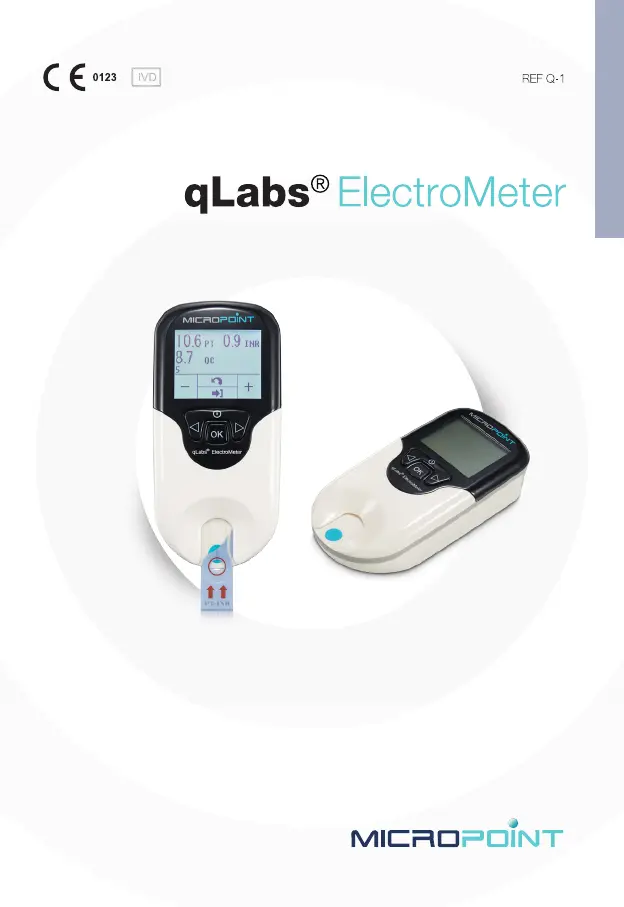
MICROPOINT qLabs ElectroMeter Q-1 - User Manual

MICROPOINT qLabs ElectroMeter Q-1
344 pages
Go to English
Print Icon
To Next Page IconTo Next Page
Loading...
User’s Manual
For Self-Testing Use

Table of Contents

Questions and Answers

Summary

Introduction to qLabs ElectroMeter

Before You Start

Guidance on reading the manual and training before first use.

Intended Use of the System

Specifies the system's use for quantitative PT/INR monitoring in vitro.

Test Principle Explained

Explains how the meter measures PT/INR via blood coagulation and electrode changes.

Product Packaging Details

Details the individual packaging and initial setup steps upon receiving.

Product Overview and Components

Identification of Meter Components

Details the front view components of the qLabs® ElectroMeter.

Meter Views and Test Strip

Describes the back and top views of the meter and the test strip components.

Precautions, Limitations, and Warnings

Care and Handling of ElectroMeter

Guidelines for handling, storing, and preventing damage to the ElectroMeter.

Impact of Patient Health Status

Discusses how health status affects test results and interpretation.

Performing a Test Safely

Instructions for operating the meter on a stable surface and applying blood correctly.

Collecting Fingerstick Blood Sample

Steps for preparing and collecting a fingerstick blood sample for accurate testing.

Electromagnetic Compatibility Information

Information on EMC compliance and usage in different environments.

Powering the qLabs ElectroMeter

Power Connection Options

Explains how to connect the power supply or use batteries.

Powering the Meter On

Details the process of turning on the meter and selecting the initial language.

Powering the Meter Off

Instructions for shutting down the meter or entering standby mode.

qLabs ElectroMeter Settings Configuration

Entering Setup Mode

Steps to access the meter's setup menu and navigate settings.

Setting the Date

Guide for setting the correct date format (DD/MM/YY) on the meter.

Setting the Time

Instructions for setting the time in 24-hour format (HH:MM).

Entering Patient Identification

How to enter or change the patient identification number.

Bluetooth Settings Configuration

Configuration for Bluetooth function for data transfer.

Lot Number Setup Options

Enabling/disabling lot number input and its function.

Setting Target INR Range

How to set and use target INR ranges for alerts.

Selecting Displayed Units

Choosing display modes for INR, PT/INR, or PT/INR/QC.

Backlight Setting Adjustment

Instructions for turning the display backlight on or off.

Selecting User Interface Language

How to select the desired language for the user interface.

Performing a PT Test

Entering Test Mode

Steps to enter test mode by pressing OK or inserting a strip.

Inserting the Test Strip

Guidance on correctly inserting the test strip into the guide.

Entering Strip Code and Lot Number

Process for entering the strip code and lot number for test confirmation.

After Confirming Strip Code

Explains error checking for expired strips after code confirmation.

Meter Heating Process

Describes the meter's automatic heating process before the test.

Getting a Fingerstick Sample

Techniques to maximize blood circulation and select puncture sites for accurate samples.

Performing the Actual Test

Instructions for applying blood to the strip and the automatic testing process.

Results and Explanation

Explains normal, therapeutic, and unexpected PT/INR result ranges.

Finishing the Test Procedure

Steps for removing the test strip and powering off the meter.

Reviewing and Managing Previous Results

Reviewing Stored Test Results

Step-by-step guide to accessing and viewing stored test results.

Printing Patient Test Results

Instructions for printing selected test results via an eStation.

Deleting Patient Test Results

How to delete current or all stored patient test results.

Uploading Patient Test Results

Process for uploading test results to the qLabs® Data Manager.

Fast Deleting Previous Results

A quick method to delete multiple previous test results.

Quality Control Procedures

Onboard QC Test Functionality

Explanation of how the meter measures QC and handles out-of-range results.

Maintenance and Servicing

Care and Cleaning of Meter Screen

Guidelines for cleaning the meter's screen and test strip guide.

Installing and Replacing Batteries

Step-by-step instructions for battery replacement.

Authorized Servicing Information

States that servicing must be done by authorized engineers.

Performance and Product Specifications

Operating Condition Requirements

Specifies the operating temperature, humidity, and pressure ranges.

Technical Product Specifications

Lists technical specifications like CPU, display, memory, power, size, weight, warranty.

Product Warranty Information

Limited Warranty Terms

Details the two-year limited warranty terms and exclusions.

Contact and Support Information

Customer Service and Technical Support

Provides contact details and operating hours for customer support.

MICROPOINT qLabs ElectroMeter Q-1 Specifications

General IconGeneral
BrandMICROPOINT
ModelqLabs ElectroMeter Q-1
CategoryMedical Equipment
LanguageEnglish

Related product manuals