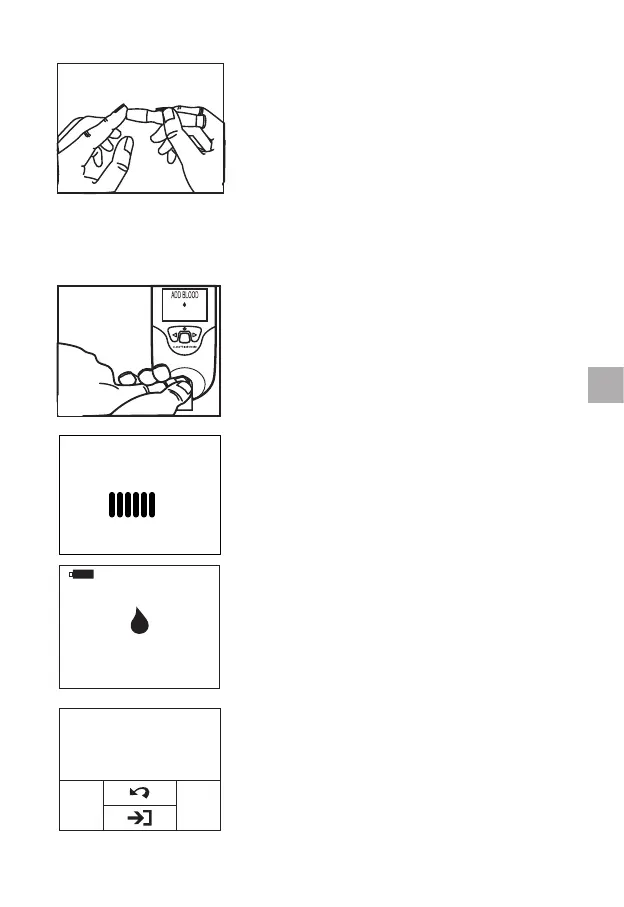
9.6.4 Puncture the finger following the
instructions for the lancet that you are
using.
9.6.5 Apply gentle, continuous pressure until a large, hanging
drop of blood forms.
9.7 Performing the Test
OK
Apply the blood directly on the sample well
of the strip. The minimum sample volume is
10 µL.
After the blood sample is added, the
qLabs
®
ElectroMeter will perform the test
automatically.
ADD BLOOD
120S
Please add sufcient sample blood into the
strip sample well, or the qLabs
®
ElectroMeter
will not start the test and will remain in the
“ADD BLOOD” screen. REMOVE the test
strip if this screen stays on for more than 1
min. Go back to Section 9.2 and use a fresh
test strip.
11.6 PT 0.8 INR
8.2 QC
When testing is complete, the qLabs
®
ElectroMeter will beep and the test results
(PT, QC and INR) will appear on the screen
along with the date and time.
19
EN



 To Next Page