STRIP CODE
OK
NEXT
ON
PT/INR
P
1505320
LOT: 3052E0503
-
+
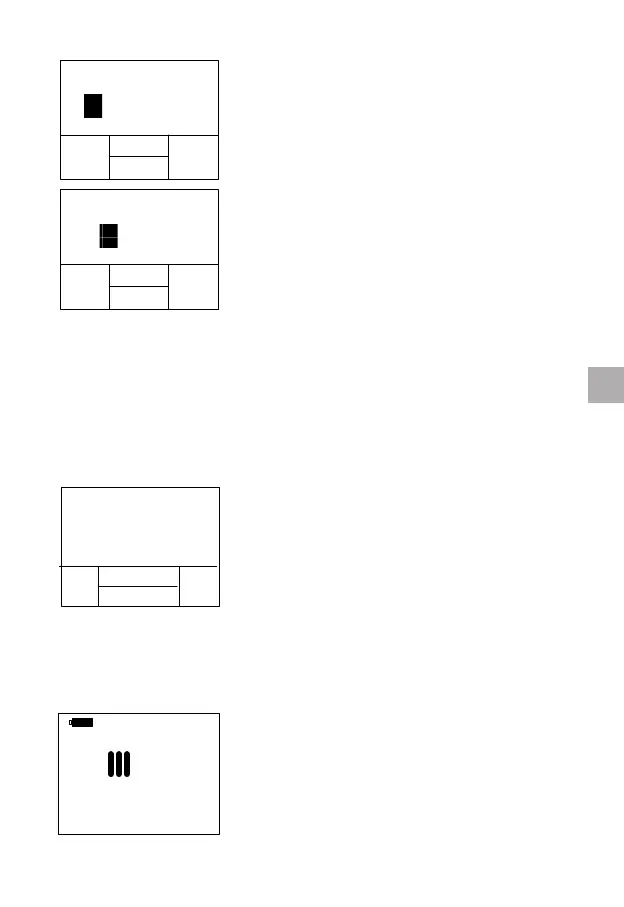
Use the “+” and “-” buttons to change the
rst digit that is highlighted.
Press the “NEXT” button to accept and
advance to the next digit. To change
numbers more quickly, hold down the
functional “+” and “-” buttons. When the
7-digit Strip Code is entered correctly, press
the “OK” button to nish the editing and
return to the code conrming interface.
NOTES:
• If the Lot Number input function is enabled, you will be asked to
input the strip code and the lot number; otherwise, you just need to
input the strip code.
• Always match the code on the display with the strip code on the
strip pouch. Failure to do so may yield inaccurate results.
9.4 After Conrming the Code
If you input the lot number, the meter will
automatically check whether the current
date exceeds the expiration date of the
strip after conrming the code is correctly
entered. If exceeds, an error will be reported.
As a result, you need to use strips within the
expiration date to perform the test. If you
didn’t input the lot number, the meter will
skip the expiration date inspection and start
the test directly.
9.5 Heating Up
After conrming the code, the qLabs
®
ElectroMeter will heat up automatically for
the test.
17
ENEN
STRIP CODE
OK
NEXT
ON
PT/INR
P
1505320
LOT: 3052E0503
-
+



 To Next Page