Appendix H OS Config Application
H-2 HAWK MV-4000 Smart Camera Guide
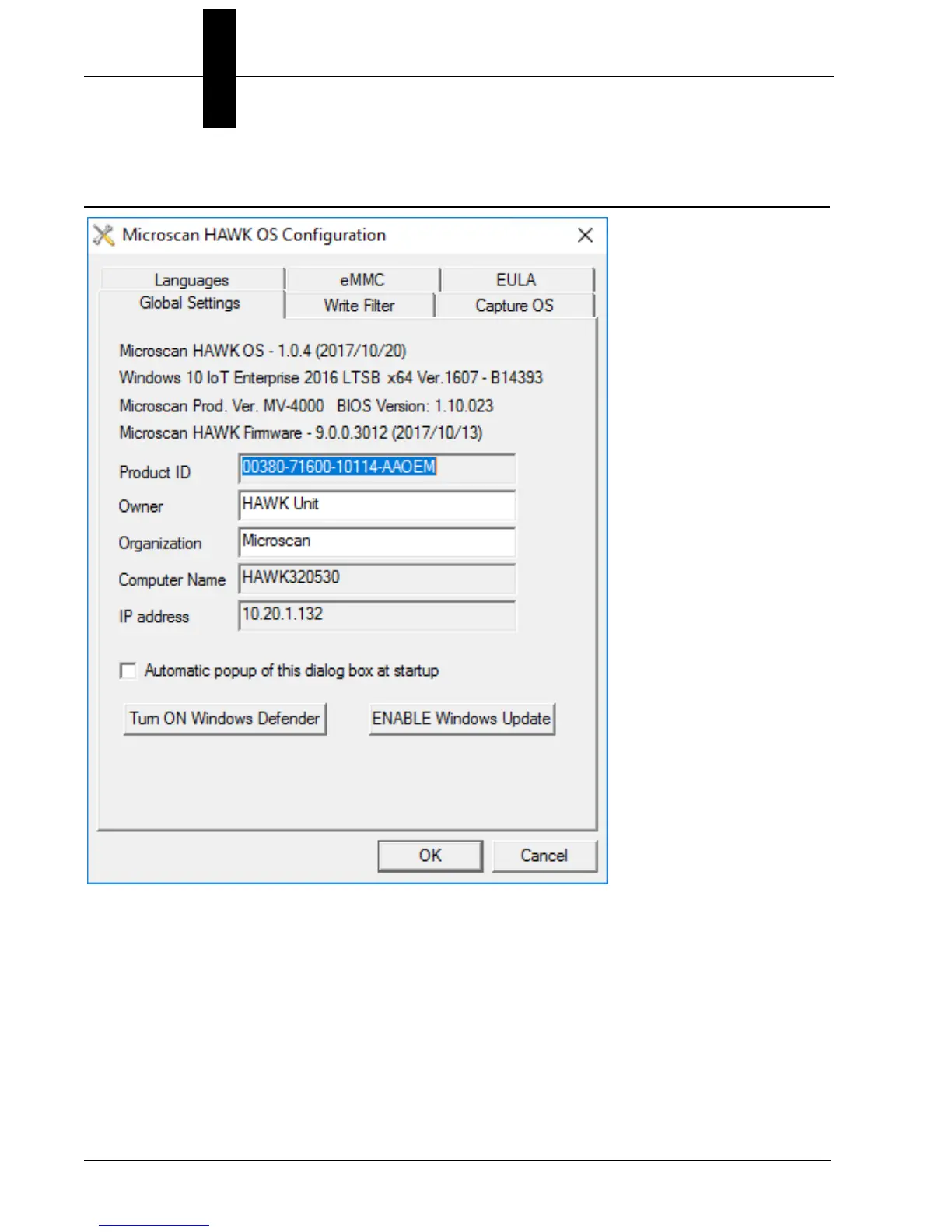
Global Settings Tab
The OS version can be seen at the top, followed by the Windows version the device is
running, the Product name and BIOS version, and the current firmware version.
Below this you will see the Product ID, Owner, Organization, Computer Name, and IP
Address of the device. You may have this display open automatically on startup by checking
the Automatic popup of this dialog box at startup checkbox.
Windows defender is disabled by default. You can enable it by clicking the Turn ON
Windows
Defender button.
Windows updates are also disabled by default. You can enable them by clicking the
ENABLE Windows Update button.



 To Next Page