Appendix D MVMonitor Web Page
D-2 HAWK MV-4000 Smart Camera Guide
Using the MVMonitor Web Page
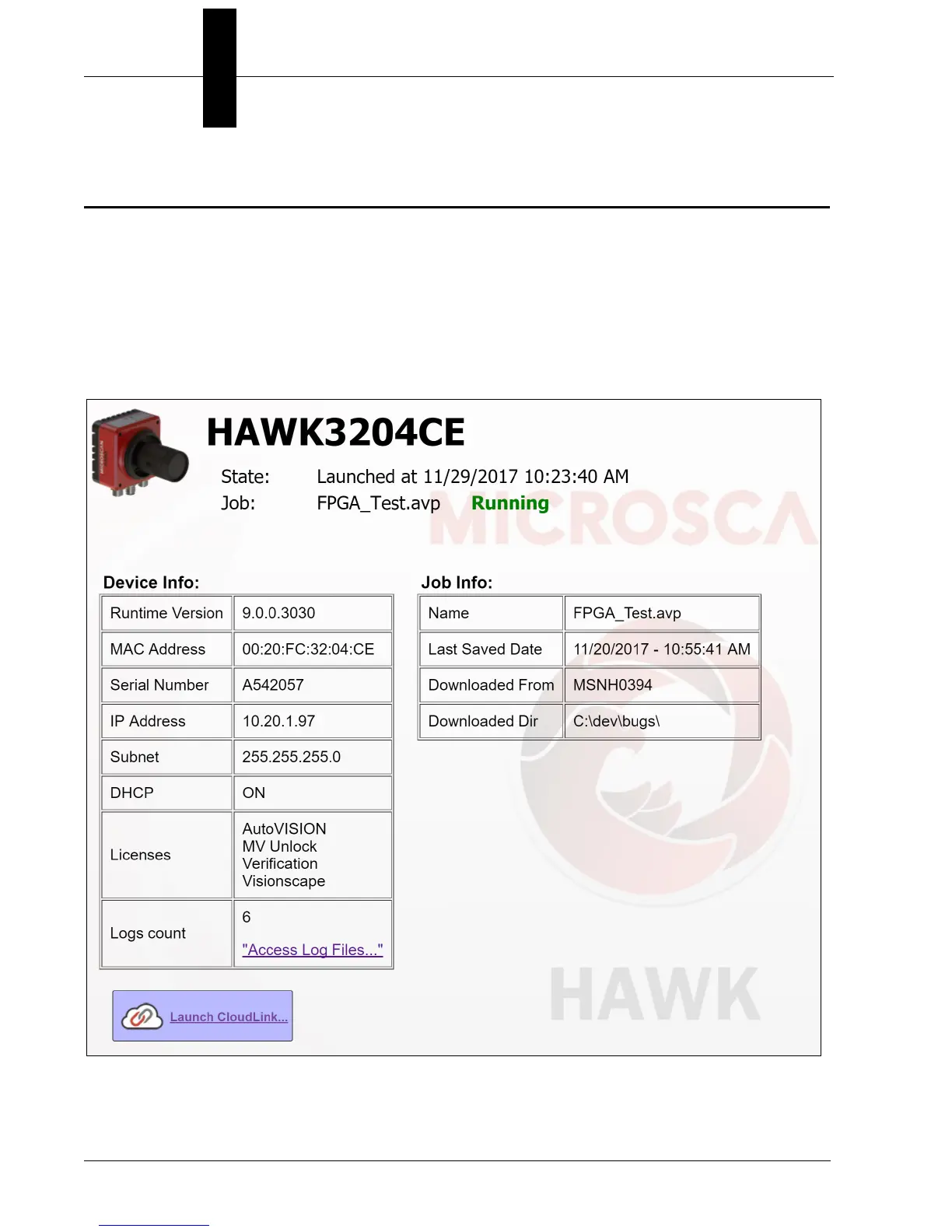
The HAWK MV-4000 Smart Camera provides a “health status” web page that can be
viewed in a web browser of your choice. General information about the camera’s network
identity and the state of the runtime is provided. To connect to the page, simply enter the
name of your camera at the specific port 8088. For example, if your camera is named
HAWK3204ce, you would connect to its web page in your browser by entering this in the
address bar:
http://hawk3204ce:8088
The web page will look similar to this:
See the next page for descriptions of the information shown above.



 To Next Page