Chapter 2 System Components
2-42 HAWK MV-4000 Smart Camera Guide
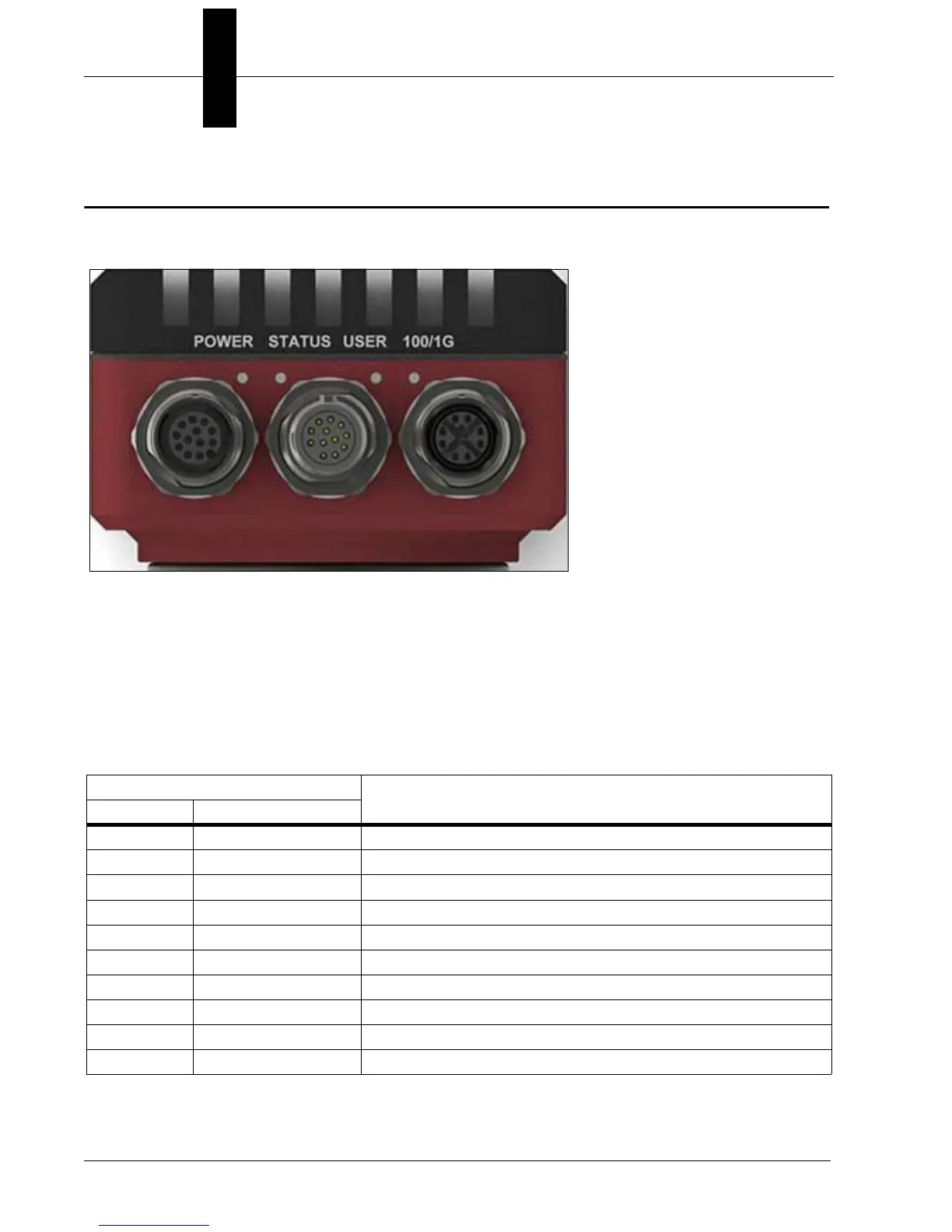
Status Indicators
The base of the HAWK MV-4000 Smart Camera has multiple LEDs that indicate different
power, status, user, and communication states.
The HAWK MV-4000 LEDs are:
• POWER and USER. The colors of these two LEDs change as your HAWK MV-4000
boots up.
• Status. This LED shows the general activity of your HAWK MV-4000.
• 100/1G. This LED shows the connection status of your HAWK MV-4000.
The POWER and USER LEDs typically display one of the following sets of colors:
LED Color
Description
Power User
Off Off HAWK MV-4000 has no power.
Red Red Power is available but the HAWK MV-4000 is not responding.
Red Orange Memory initialization error detected.
Orange Orange/Red Blinking Thermal trip detected.
Orange Orange BIOS execution in progress.
Orange Green BIOS execution completing.
Green Off AutoVISION is now in control of the camera.
Green Orange Operating system startup in progress.
Green Green Camera ready.
Green Orange/Off Blinking Overheat detected. Temperature is above throttle temperature limit.



 To Next Page