Setting Up Partial Scan
System Components
2
HAWK MV-4000 Smart Camera Guide 2-51
Setting Up Partial Scan
Sensor WOI Limitations
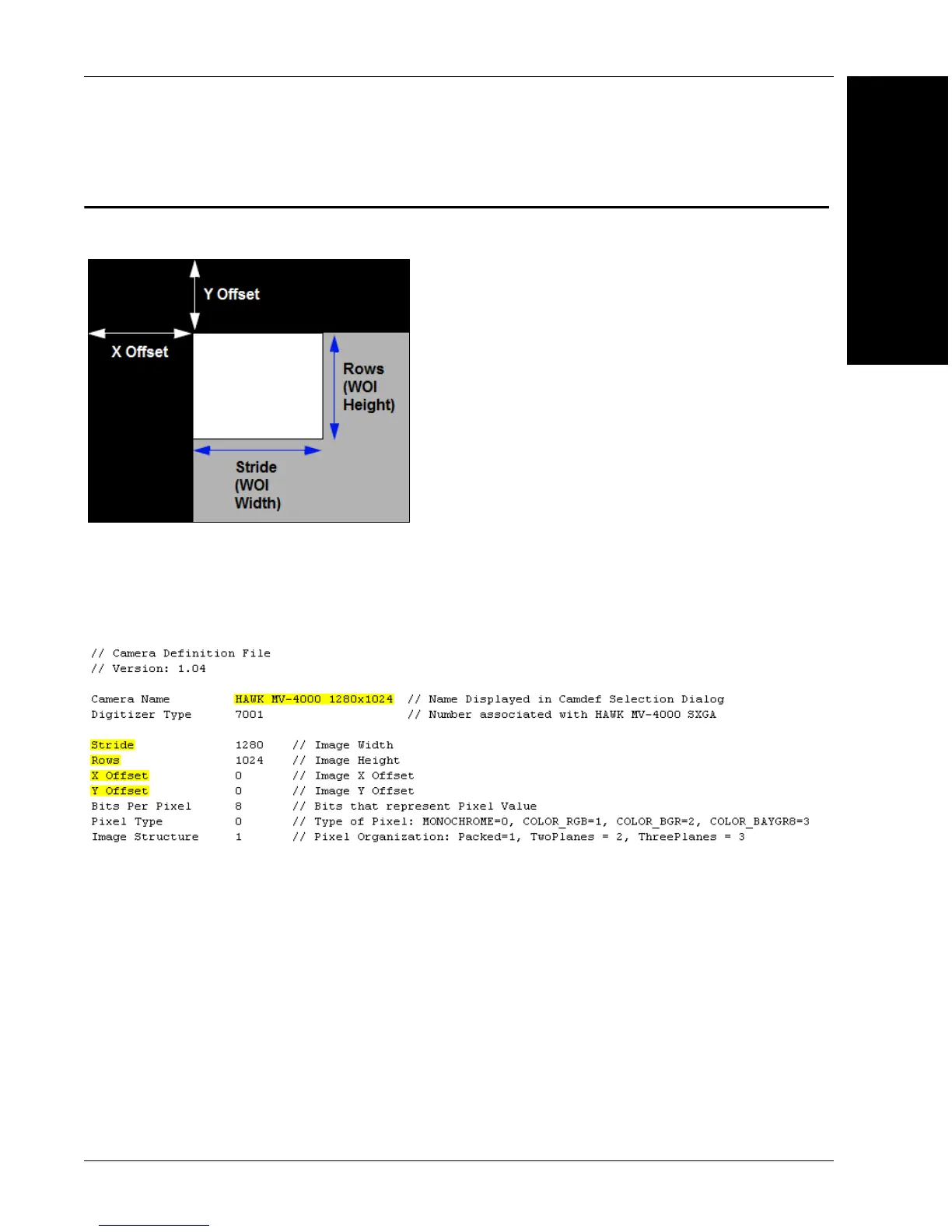
The combination of X Offset and Y Offset determines the location of the top left corner
of the window of interest (WOI).
Stride determines the width of the WOI.
Rows determines the height of the WOI.
All the highlighted fields shown in the example above must be changed when creating a
partial scan camdef. The file name must also be changed, showing the WOI size in the name.
• X Offset: This value must be a multiple of 32.
• Y Offset: This value must be a multiple of 2.
• Stride: This value must be a multiple of 32.
• Rows: This value must be a multiple of 2.
Minimum size X of 32. Maximum value to whole sensor size.
Minimum size Y of 2. Maximum value to whole sensor size.



 To Next Page