© Midmark Corporation 2016
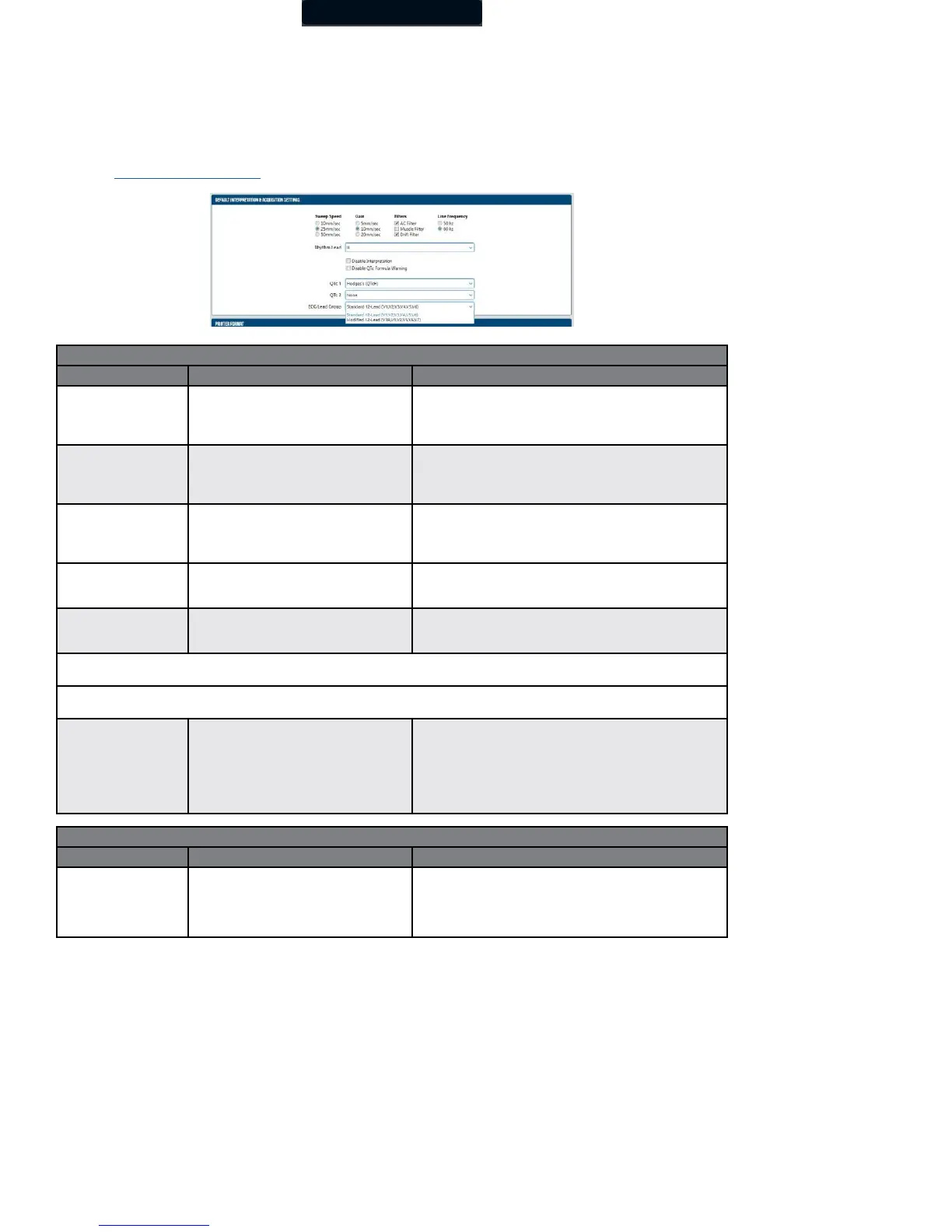
ECG Lead Group
When you are acquiring an ECG report, IQmanager
®
Version 8.6 and later offers two options:
• Standard 12-Lead ECG lead group
• Modified 12-Lead ECG lead group.
(Refer to “Testing a New Patient” for more information on these options.)
Default Interpretation and Acquisition Display Settings
• 10 mm/sec
• 25 mm/sec
• 50 mm/sec
Default setting is 25 mm/sec.
Sweep Speed setting only applies to real-time ECG display.
The ECG report only prints at 25mm/sec scale, except if a
2-Page Format is selected.
• 5 mm/mv
• 10 mm/mv
• 20 mm/mv
• ½ gain
• Standard gain (default setting)
• 2X gain
• Muscle: On/Off
• AC: On/Off
• Drift: On/Off
Default settings are Muscle: Off, AC: On, Drift: On.
See Note following this table.
Default setting is 60 hz. If using this product outside of the
United States, please consult with the local power utility
company to determine the appropriate frequency.
Select any lead
I,II,III, aVR, aVL, aVF,
V1,V2,V3(V3R),V4(V7),V5,V6
Default setting is Lead II.
This setting applies to the 3x4 display format and to the RR
Variability analysis rhythm lead.
The Rhythm Lead V3 (V3R) specifies lead V3 if Standard 12-Lead (V1,V2,V3,V4,V5,V6) is selected when a new ECG test is started; it
specifies lead V3R if Modified 12-Lead (V3R,V1,V2,V5,V6,V7) is selected. V4 (V7) has a similar definition.
The Lead Group V1, V2,V3 (V3R,V1,V2) specifies V1,V2,V3 if Standard 12-Lead is selected; it specifies V3R,V1,V2 if Modified 12-Lead
is selected. The Lead Group V4, V5,V6 (V5,V6,V7) has a similar definition.
Default is Off (cleared).
If On (checked), the ECG will not produce any diagnostic
statements and the interpretation portion of the report, ECG
Review and Edit screen will be blank.
NOTE: Modified 12-Lead ECG lead group does not provide
automatic interpretation statements.
Default Interpretation and Acquisition Display Settings
Disable QTc Formula
Warning
Default is Off (cleared).
If On (checked), the software will not display a warning
message that the QTc formula on the report will be changed,
based on new QTc1 and QTc2 settings, when the report is
edited and saved.



 To Next Page