SECTION IV
MAINTENANCE / SERVICE
4.25 Display PC Board Lamp / Display /
Button Check
(1) Disconnect power cord from the sterilizer.
(2) Press and hold down the LIQUIDS and PACKS
buttons simultaneously, while connecting the
power cord to the sterilizer (See Figure 4-30).
Release the LIQUIDS and PACKS buttons.
(3) Observe the display PC board lamps. In a left
to right sequence, each lamp on the display PC
board should individually illuminate and then
extinguish. If all the display PC board lamps do
not illuminate and then extinguish, replace
display PC board (Refer to para 4.21).
(4) Press and release the UNWRAPPED,
POUCHES, LIQUIDS, PACKS, START, STOP,
AND ON/STANDBY buttons one at a time and
in this order.
(5) Observe the lamps that correspond with each
button. If all lamps do not illuminate and stay
illuminated when their corresponding button is
pressed, replace the display PC board (Refer to
para 4.21).
(6) Observe the pressure and temperature/time
displays. If the pressure and temperature/time
displays do not display pressure and tempera-
ture readings, replace the display PC board
(Refer to para 4.21).
(7) Disconnect power cord from the sterilizer.
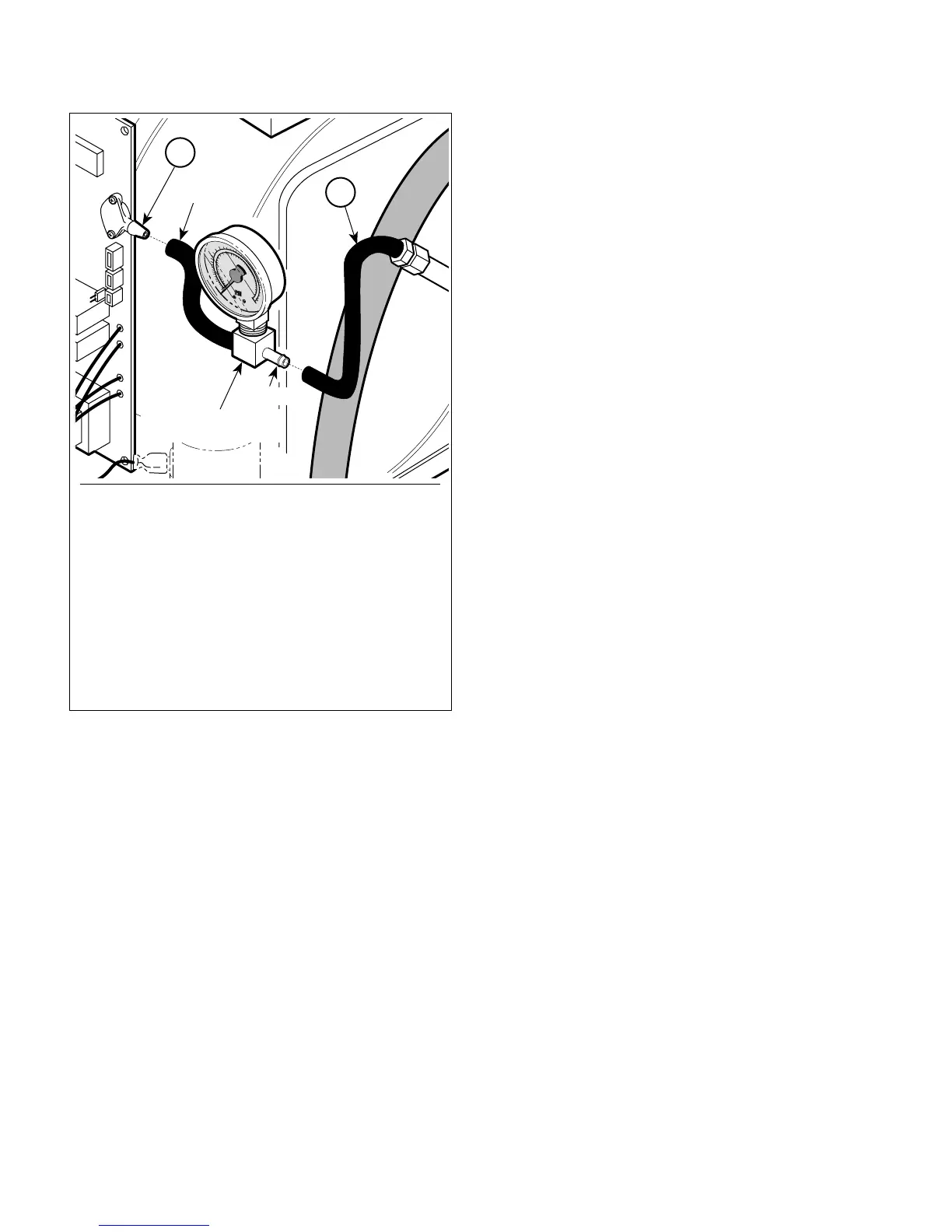
Figure 4-29. Connecting / Disconnecting Pressure
Gauge Test Harness
1
2
MA2070-01
TUBE
PRESSURE GAUGE
TEST HARNESS
FITTING
To connect Pressure Gauge Test Harness to sterilizer:
1. Disconnect tube (1) from pressure sensor (2).
2. Connect tube of Pressure Guage Test Harness
to pressure sensor (2).
3. Connect tube (1) to fitting of Pressure Guage
Test Harness.
To disconnect Pressure Gauge Test Harness from
sterilizer:
1. Disconnect tube (1) from fitting of Pressure
Guage Test Harness.
2. Disconnect tube of Pressure Guage Test Harness
from pressure sensor (2).
3. Connect tube (1) to pressure sensor (2).
© Midmark Corporation 2002 SF-1827 Page 4-23 Printed in U.S.A.



 To Next Page