SECTION IV
MAINTENANCE / SERVICE
© Midmark Corporation 2002 SF-1827 Page 4-26 Printed in U.S.A.
4.28 M9 / M11 Door Opening Test
NOTE
This test applies only to units with newer style PC
boards.
(1) Fill chamber with water.
[To do this, start any
cycle. After chamber has filled with water, the
Sterilizing LED will illuminate]
.
(2) Disconnect power cord.
(3) Open door.
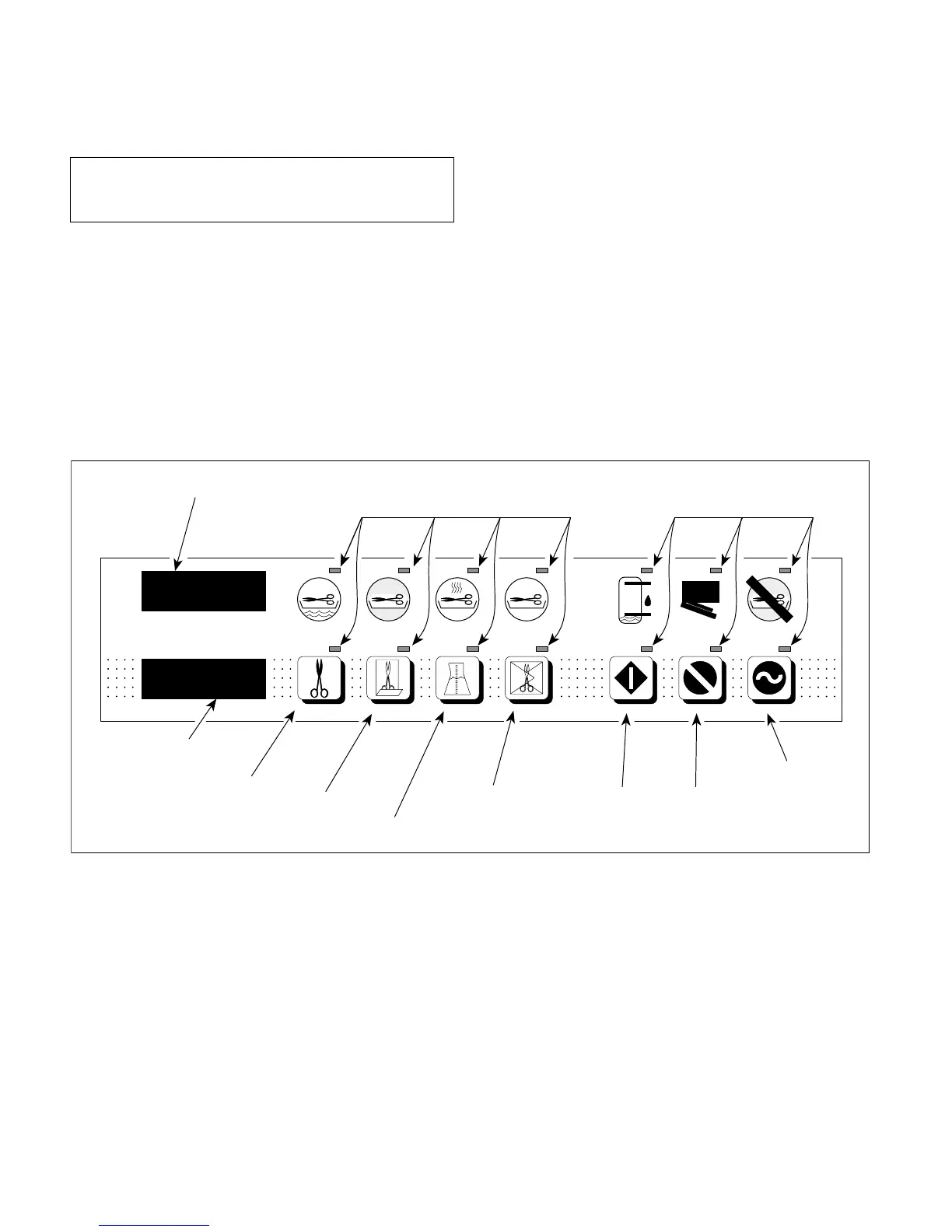
MA207701
ON/STANDBY
ERROR
STOP
DOOR AJAR
START
WATER LOW
PACKS
COMPLETE
LIQUIDS
DRYING
POUCHES
STERILIZING
UNWRAPPED
FILLING
PRESSURE (PSI)
TEMP (
°
F) \ TIME (MIN : SECONDS)
TEMP / TIME DISPLAY
LAMP
LAMP
PRESSURE
DISPLAY
UNWRAPPED
BUTTON
POUCHES
BUTTON
LIQUIDS
BUTTON
PACKS
BUTTON
START
BUTTON
STOP
BUTTON
ON / STANDBY
BUTTON
(4) Press and hold STOP & POUCHES buttons
(see Figure 4-33) while plugging in power cord.
(5) Press and release all buttons from left to right
across display panel.
(6) Close door.
[This will activate all relays in the
sterilizer in sequence. Pulse solenoind should
automatically open door when test cycle is
complete].
(7) To rerun test, repeat steps 2 thru 6.
(8) To verify proper operation, run a complete cycle
when test is complete.
Figure 4-33. M9 / M11 Door Opening Test



 To Next Page