GR8-1200 OEM
Midtronics Inc. 7000 Monroe Street Willowbrook, IL 60527
www.midtronics.com
11
Chapter 1: Before You Begin
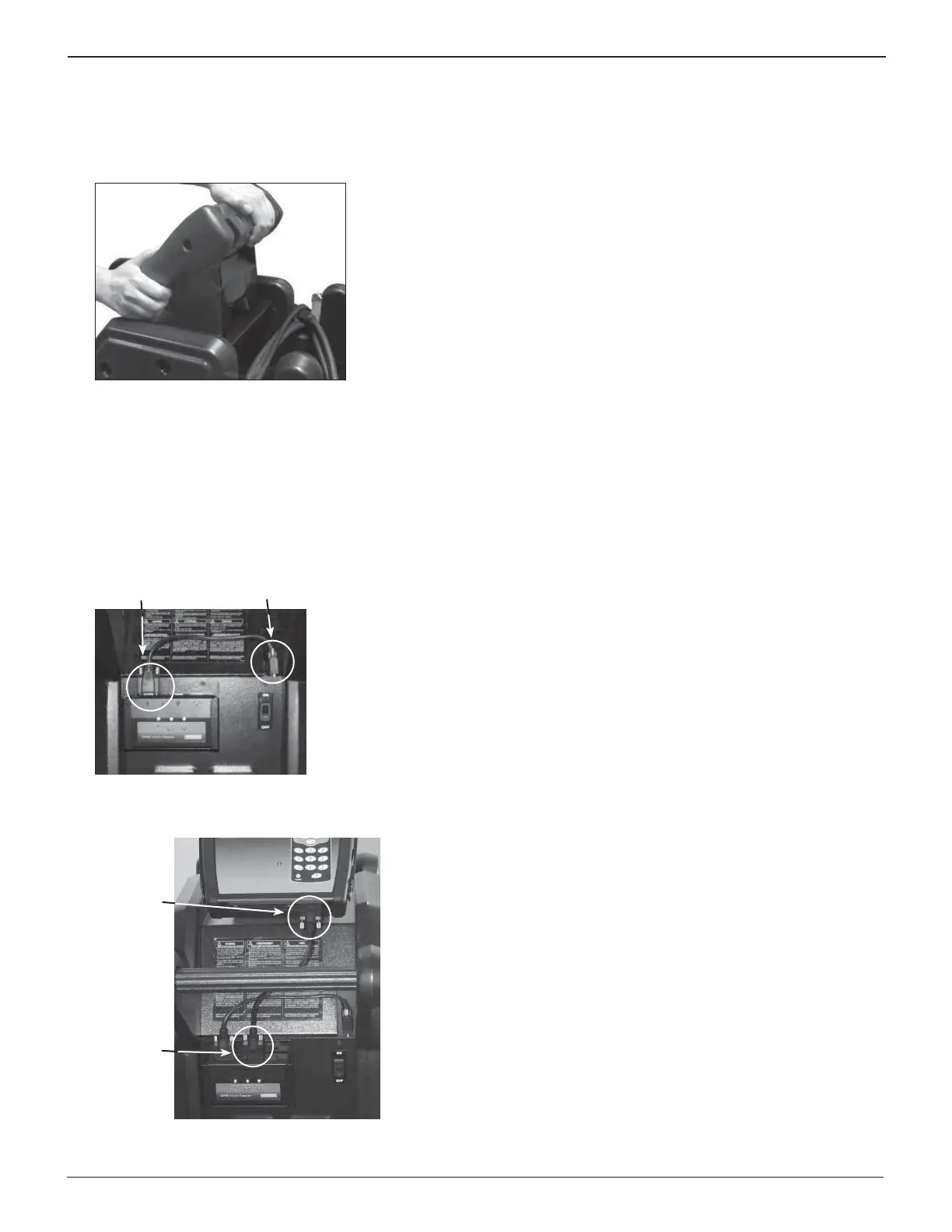
3. Center the holes on the bottom of the control module
with the bolts, and lower the module onto the top of the
bracket. Firmly pull the module down at an angle until the
bolts are inserted securely into the slots extending from
the module’s holes.
Installing the Multitasker Module
The GR8-1200 comes with a bracket to hold the multitasker
module.
1. Place the multitasker module in the bracket. Connect a
serial cable between port B of the multitasker and the
cart.
Port B
Charge
Cart
2. Connect a serial cable between the control module and
port A of the multitasker.
Port A
Control
Module








 To Next Page