GR8-1200 OEM
Midtronics Inc. 7000 Monroe Street Willowbrook, IL 60527
www.midtronics.com
35
Chapter 9: Jump Start
This charging mode makes high output current
available to boost charge an in-vehicle battery as
well as assist in starting the engine. If you need to
abort at any time, press the STOP key.
IMPORTANT
Only the large clamps from the GR8 charge engine
should be connected to the battery terminals when
performing diagnostic charging.
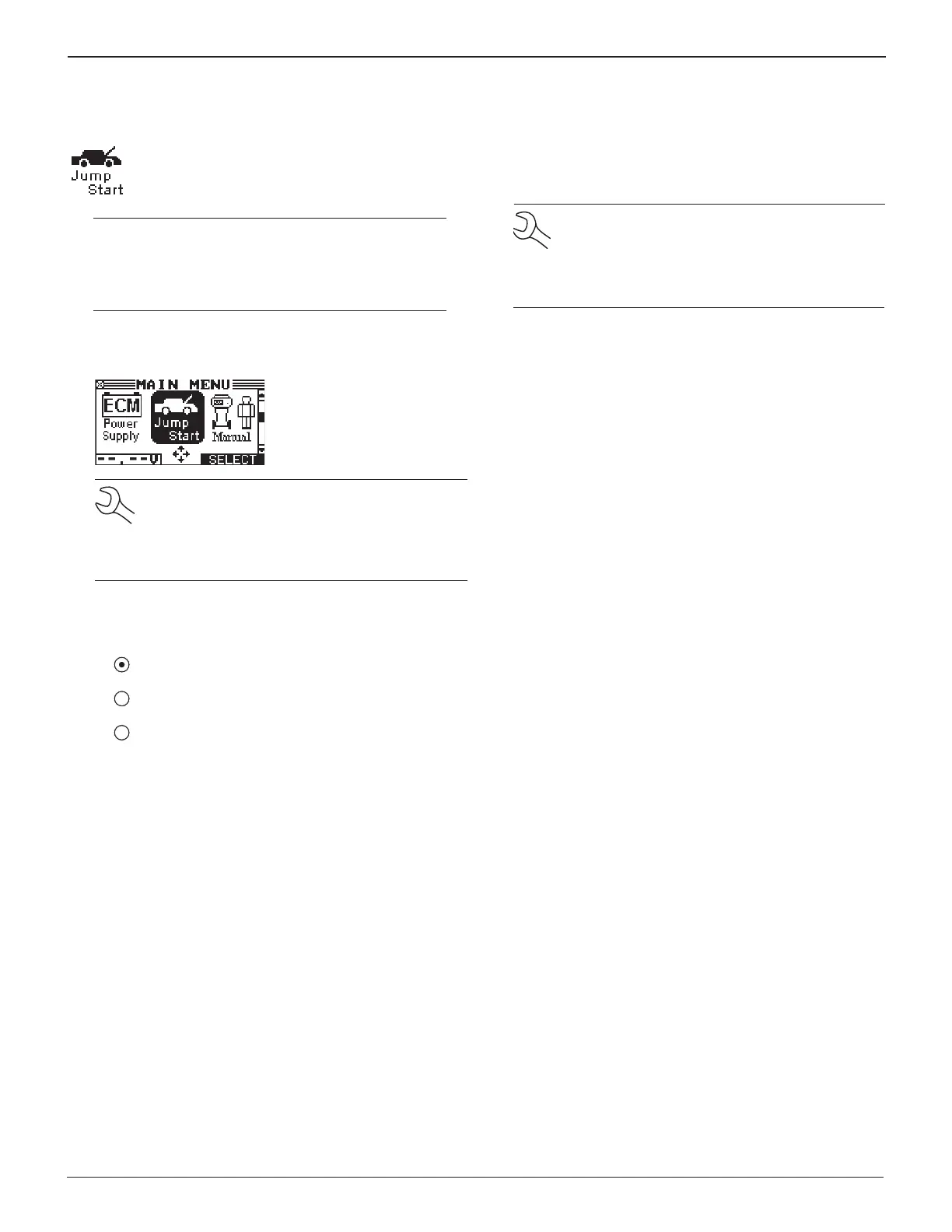
1. In the Main Menu, highlight the JUMP START icon and
press the NEXT key.
NOTE: The GR8 tests the battery to determine if
it is safe to charge. If it detects that the battery is
defective, it displays a warning that the battery is
unsafe to charge. Press the EXIT soft key to return
to the Main Menu.
2. Use the UP or DOWN ARROW key to select the BATTERY
TYPE, or press the corresponding numerical key (1, 2, or 3)
to move the dot to the option button of your choice.
1 REGULAR FLOODED
2 AGM
3 AGM SPIRAL
Press the NEXT soft key. The BACK soft key returns you to
the Main Menu at the start of the test and to the previous
screen as you progress.
NOTE: If you use the ARROW keys to select op-
tion buttons, press the NEXT soft key to continue
to the next step. If you use the alphanumeric key-
pad to enter the number preceding the option
button, no additional keypress is needed.
3. If the battery is safe to charge, the GR8 will prompt you to
press the NEXT soft key to begin the boost charge
4. The GR8 begins boost-charging. Do not crank the engine
at this time.
5. When the GR8 displays “CRANK ENGINE NOW,“ beeps and
ashes the status light, you can crank the engine for up to
ve seconds.
6. When the GR8 displays “JUMP START COMPLETE,” press the
STOP key. (The alarm sounds every second until you press
STOP.)
Chapter 9: Jump Start


 To Next Page