Diagnostic, Audit & Adjustment Menu System 3-20
Operator Menu (continued)
Adjustments Menu (continued)
Track Difficulty Adjustments Menu
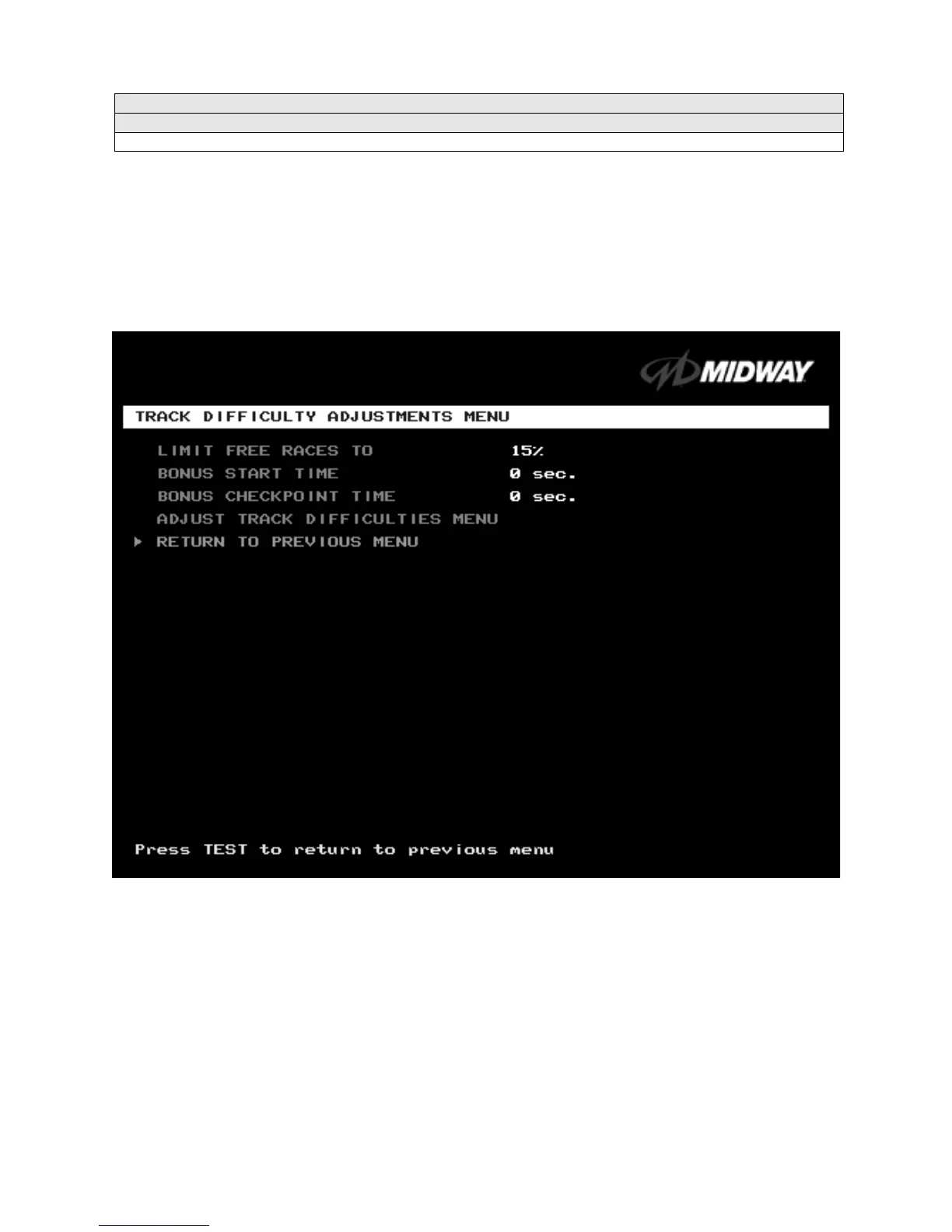
TRACK DIFFICULTY ADJUSTMENTS MENU
Select TRACK DIFFICULTY ADJUSTMENTS MENU at the Adjustments Menu. From the Track Difficulty
Adjustments Menu, you set how much skill players need to complete races.
Highlight an option with the middle two diagnostic buttons inside the coin door. Press TEST MODE to
enter Change Mode. Use the diagnostic switches to change the variable. Then press TEST MODE to save
changes and exit the variable.
TRACK DIFFICULTY ADJUSTMENTS MENU
LIMIT FREE RACES TO
(LFRT) is the award cutoff point. LFRT prevents expert players from
monopolizing a cabinet. The range is 1 to 100%. The factory default is 10%.
BONUS START TIME.
You can use this feature to award several seconds of extra time to starting
players. The factory default is zero seconds.
BONUS CHECKPOINT TIME.
Use this feature to award several seconds of extra time as players pass
checkpoints. The factory default is zero seconds.
ADJUST TRACK DIFFICULTIES MENU
allows you to modify the level of challenge that each track poses.












 To Next Page