Servicing 5-5
•
Dollar Bill Validator
(Use MARS AE2451-U3E, UL-recognized currency changer)
You can install dollar bill validators in VGMs manufactured with the additional wiring connector. As
this manual goes to press, this VGM only supports the Mars model AE2451-U3E validator.
Switch off power to the VGM and unplug the AC line cord. Unlock the coin door and swing it open.
Read the coin door label for additional information.
Remove nuts, spacers, and the cover plate from the door. Before mounting the validator, change
switch settings or make adjustments. (Set the validator for 1 pulse per dollar. Also adjust the pulse
width setting. The validator must generate pulses with these timing parameters: 50mS on and 50mS
off.) If the manufacturer supplied an adapter plate, place it over the door cutout. Install spacers on
threaded studs. Then align the validator mounting holes with the studs. Seat the validator in the door
opening. Install the nuts and tighten them.
Attach the ground wire (green with yellow stripe) lug to the door ground stud. The stud is beside the
hinge. Mate the wiring harnesses and press them together to fully seat connectors. Route wires away
from the door edges and hinge. To remove a validator for service or replacement, reverse these
steps.
Plug in the line cord and turn on the VGM. From the Menu System, change the mechanism setup and
pricing. Then test known good and bad bills to verify proper operation. Close and lock the coin door.
•
Fans
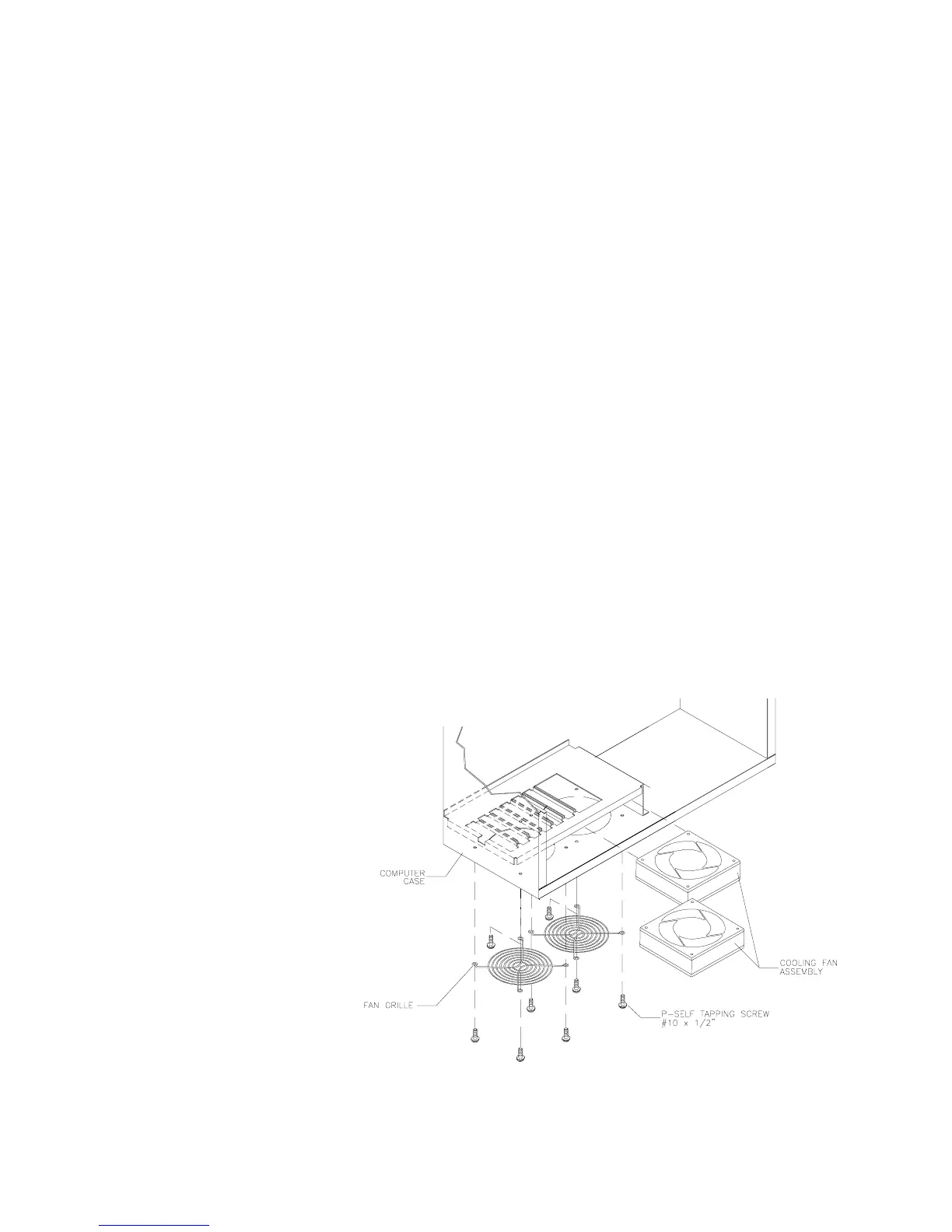
The Arcade Computer incorporates several fans. Two fans reside at the bottom of the Arcade
Computer enclosure. The power supply includes one fan. Inside the microprocessor cartridge is
another small fan.
Switch off power to the
VGM. Remove the cabinet
rear door. Remove the back
of the Arcade Computer.
FANS AT THE BOTTOM OF
THE ENCLOSURE.
Disconnect the fan’s power
harness. Remove the fan
mounting screws. Note the
fan orientation. Each fan has
an arrow molded into its
plastic case to indicate
airflow direction. Slide the
fan out of its mounting
bracket. Be certain to
reinstall the fan in the proper
direction to assure airflow
over circuitry.
POWER SUPPLY FAN.
The power supply contains no user-serviceable parts. Never open the power
supply.












 To Next Page