Settings menu
85
Networking
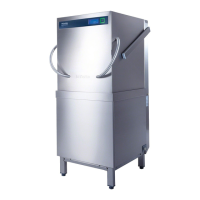
Your dishwasher is equipped with an
integrated WiFi module.
In order to connect your dishwasher to
your WiFi network, you must first
activate the network function.
This will add the Miele@home enabled
menu option to the Settings menu.
Networking is deactivated at the
factory.
Make sure that your WiFi network
signal strength is strong enough at
the installation site of your
dishwasher.
Select the setting you want and
confirm with OK.
Miele@home
This menu option is only displayed if
you have activated the network
settings (see “Settings, Network”).
There are a number of ways of
connecting your dishwasher to your
WiFi network:
MielePro@mobile app
The MielePro@mobile app is available
to download free of charge from the
Apple App Store
®
or from the Google
Play Store™.
After installing the MielePro@mobile
app on a mobile device, you can do the
following:
– Operate your professional machine
remotely
– Call up information on the operating
status of your professional machine
– Call up information on the program
sequence of your professional
machine
– Set up a Miele@home network with
other WiFi enabled Miele professional
machines



 To Next Page