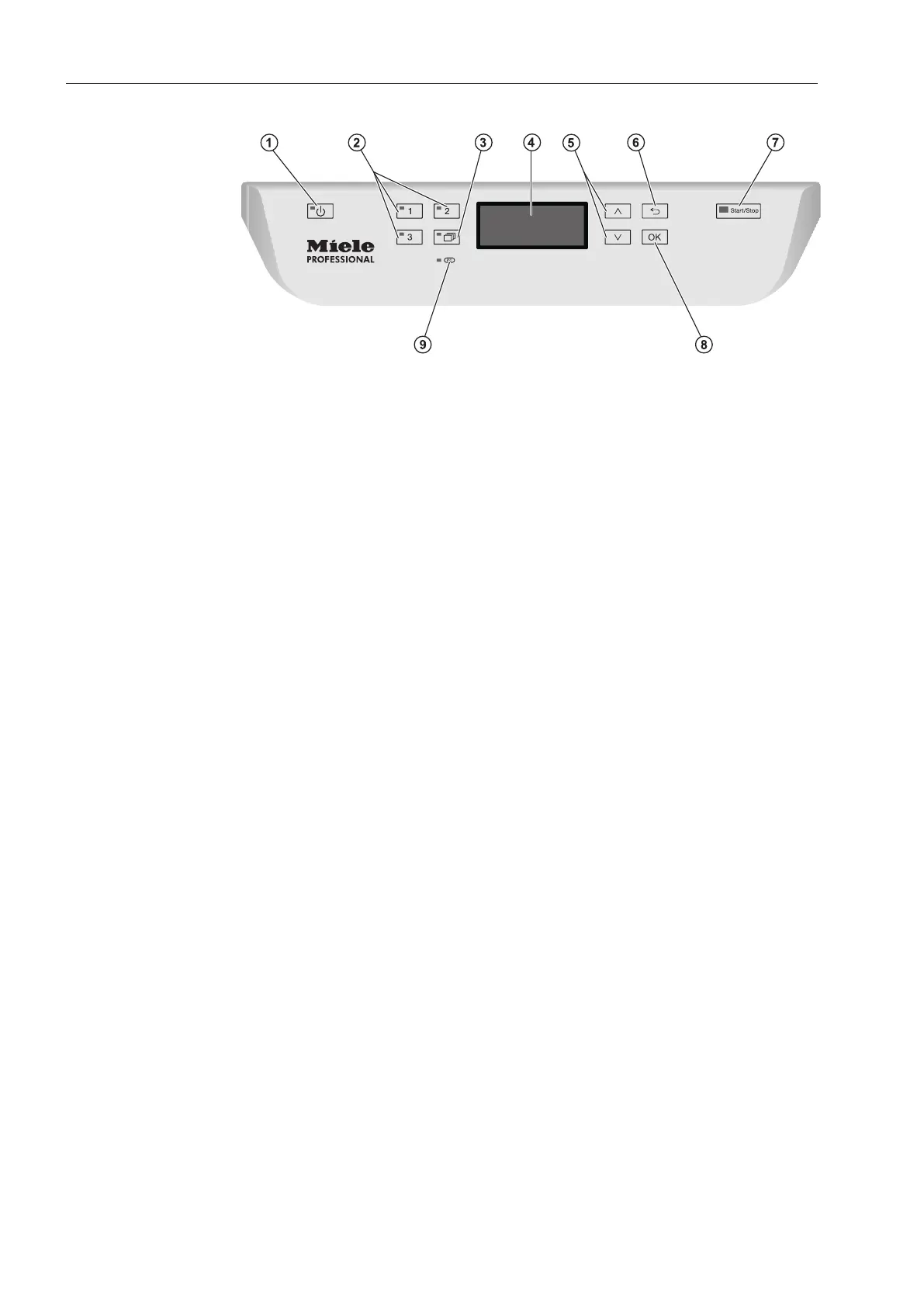
Guide to the machine
10
Control panel
a
On/Off button
For switching the machine on and off.
b
, and buttons
Programme selection buttons.
Can be configured.
c
Programme list button
For accessing the list of all programmes.
d
Display
User interface and programme sequence display.
e
and arrow buttons
For navigating within the display.
f
Cancel button
For cancelling a process
(not for cancelling programmes).
g
Start/Stop button
For starting or cancelling a programme.
h
OK button
For selecting or confirming entries in the user interface
(acknowledge or save).
i
PC/Optical interface
This is used by Miele Service technicians to run diagnostic checks
and can also be used to update programming data in the future.



 To Next Page