-22-
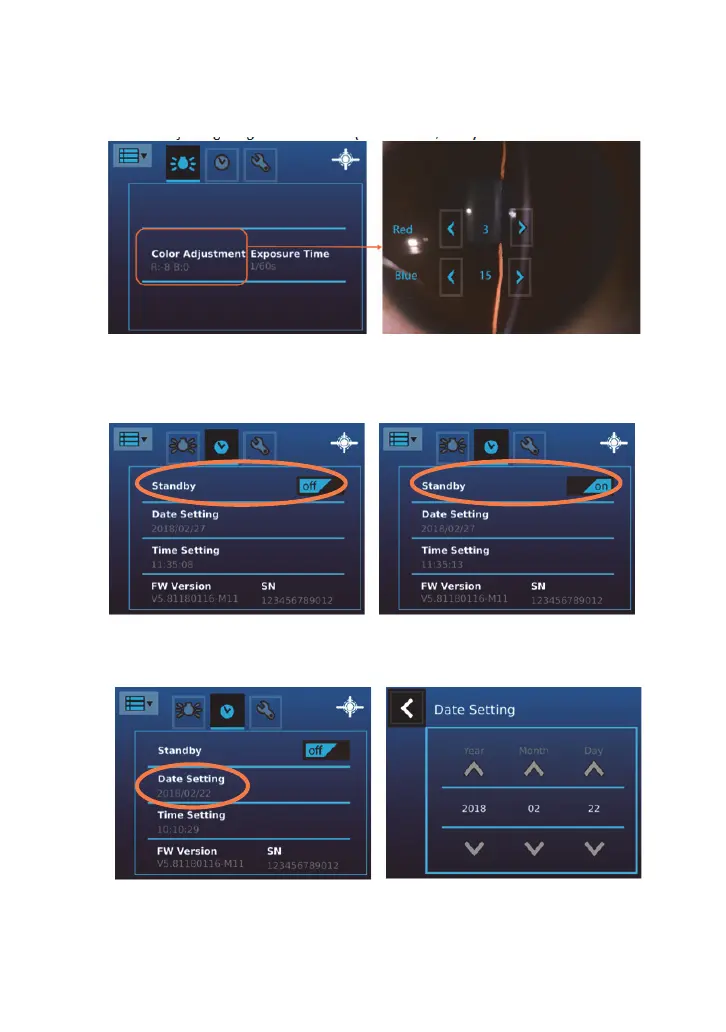
[Exposure time/Color]
User can adjust Exposure time/Color setting by touching the corresponding column
1. Exposure time from 1/30” to 1/120”. (Default: 1/60”)
2. Color adjusting range from 0 to 20. (Default: R:3, B:15)
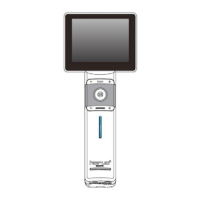
[Standby]
User can set standby mode to be on or off. Once the mode is on, the LCD panel will be
turned off if the system is idle for three minutes. Tap on the item to toggle the setting.
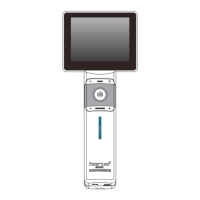
[Date Setting]
User can change the current date setting from the screen.


 To Next Page