-23-
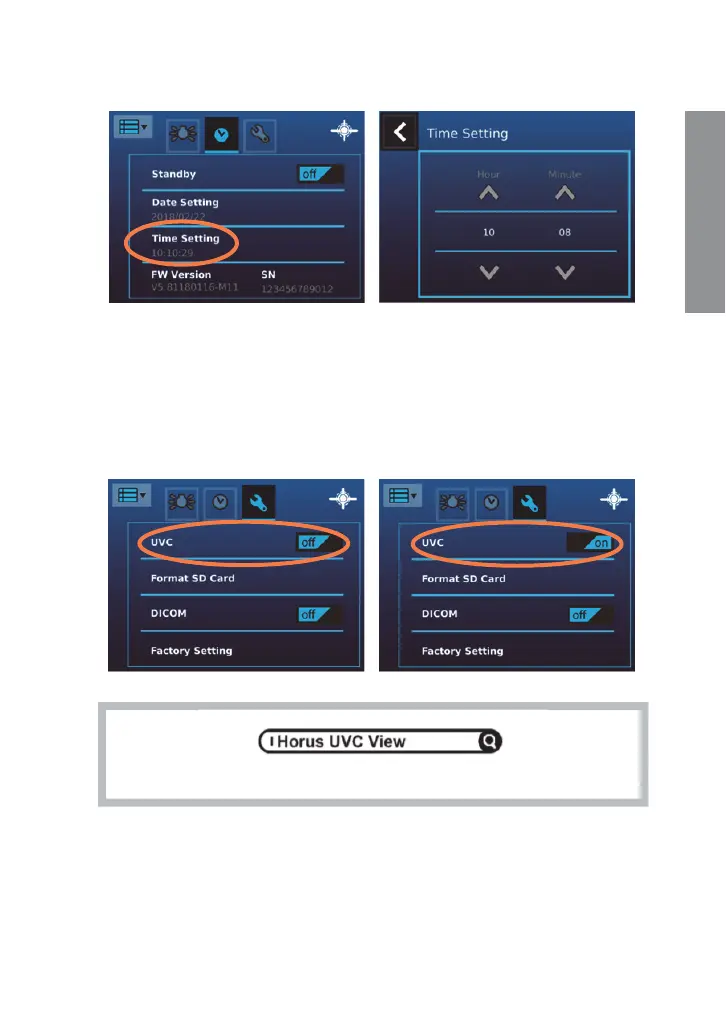
[Time Setting]
User can change the current time setting from the screen.
[UVC]
While connecting DEA 200 to a computer via USB cable, the product works as a USB
storage device. If UVC mode is on, pictures can be shown both on the LCD panel of the
product and the screen of the computer. To display image on the computer, please
install webcam application prior to enabling UVC mode. A freeware webcam
application (e.g., Horus UVC view, Amcap) is a software that can receive UVC signal on
the computer. User can search for relevant information over the Internet.
Free
UVC viewer is available in any search engine.
Preparations


 To Next Page