-44-
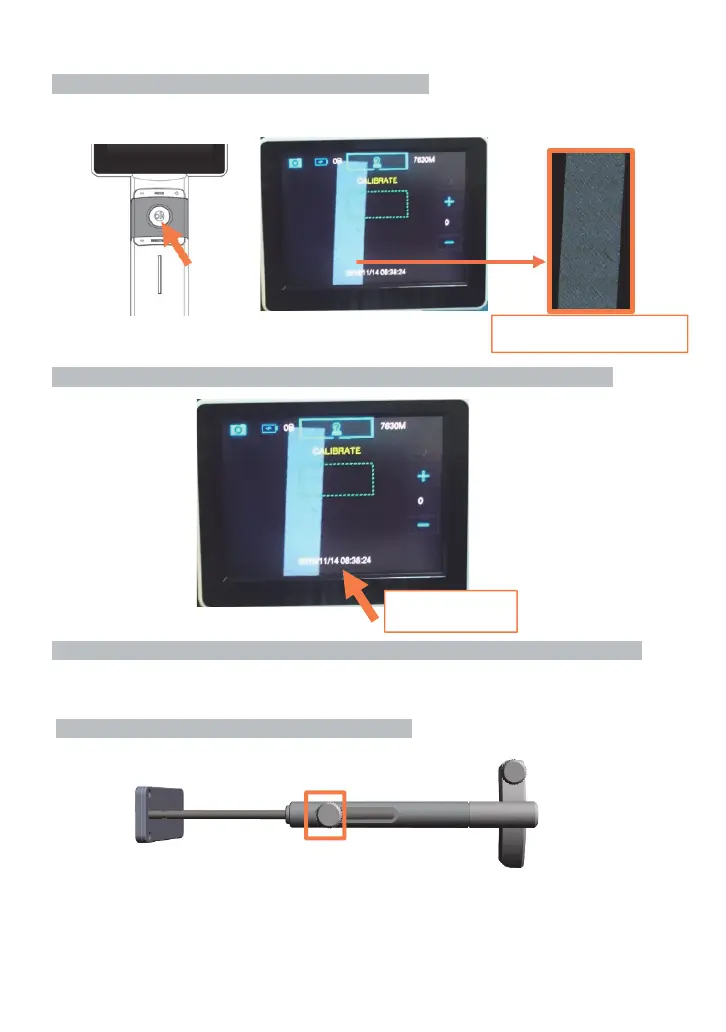
Step 4: Half press OK button to active auto focus function.
Check the image of correction rod on monitor.
If the image of correction rod is not clear, please loose your finger and half-press the button again.
Step 5: Press date/time area on the screen for 3 seconds to save the working distance.
Step 6: Remove the Correction Rod and start to use the device with the best image quality.
Assembling of Forehead Stopper
Step 1: Remove screw A in counter-clockwise direction
,PDJHRIFRUUHFWLRQ3ODWH
GDWHWLPHDUHD
Screw A


 To Next Page