SNMP
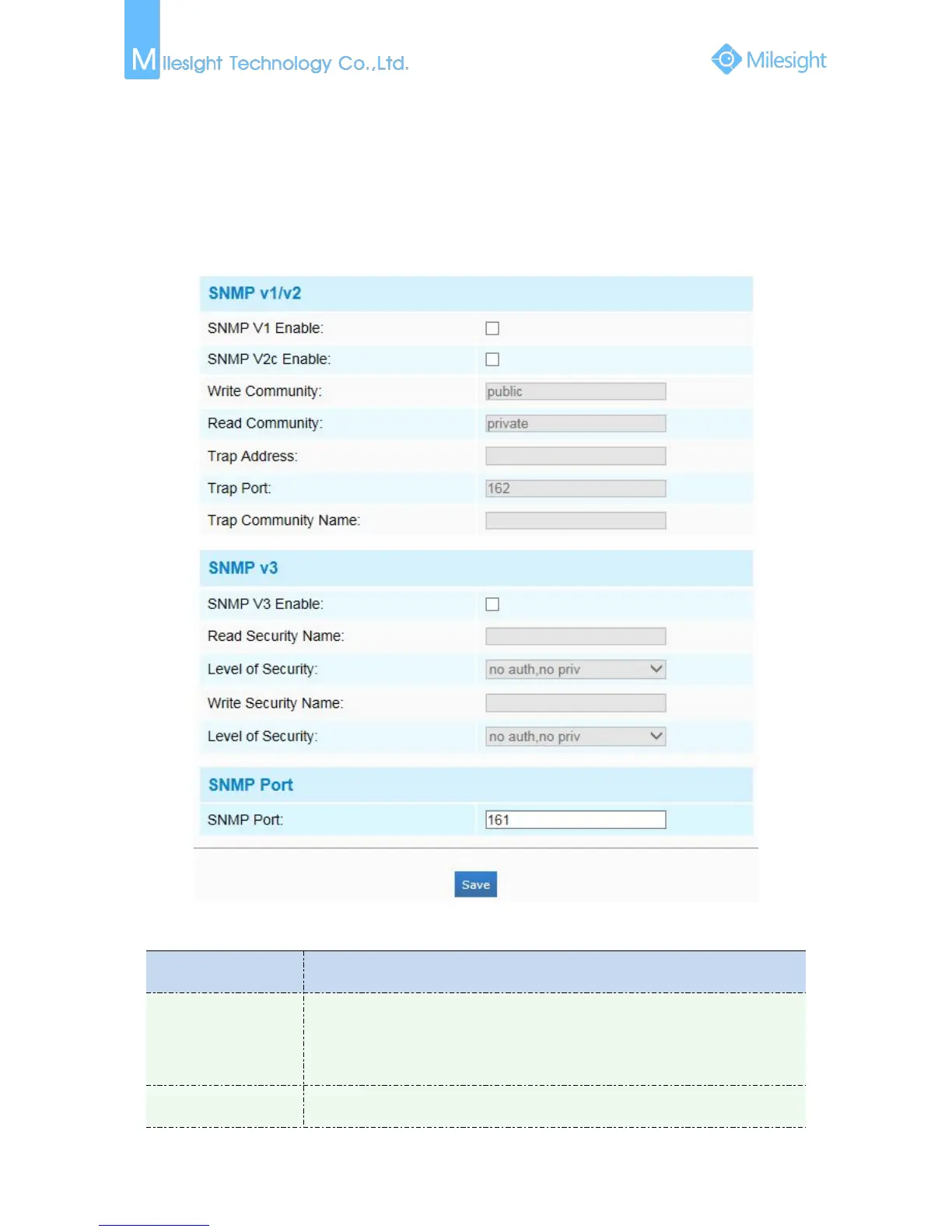
You can set the SNMP function to get camera status, parameters and alarm related information
and manage the camera remotely when it is connected to the network.
Before setting the SNMP, please download the SNMP software and manage to receive the camera
information via SNMP port. By setting the Trap Address, the camera can send the alarm event and
exception messages to the surveillance center.
Figure 4-4-9 SNMP
Table 4-4-7 Description of the buttons
The version of SNMP, please select the version of your SNMP software.
SNMP v1: Provide no security
SNMP v2: Require password for access
SNMP v3: Provide encrytion and the HTTPS protocol must be enabled











 To Next Page