MM063-010 – Operator Manual
13
2. INSTALLATION
Before switching the unit on (when coming from a storage area), allow the instrument
to reach environment operating conditions (at least 30 minutes).
2.1. Space requirements
HistosMATE is delivered in a wood box (43kg-94lb) with these dimensions:
Unit dimensions:
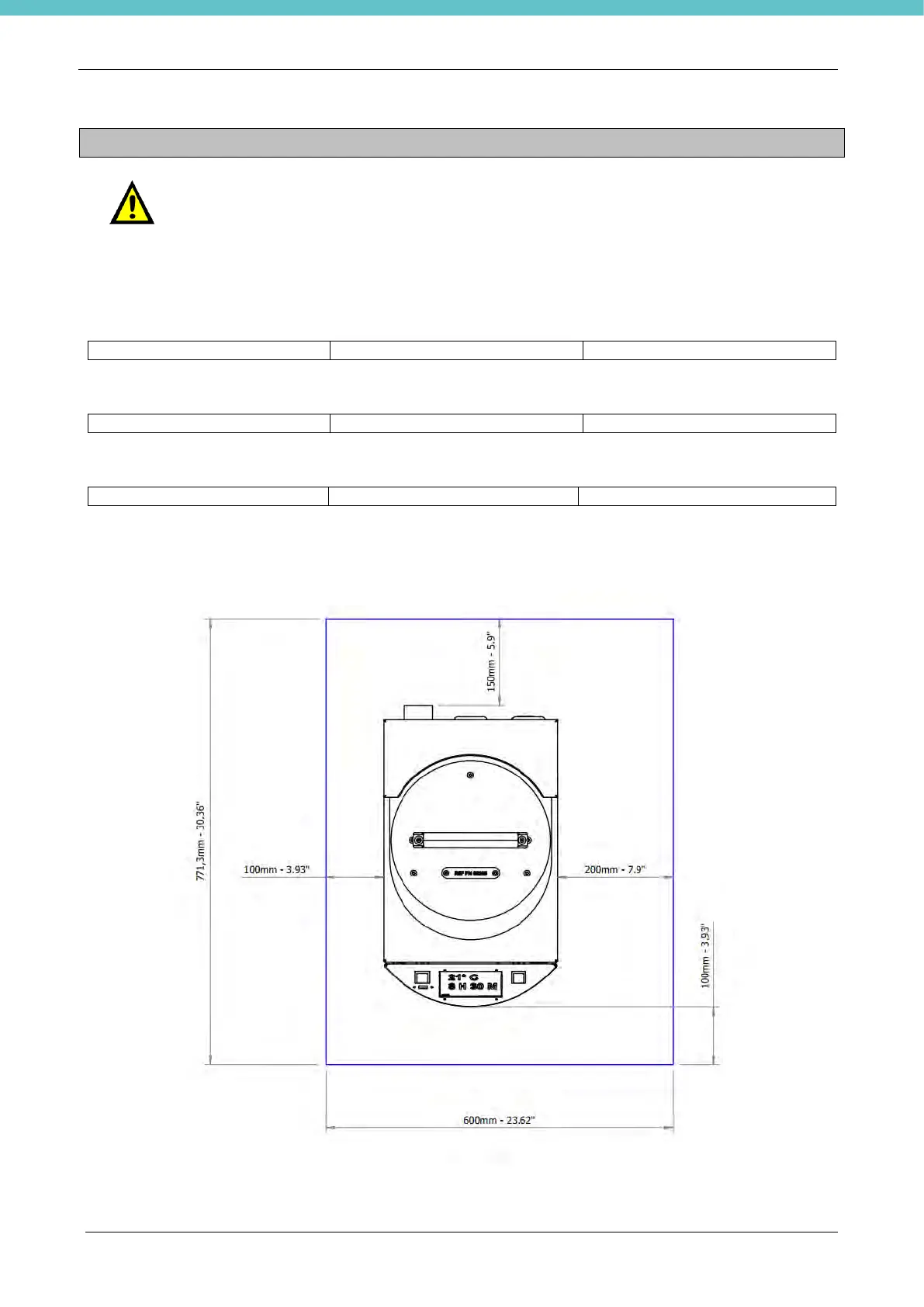
Space dimensions required to locate the Milestone HistosMATE:
Make sure that the unit has not been placed against any lateral surfaces that might limit the intake/outlet of
cooling air: allow at least a distance of 20cm (7.9in) for each side and behind.



 To Next Page