MM063-010 – Operator Manual
38
5.3. Install and operate with LogVIEWER
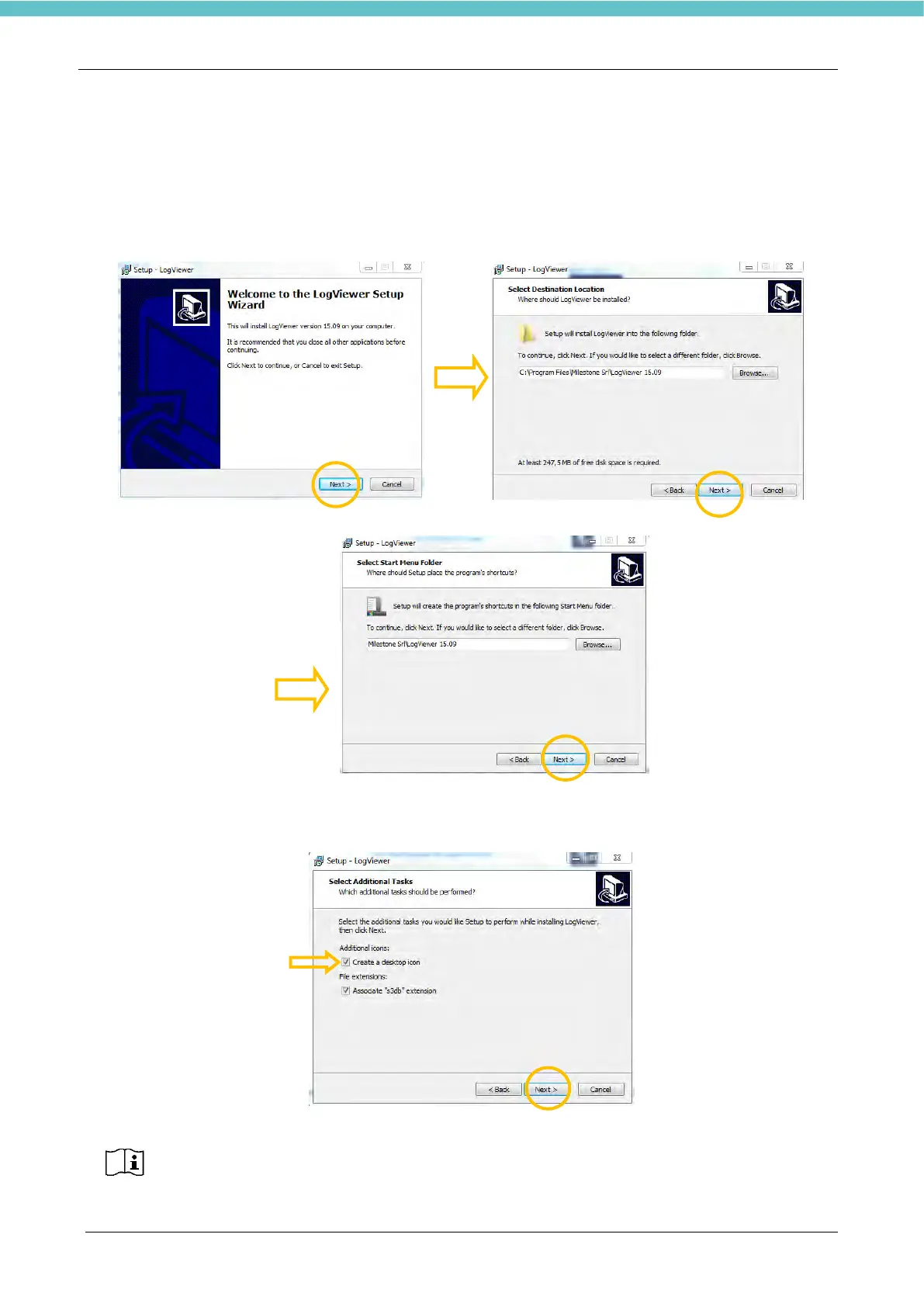
The USB key provided with the device contains LogVIEWER folder. Double click on the
“SetupLogViewer.exe” icon to install the program.
Press “Next” in the following screens.
Then the following screen is opened. Select the checkbox “Create a desktop icon”, as shown below. Then
press “Next”.
The checkbox “Associate s3db extension” is selected by default and it is suggested not
to modify this setting. In this way, it will automatically open the Events log by
LogVIEWER program, when exported.



 To Next Page