MM063-010 – Operator Manual
20
2.6. Power supply
• A ground connection is available in the lab to assure the unit works correctly (yellow/green, green or
bare wire). Do not connect a Milestone unit without ground connection. Do not use the blue/white
wire (neutral of power line).
• Power supply neutral has to be referred to ground.
• Power supply line wires (their size and distance from the switch board) used in the laboratory are
compliant with the label positioned on the back side of our units.
• Plug/socket is visible during the normal use and easily accessible.
Power supply line needs to have a ground connection (Class I device).
Power supply line protection:
115V version: miniature circuit breaker curve C, 15A, differential: 30mA.
230V version: miniature circuit breaker curve C, 10A, differential: 30mA.
Before connecting the plug to the laboratory’s socket, check that the power supply
voltage of the unit matches the power supply line of the laboratory.
Damages occur when wrong power supplies the instrument.
The power supply must be protected by a residual current circuit breaker with over
current protection, residual current 30mA. Power line must have potential earth
connection.
CONNECTING CABLES: Never connect or remove cables when power to the unit is
switched on, this will avoid risk of damage.
Main plug is considered as disconnecting device
Equipment shall be connected to main socket outlet which is accessible and visible by the
operator.
Disconnect main plug from the socket outlet before setting up the system and before
cleaning.
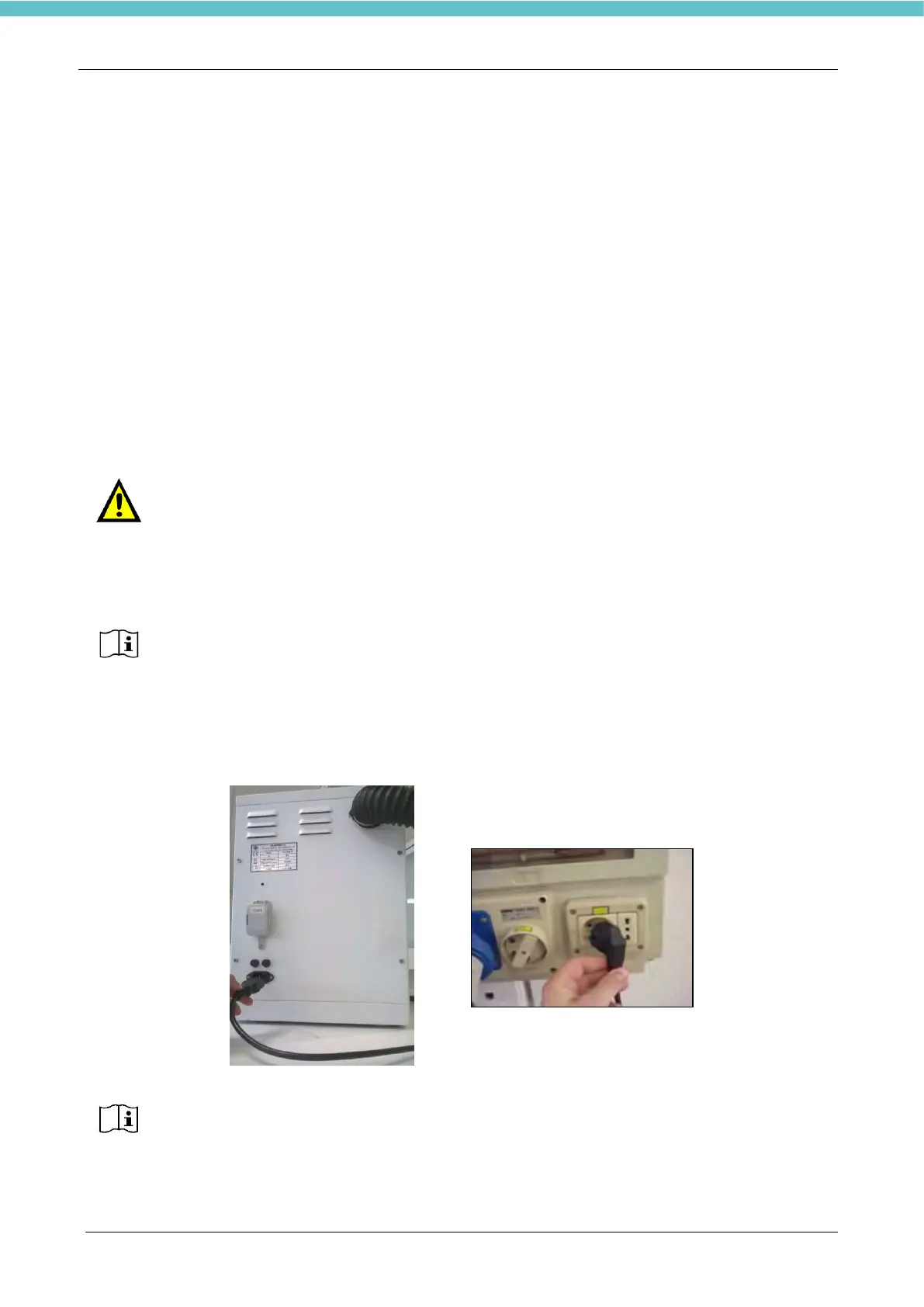
Connect the power cord socket in the HistosMATE plug and the power cord plug to main power supply
socket.
See also the label on the back of the unit which provides some important information.
Always provide the S.N. of the unit to Customer Support.



 To Next Page