MM063-010 – Operator Manual
27
3.2.1. Settings
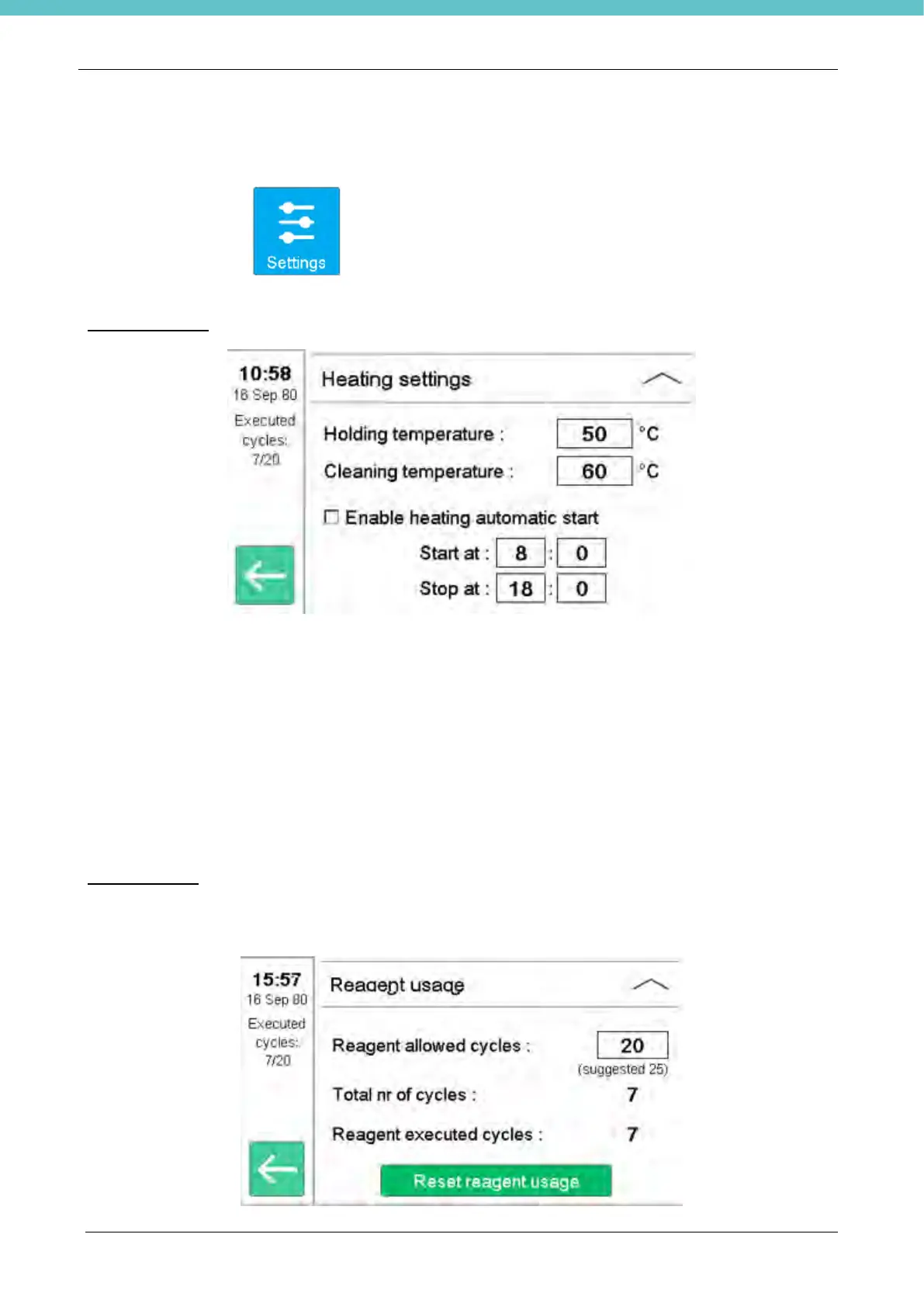
Under the Setting Icon , two different functions will be displayed: Heating Settings e Reagent
settings.
Heating settings
• Holding temperature: represents the reagent temperature to be reached when is not in the cycle
phase. It is suggested not to change such value.
• Cleaning temperature: represents the temperature reached during the cleaning cycle. Only when
the cleaning temperature is reached (60°C in this example) the cleaning cycle can start Also in this
case is strongly suggested not to change the default parameters.
• Enable heating automatic start: when this function is activated the user can select the start and
end time of heating. Thanks to this function it is possible to avoid the heating of the reagents during
the times when the HistosMATE is not used. This timer indicates the time the heating is switched on,
so it is recommended to set the switch on about an hour before the start of the working day.
Reagent usage
On this page you can set the maximum number of cycles before receiving the automatic message that warns
the user of the need to change reagents.



 To Next Page