MM063-010 – Operator Manual
23
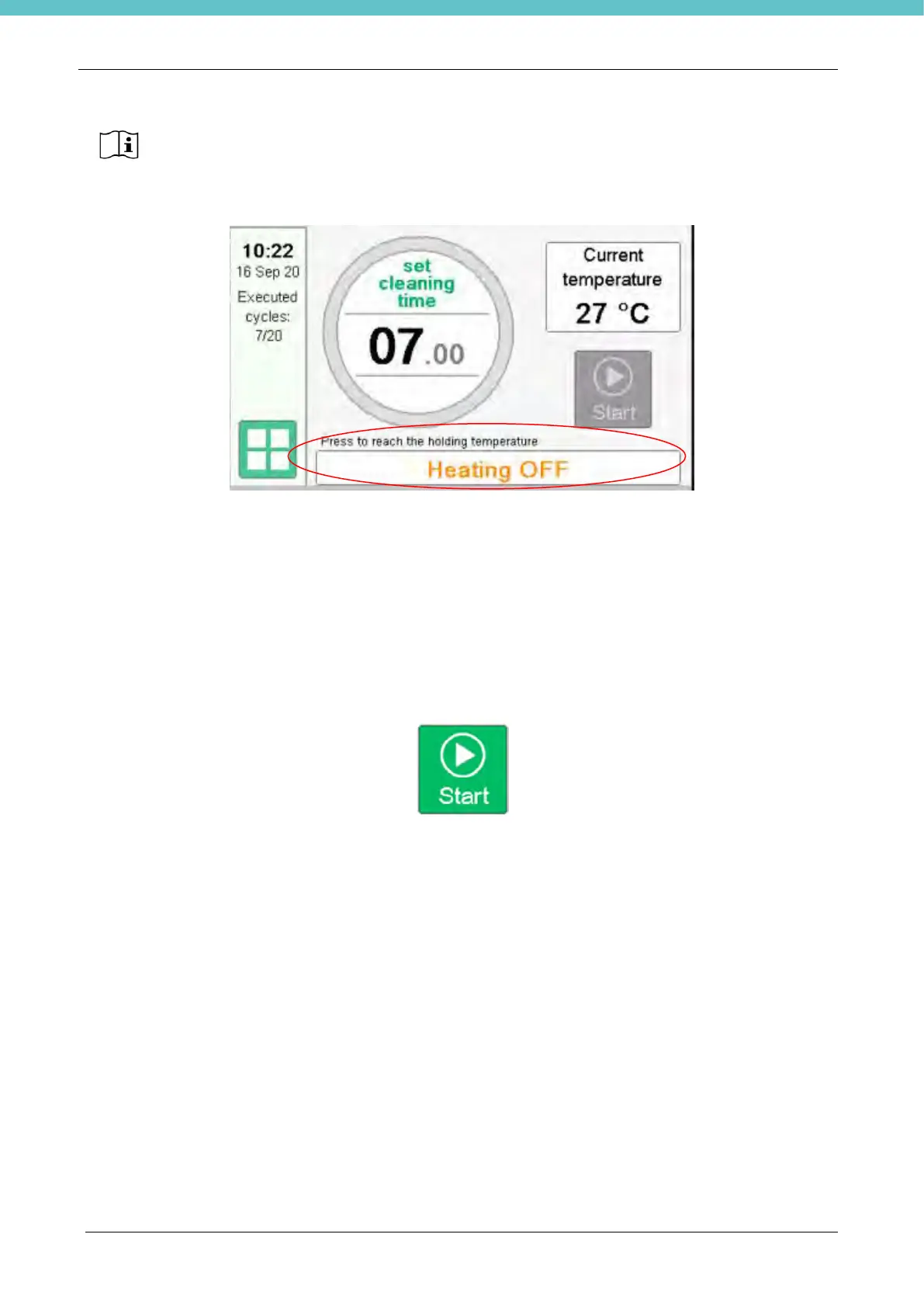
4. Turn on the heating by pressing on the rectangular area indicated by the red circle
5. When the holding temperature is reached, HistosMATE is ready to start a cleaning cycle.
Heating power is auto-tuned by a PID controller. The operator must only set up the desired parameters
(Time and Temperature).
The unit will always reproduce the same conditions of temperature in the set times, by automatically
adjusting the power level.
The following section shows how to run and modify a cleaning cycle with the HistosMATE software. Use the
touch screen pen to select the desired menu.
Once the Holding temperature is reached, the Start Key will become green.
By Pressing it will switch the instrument from Hold to Cleaning temperature. Once the cleaning temperature
is reached, the timer will start counting down
Milestone recommends to keep always ON the fan when the HEATING is ON or turn on the
ventilation 1 minute before removing the holder.



 To Next Page