OM-253893 Page 23
7-2. SubArc System Help Codes (Continued)
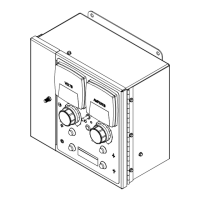
SubArc Interface
Digital Help Code
HELP will dis-
play in the up-
per display,
and the code
number will
display in the
lower display.
SubArc Power Source Sta-
tus/Trouble Light
Each flash sequence will
be followed by a one sec-
ond pause. The se-
quence will then repeat.
Fault Description
72 7 Quick, 2 Slow Invalid Motor Type Indicates resistor is missing or improperly installed in motor ca-
ble. Make sure the motor being used is support by this system
(see Section4-5). Check motor to system interface control cable
connection and tighten if necessary (See Section 5-8). If this
code continues to appear on the display, contact the nearest
Factory Authorized Service Agent.
73 7 Quick, 3 Slow Program Select Error Indicates an invalid program has been selected using the pro-
gram select inputs on the terminal strip. The program select is
not available because locks are enabled. This error will only
occur with program select mode enabled.
92 9 Quick, 2 Slow Parallel Communica-
tion Loss
On trail unit − indicates communication cannot be established
with lead unit.
On lead unit − indicates communication was lost during welding.
93 9 Quick, 3 Slow PLC Communication
Loss
Indicates communication with PLC was lost during welding.
94 9 Quick, 4 Slow Automation Interface
Communication Loss
Indicates communication with Automation Interface was lost
during welding.
95 9 Quick, 5 Slow Serial Communication
Loss
Indicates that the Process Control board lost communication with
the Motor Control board in the SubArc interface.
97 9 Quick, 7 slow Primary Communica-
tion Lost
Power source process control board cannot communicate with
the output controller. Power cycle unit. If problem persists, con-
tact the nearest Factory Authorized Service Agent.
98 9 Quick, 8 Slow Serial Communication
Loss
Indicates serial communication was initially made and is now
malfunctioning. Check SubArc interface/power source control
cable connection and tighten if necessary. May appear normally
during firmware updates. If this code continues to appear on the
display, contact the nearest Factory Authorized Service Agent.
99 9 Quick, 9 Slow Serial Communication
Malfunction
Indicates serial communication is malfunctioning. Check SubArc
interface/power source control cable connection and tighten if
necessary. May appear normally during firmaware updates. If
this code continues to appear on the display, contact the nearest
Factory Authorized Service Agent.






 To Next Page