Page 6 of 32
1.3 Touch switch
Color Meaning
White Steady: pump is ready for next handling step
Blinking: membrane dry out on-going
Blue Vacuum on
Green The sanitization kit is ready to use
Red No ltration head or ltration head is not
locked
Orange Blinking: synchronizing multiple pumps, wait
O No tension or standby
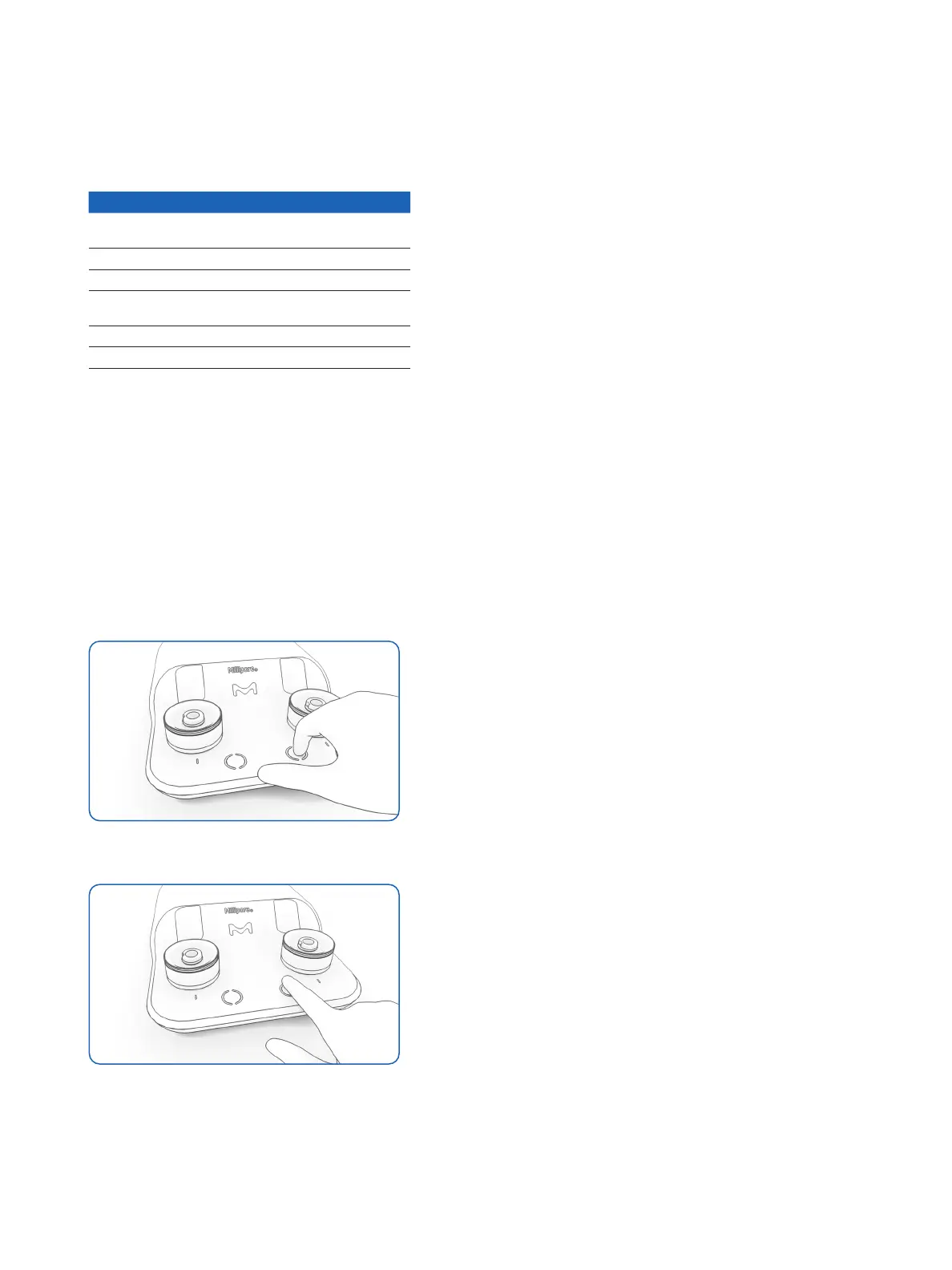
The switch is touch-sensitive. Use your
ngertip to activate it.
Touch the center of the switch without
touching the outer ring.
When the Milliex Oasis
®
pump is on
standby mode, it can be reactivated by
touching the space between the two
switches.
Note: If unused for thirty minutes, the
pump switches o. Touch the switch
once to power up.
Figure 4: INCORRECT – no activation if the nger
touches the outer ring
Figure 5: CORRECT nger position to start or stop
the pump
✓
✗




 To Next Page