Page 10 of 32
3.2 Media plates
• Open a box of media and remove the
desired number of bags, each contains
eight media plates
• Repeat the operation if more than one
box of media plates is needed
• Clean each bag using a wipe moistened
with one of the surface sanitizers listed in
the cleaning & maintenance section
• Open the bag and place the media plates
on the working area
• Repeat the operation if more media
plates are needed
Note: The media plates must be at
ambient temperature for optimal growth
performance.
Optional: Four stickers, each with
traceability information and a 2D code,
are present on each bag. It is possible to
detach the stickers and stick them into a
log book.
3.3 Testing
When the pump is on standby mode,
the switch is not lit up. To power up the
Milliflex Oasis
®
pump, touch the front of the
pump between the two switches with your
fingertip.
Note: If starting a filtration without a
filtration unit placed on the filtration
head, you will hear a whistle noise, this
is due to a check valve found in each
pump head and is perfectly normal. If
the pump is started after having placed
a filtration unit on the pump head, this
noise will not be heard.
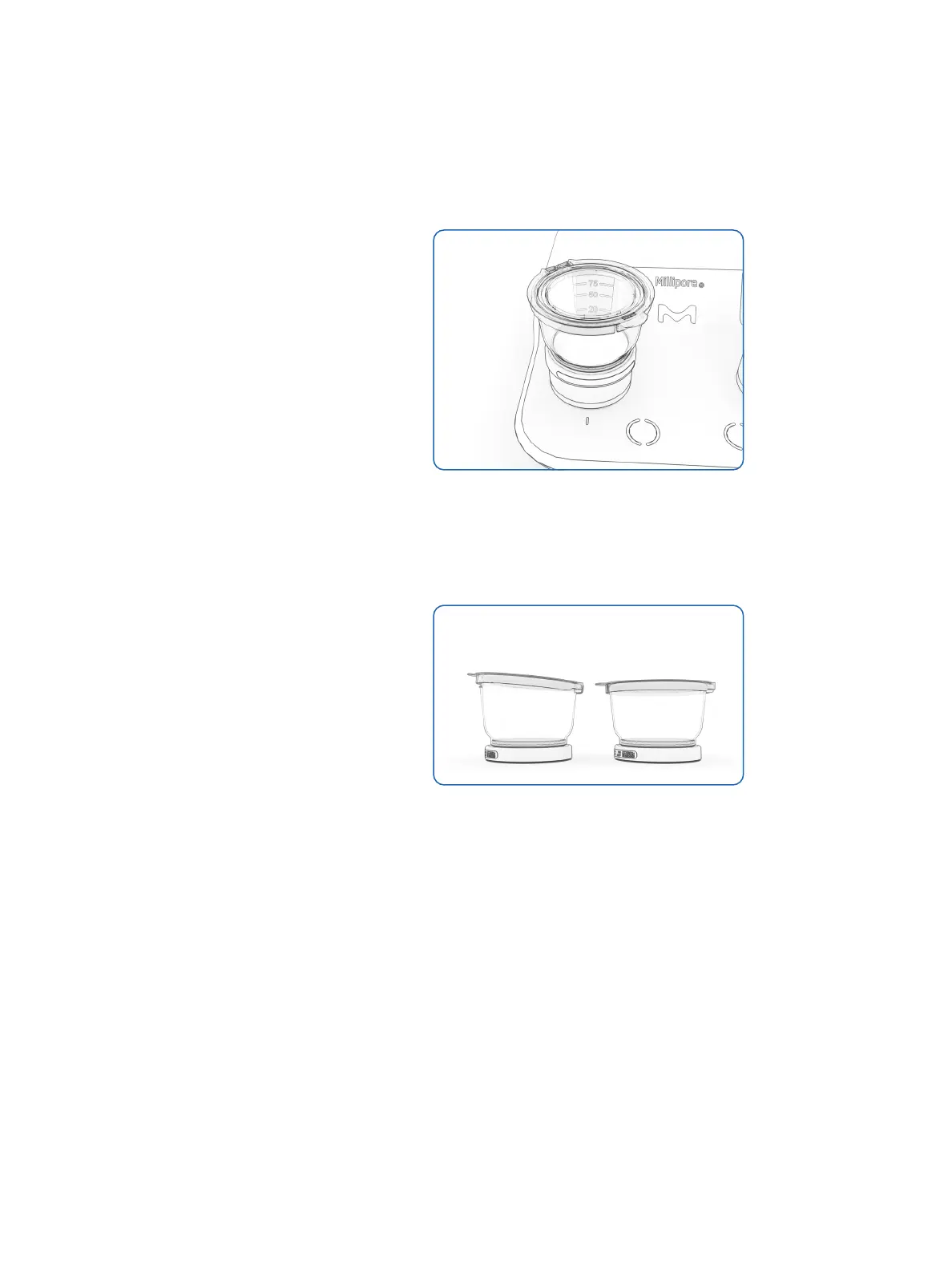
• Place the Milliflex Oasis
®
filtration unit
on the pump head, lining up one of the
unit’s frosted strips with the pump’s
colored background
Figure 16: filtration unit placement
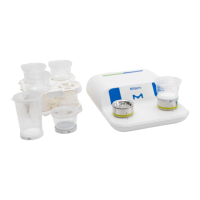
• Open the filtration unit lid
• Pour the sample into the Milliflex Oasis
®
filtration unit and flip down the lid without
locking it
Figure 17: CORRECT lid position on the LEFT SIDE
(unlocked lid)
• Touch the switch to start the filtration
Note: touch the switch three times within
one second to launch the filtration on
two filtration heads simultaneously.
• Open a media plate using both hands and
rest the cover back on the plate
• When the liquid is totally filtered,
touch the switch once more to stop the
filtration, the membrane dry-out will
automatically start
✓ ✗




 To Next Page