5. Commissioning
MiR Fleet PC Getting Started (en) 01/2021 - v.1.5 ©Copyright 2019-2021: Mobile Industrial Robots A/S. 29
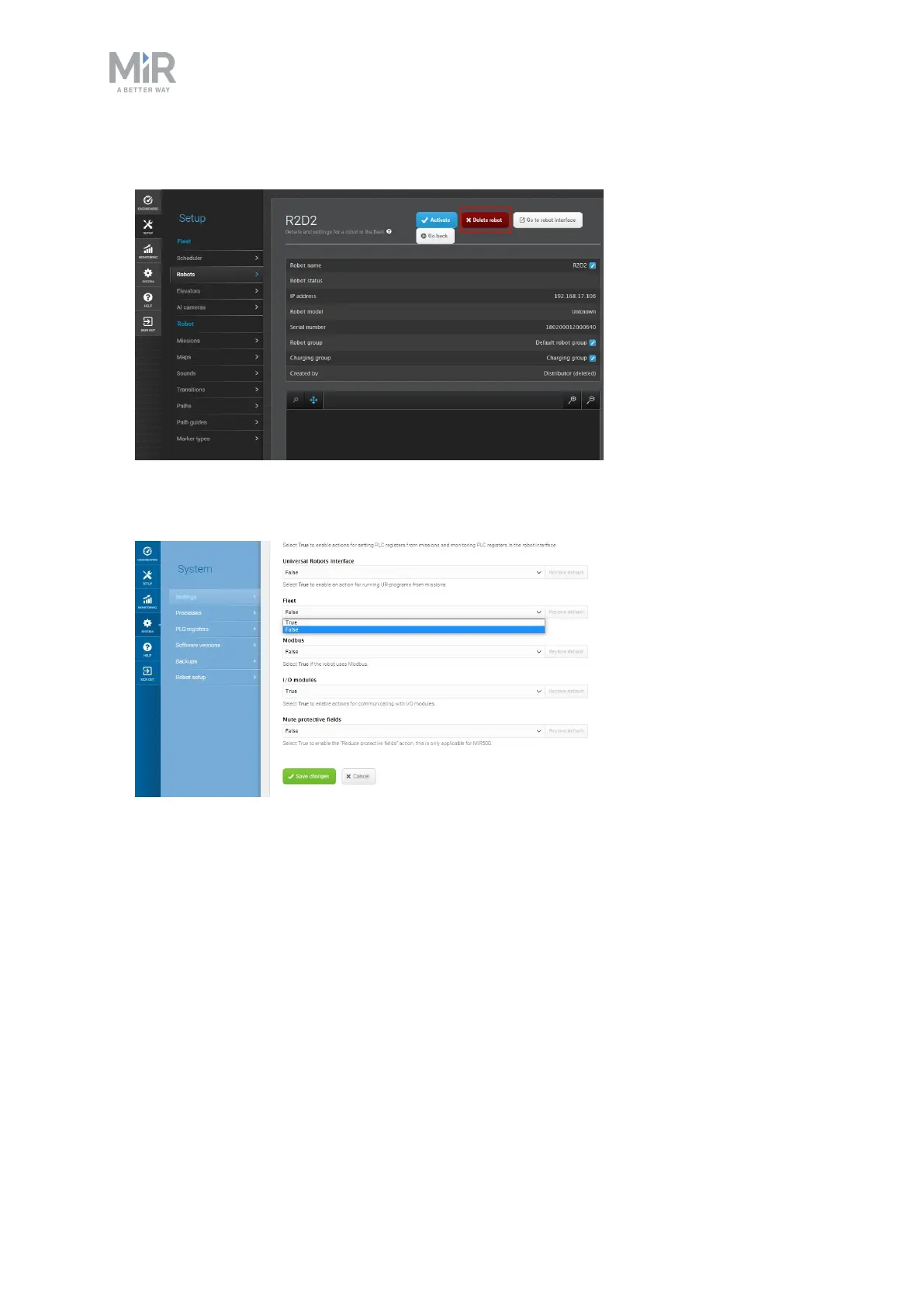
4. Select Delete robot.
5. In the robot interface of the removed robot, go to System > Settings > Features and set
Fleet to False.
6. Restart the removed robot.
5.4 Importing a site file
If some of the site data created on your model robot is missing after you added your robots
to MiRFleet, import the backup site file you exported from the robot before adding it. If all
of the data appears to have synchronized correctly, you do not have to import the backup
site file.



 To Next Page