4. Getting Started
MiR Fleet PC Getting Started (en) 01/2021 - v.1.5 ©Copyright 2019-2021: Mobile Industrial Robots A/S. 16
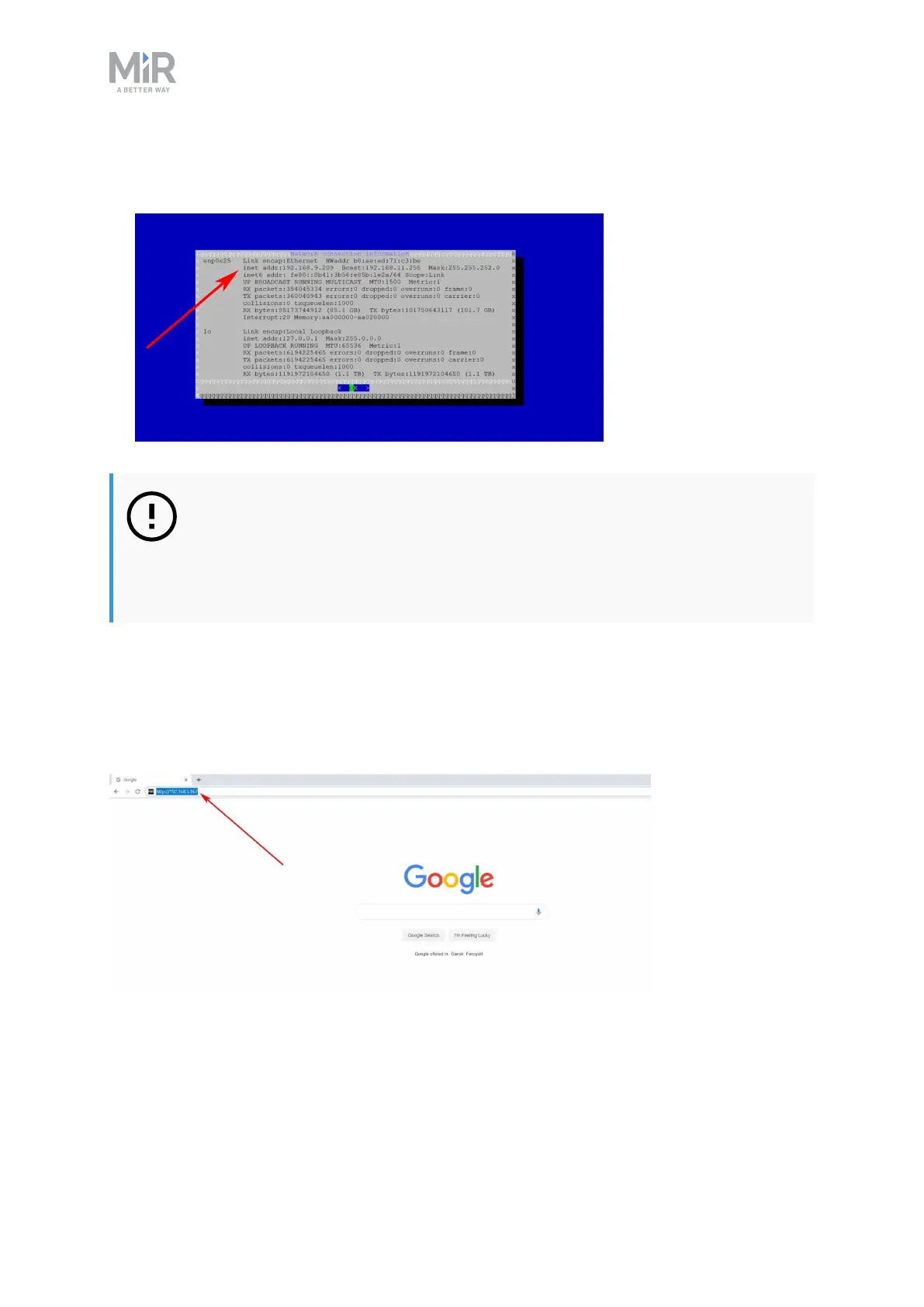
5. Your MiRFleet's IP address is written in the inet addr field and are often in the format
192.168.x.xxx.
NOTICE
We recommend that you use static IP addresses for both MiRFleet and MiR
robots. Assign the IP address to the hardware’s MAC-address. Ask your
distributor for further elaboration.
4.4 Signing in for the first time
You sign in to MiRFleet by typing the fleet’s IP address in a web browser on a computer on
the same physical network as the robots and the fleet.
Figure 4.1. The example fleet IPaddress 192.168.5.167 is written in the browser to access the fleet interface
sign in page.



 To Next Page